Backlink proof pack: screenshots and evidence archives that work
Build a backlink proof pack with URL, snippet, and timestamp so you can handle disputes, audits, and internal documentation with confidence.
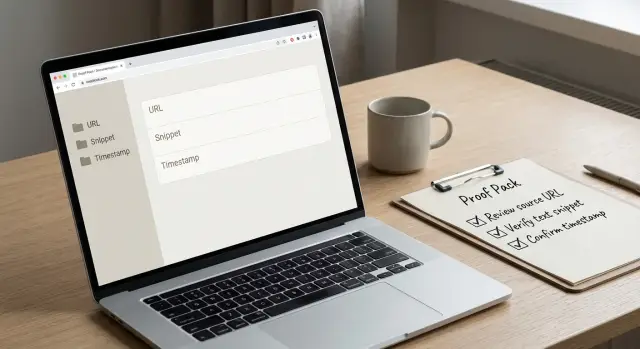
Why backlink proof matters in real life
Backlinks get questioned more often than people expect. A link can be live today and gone next week, not because anyone messed up, but because websites change. Editors update pages, companies redesign sections, and old posts get pruned. Sometimes a site changes ownership and removes outgoing links. Other times the page stays up, but the anchor text gets edited or the link is switched to nofollow.
That’s why a simple backlink proof pack helps. It turns a vague claim like “the link was there” into something you can show in 10 seconds: the exact page, the exact placement, and when you saw it.
Proof usually gets requested when money, performance, or accountability is involved. The questions are practical:
Which page is linking to us? What does the link look like on the page? When did we confirm it was live? Is it still live?
When you can’t answer quickly, the conversation often shifts from “what happened?” to “who missed it?” and you lose time retracing steps.
Missing proof creates avoidable headaches. You end up re-checking pages you already checked, teams argue because no one is looking at the same reference, and audits flag links as “unverified” even if they were real.
A good proof pack is plain and practical. It’s not a legal document. It’s a small bundle of evidence anyone can understand: a source URL, a screenshot showing the link in context, a short snippet of surrounding text, and a timestamp (plus who captured it, if you work in a team).
Proof doesn’t stop links from changing, but it stops confusion from growing when they do.
What to include in a proof pack (URL, snippet, timestamp)
A backlink proof pack should be boring in the best way. No guessing. If someone questions a link, you can show where it was, what it looked like, and when you captured it.
Start with the two URLs that matter:
- Source URL: the page where the backlink appears
- Target URL: the page on your site the link points to
Write them exactly, including the full path, so nobody has to hunt.
Next, capture what a human can see: the anchor text (the clickable words) and a little text around it. The goal is context. You want it to be obvious the link sits naturally in the page, not buried in a footer or dropped into an unrelated list.
A timestamp needs to hold up later. “Last week” isn’t evidence. Record the capture date and time, plus the time zone. If you can, bake the timestamp into the file name and rely on file metadata as a second reference.
To prevent mix-ups, add a few publisher details. Domains can look similar, and some sites use multiple subdomains. Note the domain, the page title, and the publisher name or brand shown on the page (if it’s visible).
Placement type can be a simple label. You don’t need a perfect taxonomy, just something that sets expectations:
- Editorial (inside an article or resource page)
- Profile (bio, member page, partner listing)
- Directory (category listing, company directory, tools list)
One entry might look like this:
Source URL: example.com/blog/topic-a
Target URL: yoursite.com/product
Domain: example.com
Page title: "Topic A: Practical Guide"
Anchor + context: "...recommended tools include YourBrand for teams that need X..."
Captured: 2026-02-03 14:22 (UTC-5)
Placement type: Editorial
If you’re storing evidence for paid placements or subscriptions, add a short, factual note about the acquisition source (provider name or internal reference) so Finance or Legal can match it to an invoice later.
Choose your evidence format without overthinking it
A proof pack is only useful if someone else can verify the link, its context, and the time it existed.
Screenshots, saved pages, and PDFs can all work. They just solve different problems.
A clear screenshot is often enough when you only need to show placement and wording. Include the page header (or another obvious marker), the linked text in context, and the browser address bar so it’s clear what page you captured.
Saved pages are better when you expect the page to change. A full saved copy keeps the surrounding content so you can show the link in context later. If you expect pushback, saving the HTML source can help too, especially when someone claims the link was “never there.”
PDFs are good for sharing with non-SEO teammates, auditors, or clients. The tradeoff is that PDFs can miss details like hover URLs and can break formatting, so don’t rely on a PDF alone when the dispute is serious.
Keep files readable, not perfect. Use full-page captures when the link’s location matters. Otherwise, capture the section plus the address bar. For long pages, a couple of targeted screenshots usually beats one huge file.
For organization, keep it predictable. A simple structure most teams can stick with is:
- Evidence/Backlinks/YYYY-MM/
- Domain-name/
- Page-title-or-slug/
- Screenshots/
- Saved-page-or-source/
Step by step: build a backlink evidence archive
A good archive is boring on purpose. When a link moves, gets edited, or disappears, you want proof you can show without explaining anything.
A capture flow you can repeat
Use the same steps every time so your records are consistent.
- Open the source page in a clean browser window and confirm the link resolves. Click it and make sure it lands where you expect (not a strange redirect, not a 404, not blocked).
- Take a screenshot that shows the link in context and includes the browser address bar. If possible, include the page header so it’s clear what site and page you’re on.
- Record the source URL and the target URL in a note file or a single spreadsheet row.
- Save a short text snippet (one to three sentences around the link). This makes reviews faster than scanning large images.
- Record the timestamp in one standard format and stick to it across all entries.
Make the evidence hard to argue with
Two habits matter most: capture the page as you saw it (not just a tight crop), and write down what you verified right after you click the link. Memory is the weakest part of most disputes.
If you do nothing else, do these three things every time: screenshot, URLs, timestamp. The snippet is the bonus that makes audits and reviews much faster.
How to name, label, and organize files so you can find them
A proof pack is only helpful if you can pull the right evidence in two minutes, not two hours. A consistent naming pattern plus a single master index gets you there.
A naming pattern that prevents mix-ups
Use a filename that answers three questions at a glance: where the link is, when you captured it, and what it points to.
source-domain_YYYY-MM-DD_target-domain_or_page_shortlabel
Examples:
example.com_2026-02-03_yoursite.com_pricingtechblog.net_2026-02-03_yoursite.com_homepublisher.org_2026-02-03_yoursite.com_blog-post-title
If you have multiple links on the same page, add a short locator like link01 and link02, or a nearby heading.
One master index, plus a few tags
Keep a single index (spreadsheet or doc) that your team treats as the source of truth. Each row should point to the evidence file and capture the key fields: source page, target page, anchor text, capture date, owner, and status.
A small set of tags is usually enough for filtering:
- Campaign or initiative
- Client or brand (if you handle more than one)
- Quarter (for reporting and audits)
- Acquisition source (subscription placement vs outreach)
For pages with dynamic content, capture evidence in a way that still makes sense later: include the full page URL, a close-up of the link area, and a short note in the index about what you saw (for example, “link appears in sidebar module”).
Timestamps and change history you can stand behind
A screenshot without a clear date is just a picture. During a client question, an internal audit, or a vendor dispute, the difference between “we saw it once” and “it was live on this date” is everything.
The strongest timestamps are ones you can verify later. Aim for at least two independent signals.
Useful options include:
- File metadata (created time) plus a consistent naming rule like YYYY-MM-DD
- A screenshot that includes the browser address bar, and ideally a visible system clock
- A PDF print where the print header shows the date
- A short screen recording that shows a refresh and scroll to the link
Cropped snippets are fine for quick sharing, but keep the full capture in your archive.
Keep a simple change log
Links move, anchors get edited, and pages get redesigned. A tiny change log saves hours later.
Write one line per check, even if nothing changed:
- Check date and who checked
- Source URL and target URL
- Where the link was (section heading or nearby text)
- Status (live, moved, changed, nofollow, removed)
- Evidence file name
For re-checking, keep it lightweight: check your highest-impact placements more often and everything else less often. If a link is removed, capture the page showing it’s gone and log it as “removed (confirmed)” without turning it into a debate.
Common disputes and how a proof pack settles them
Most backlink arguments aren’t really about SEO. They’re about memory, missing context, and pages that changed after the fact. A proof pack turns a back-and-forth into a quick check.
When someone says “the link was never live,” don’t respond with a long explanation. Point to a timestamped screenshot showing the page in a normal browser with the address bar visible, plus a saved copy or a snippet that includes the link.
The disputes that show up most often are predictable:
- “The link was never live.” Show the capture with the full URL visible, the link in context, and a timestamp. If you saved the HTML source and it contains the link, that often ends the debate.
- “That’s not the right page.” Show the exact source URL and the exact target URL, plus a snippet that makes the placement obvious.
- “The anchor text is different.” Show the screenshot and the capture date. Anchor text changes after edits, so the date matters as much as the words.
- “It was nofollow” or “it doesn’t pass value.” Save what you can prove: screenshot plus an HTML excerpt showing the rel label (nofollow, sponsored, etc.). Even non-technical reviewers can understand “this is how it was marked on this date.”
Keep your tone calm and factual. Use short sentences. Replace blame with proof: “Here’s the capture from 2026-01-12 10:14 UTC showing the source URL, the anchor, and the rel label.”
Common mistakes that make evidence useless
Backlink disputes rarely fail because the link didn’t exist. They fail because the proof is incomplete, unclear, or easy to challenge.
Screenshots that hide what matters
The biggest mistake is cropping out the browser address bar. Without the URL, anyone can claim the screenshot came from a different page or a different environment.
Another common miss is not proving what the link points to. A screenshot showing your brand name on a page isn’t enough if nobody can confirm whether it linked to the homepage, a product page, or a tracking URL.
Time and clarity problems that undermine trust
Timestamps are where many proof packs fall apart. Mixing time zones across files or leaving dates out makes it hard to build a clean timeline. Blurry images are another quiet failure: if the anchor text, domain, or destination can’t be read at a normal zoom, the evidence won’t hold up.
Five fast ways evidence gets rejected:
- Cropping out the full page or browser URL bar
- Not capturing the destination (where the link goes)
- Missing or inconsistent timestamps
- Images too blurry to read key details
- Keeping proof only in chat or email threads with no archive
Evidence that disappears when you need it
Storing proof inside chats or inbox threads feels convenient until you need it six months later. Attachments get lost, compressed, or impossible to search. For audits, that’s painful.
A simple standard works well: a stranger should be able to verify what page it was, where the link sat, what it said, where it went, and when it was recorded.
Quick checklist before you share evidence
Before you send anything to a client, a partner, or Finance, do a two-minute scan. Most disputes happen because the evidence is technically “there,” but hard to verify fast.
- Confirm the page URL is visible in the capture and matches what you claim.
- Make sure the link is easy to spot and shown in context.
- Include a timestamp with time zone (in the filename or a short caption note).
- Check that the file name follows your naming pattern and is stored where someone else can find it.
If you want a reality check, imagine you’re the reviewer and you have 30 seconds. Can you answer “What page is this?”, “Where is the link?”, and “When was it verified?” without opening five files?
Next steps: make it a habit (and keep it lightweight)
A backlink proof pack only helps if it stays current. You don’t need a heavy process. You need one repeatable routine and a clear place where the evidence lives.
Pick a maintenance cadence based on value, not perfection. For most teams, checking the top 10 to 20 links on a recurring reminder is realistic. Trying to monitor everything usually means you stop.
If you’re buying placements through a curated provider, it’s still worth keeping your own evidence archive. Services like SEOBoosty (seoboosty.com) focus on securing placements on authoritative sites, but your internal proof pack is what keeps reporting, audits, and handoffs simple when pages change.
Share