Backlinks to comparison tables for cost and feature intent
Learn how backlinks to comparison tables can attract cost and feature intent while keeping your destination page editorial, natural, and credible.
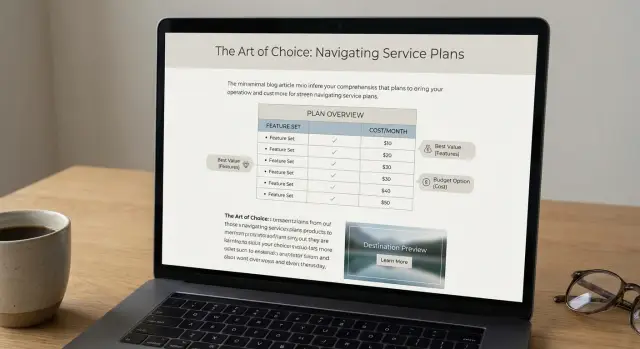
Why comparison tables pull in cost and feature intent
When someone searches “cost vs features,” they’re not browsing for ideas. They’re trying to decide. They want a fast answer to three questions: what do I get, what do I pay, and what do I give up if I pick option A over option B?
A comparison table matches that mindset. It turns a messy choice into clear tradeoffs. That’s why links to comparison tables often pull high-intent clicks: the table promises a practical answer, not a long opinion.
Tables also change how people trust what they read. A normal paragraph can feel like persuasion, even when it’s honest. A table feels more like evidence because it shows the same fields for every option. When the rows are specific (limits, included features, add-ons, support, setup time), readers can zoom in on what matters and ignore the rest.
Picture someone choosing between three email tools. They don’t want “best overall.” They want to know whether automations are included on the starter plan, whether SMS costs extra, and whether there’s a user cap. A table lets them spot a dealbreaker in seconds.
The risk is what happens after the click. If the link sends people to a page that reads like an ad, trust drops fast. The visitor expected the next helpful step (a short explainer, definitions, or a deeper breakdown), not a hard pitch.
Intent mapping: what a table click is really asking for
A click on a comparison table usually means: “Help me decide fast.” Map the intent behind that click, and your destination page will feel like part of the article rather than a detour.
Most table clicks fall into three buckets:
- Cost intent: “What will this cost, and what’s the catch?”
- Feature intent: “Does it do the one thing I need?”
- Alternatives intent: “What else is similar if this isn’t right?”
Tables tend to sit mid-journey. The reader already understands the basics, but they’re not ready for a sales pitch. They want proof points, limits, and quick cues.
A good table answers the essentials in about 10 seconds: the pricing model, the 2-3 features people actually care about, who each option fits, what’s missing, and what commonly changes the final cost.
Then match the destination to the intent. For cost intent, clarify the pricing structure, common extras, and a couple of real scenarios (for example, “5 users, basic usage” vs “20 users, advanced needs”). For feature intent, lead with the capability and show how it works in practice. For alternatives intent, keep it calm and direct: when each option is a better fit.
Choosing the right comparison format for your niche
The best format is the one that mirrors the decision your reader is already trying to make. If they’re choosing between options, a table helps. If they’re still learning the category, a lighter comparison page often works better.
A simple test: look at what people say right before they buy. Do they ask “which one fits my team,” “A vs B,” or “which one is best for X”? Your format should echo that language.
Common formats (and when to use them)
Most niches lean on a few patterns:
- Product roundups: best for a shortlist.
- Category comparisons: best when the choice is between types (like hosted vs self-hosted).
- Use-case comparisons: strongest when buyers differ by budget, skill level, or team size.
- Vendor vs vendor pages: useful when searches are already brand-led.
Keep tables compact. Put deeper detail on the destination page, where it can be explained without turning into a giant grid.
When a table is the wrong tool
Tables lose trust when the decision has too many moving parts or the scoring feels made up. You’ll often be better off with a narrative comparison when:
- You’re trying to compare more than about 7-10 options at once.
- The features aren’t truly comparable (different terms for the same thing).
- Pricing is highly custom, so numbers will look outdated quickly.
- The buying process includes heavier steps like compliance, procurement, or complex integrations.
In those cases, use a story-led comparison with a few small callouts instead of one massive table.
What makes a comparison table feel credible
A table earns trust when it feels like a helpful shortcut, not a pitch. People scan fast and decide who to click next. If the table looks padded or one-sided, even strong links won’t save it.
Keep it tight. Most readers do better with a small set of decision points than a giant grid. Price, a couple of core features, setup effort, and support are usually enough. If you can’t explain why a row matters, remove it.
Credibility signals readers notice
A table feels fair when it’s consistent and specific.
Use the same units everywhere (per month vs per year, users included, storage limits, response time). Name things in plain words instead of internal package names. Add one “best for” row that uses real situations (solo creator, small team, regulated company). Include what’s missing or limited, and show a real tradeoff instead of trying to crown a winner.
A quick example: don’t just use Yes/No for features. “Automations: 5 rules included” or “Guest access: read-only” reads like research, not marketing.
Where the backlink should go to keep it editorial
A comparison table works best when the click lands on the next logical answer, not a generic pitch. That usually means skipping the homepage. Homepages try to speak to everyone, so they often feel like a detour.
If a table row is about a specific use case or feature, link to the most specific page that explains that point in plain language. If the table is broad, link to a neutral “pricing and features” hub that helps someone choose even if they don’t buy today.
A simple rule: the more specific the table cell, the more specific the destination should be.
What an editorial destination page looks like
The tone should feel like a review or buyer guide. Answer the question behind the click in the first screen:
- A one-sentence summary of what it is
- Who it fits (and who it doesn’t)
- A direct answer to the table’s claim (for example, “Yes, it includes X, but only on Y plan”)
- A short snapshot of what you get, written like facts rather than slogans
Showing pricing without sounding pushy
Pricing can be present and still feel editorial when it’s framed as guidance. Use ranges, explain what drives price (seats, limits, add-ons), and add one line of context like “most teams start here.” Avoid countdowns, huge buttons, and aggressive “best deal” language.
If a table compares “cost per month” and “includes priority support,” a good destination section title is something like “Plans and what changes between them,” followed by a small pricing block and two sentences that help readers pick the right tier.
Step by step: build the table and the destination as one flow
A comparison table works best when it isn’t a dead end. The click should feel like the next sentence, not a jump to a sales page.
Start by getting specific about the query and the moment the reader is in. “Best CRM for startups” is broad shopping. “HubSpot vs Pipedrive pricing” is a quick yes-or-no decision.
Build the table and page together
Outline the destination before you finalize the table. If you can’t outline it in 5-7 bullets, the click path is probably unclear.
Focus on one main intent (price, features, or fit). Limit criteria to 3-5 items that actually decide the purchase. Add two short paragraphs around the table explaining what you measured and what you didn’t. Then make sure the destination “answers the click” immediately.
QA before anything goes live
Do a quick scan for accuracy, neutral tone, and easy reading. The linked sentence should make sense even without the link, and the destination should read like editorial analysis.
How to write an editorial destination page that converts quietly
An editorial destination page should feel like the next paragraph of the article, not a checkout page. If someone clicks from a comparison table, they want clarity, not pressure.
Use reader-first headings. “How it compares” and “Who it’s best for” help people self-qualify without being pushed.
Page structure that reads like an article
If you removed the backlink, the page should still stand on its own. A simple structure:
- What this option is
- How it compares (2-4 specific points)
- Who it’s best for (and who it’s not)
- Key details (limits, setup, support, policies)
- Next step (one quiet CTA at the end)
Match the language of the table. If the table says “Best for small teams,” use the same phrasing on the destination page so readers know they landed in the right place.
Proof without hype
Only add proof you can stand behind. Avoid big claims unless you can show a clear definition or source.
Quiet proof is usually enough: screenshots of real settings, published specs, refund terms, uptime policies, or a dated changelog. Keep buttons modest. One strong CTA at the bottom often works better than multiple “buy now” blocks that make the page feel like an ad.
What to measure after you publish and place links
A comparison table can attract strong buying intent, but you only learn if it works when you track behavior around the table itself, not just overall traffic.
Measure table clicks separately from page visits. A useful split is (1) people who read but don’t interact and (2) people who click through to the destination.
Signals your table and destination are out of sync
If you see lots of table clicks but the destination page doesn’t hold attention, the promise and the landing content don’t match.
Common patterns:
- High clicks but very short time on the destination page
- Fast returns to the article
- Early scroll stops
- Low next-step actions (trial, demo, signup)
- Spikes after an update, then a quick drop (stale info)
Tighten the handoff. If the table says “Starts at $29,” the destination should show that price quickly, explain what’s included, and note common add-ons. If the page opens with a long story, buyers feel tricked.
Outcomes that matter more than traffic
Pageviews are nice, but pricing-intent SEO is about what happens next. Pick 1-3 primary outcomes and track them consistently: qualified leads, trials started, demo requests, or contact submissions.
Keep the table fresh. A monthly or quarterly update rhythm for pricing, feature names, and plan limits protects trust.
A realistic example: capturing pricing intent without sounding salesy
Picture a buyer with a hard budget cap of $50 per month. They’re choosing between Tool A and Tool B and they don’t want hype. They want to know what they can do on day one, what breaks at the lower tier, and how painful setup will be.
A comparison table works here because it answers the quick math first, then the “can it do my job?” question. Keep criteria practical: entry price for the budget cap, one key feature, common limits, and setup time.
Where should the click go? Not a generic pricing page. Send it to an editorial destination page that finishes the decision without pushing. Open with a short summary, call out honest tradeoffs, then offer a clear next step.
Tool A is the better fit if you need to stay under $50 and you can live with basic reporting. Tool B costs more, but setup is faster and the limits are less restrictive once you add a second user. If you’re solo and cost-sensitive, start with A and reassess after a month. If time is your bottleneck, B usually pays for itself.
Common mistakes that make tables and backlinks underperform
Most comparison tables fail for one simple reason: they try to be a complete buyer’s guide inside a tiny box. Readers skim, bounce, and the clicks you do get are low intent.
Mistakes that quietly kill performance
These show up again and again:
- Overstuffed tables with vague criteria like “Best overall” or “Easy to use” with no definition.
- Links that go to generic pages that don’t answer the exact question the row raises.
- Anchors that look forced or overly optimized.
- Unverifiable claims.
- Ignoring mobile (slow load, unreadable table).
A simple rule: each table row should create one clear follow-up question, and the click should answer it in the first few seconds.
Test the table on a phone before publishing. If you need to pinch-zoom, simplify columns or split the table into two smaller ones.
Quick checklist before you publish
A comparison table only works if a reader can scan it fast, trust it, and know what to do next.
- Fast scan: Can someone answer the main question in one glance?
- Promise match: Does the destination continue the exact comparison the table starts?
- Plain tradeoffs: Is there one honest downside per option?
- Pricing clarity: Is there a real range or a clear explanation of why price varies?
- Editorial feel: Does the click read like a natural next step (details, plans, what’s included) rather than a random insert?
Read the section out loud. If it sounds like an ad, it will read like one. A quick fix is swapping superlatives for specifics: replace “best” with “fastest setup,” “most templates,” or “lowest starting price.”
Next steps: scale what works without losing the editorial feel
Scale starts with picking winners, not copying everything. Look at your existing tables and choose the one or two that already attract the right readers: people comparing features, pricing, and tradeoffs.
Prioritize tables with clear clicks and clean handoffs: strong engagement, destination pages that answer the next question immediately, and terms where competitors keep showing up for the same searches.
Before you scale link placements, refresh one destination page to feel more editorial. Tighten the intro, add a short “how we compared” note, and include neutral details (who it’s for, who it’s not for, and real constraints). Then set a simple update rhythm:
- Update prices, plan names, and limits
- Add or remove one feature row based on what people ask
- Replace vague labels (“best value”) with concrete criteria
- Refresh the destination page summary
If you need a curated way to point authority at your best comparison-focused pages, SEOBoosty (seoboosty.com) is one option. The key is to treat each placement as a vote for a table and destination that genuinely help the reader finish the decision.
FAQ
Why do comparison tables attract high-intent clicks?
Because the reader is trying to decide, not learn. A table lets them compare price, key features, and limits in seconds, so it matches “can I afford it and will it work for me?” intent better than a long narrative.
How big should a comparison table be before it becomes hard to trust?
Keep it small enough to scan without thinking. A good default is 3–5 decision criteria and a handful of options; if it takes more than a quick glance to find a dealbreaker, the table is doing too much.
What rows should I include to match cost and feature intent?
Use criteria that change the buying decision, not vague labels. Price structure, included limits, what’s excluded, setup effort, and support expectations usually beat rows like “best overall,” because they’re testable and specific.
How do I make feature comparisons feel credible instead of salesy?
Avoid Yes/No when the real answer is “it depends on the plan.” Add the unit or constraint right in the cell, like what’s included, caps, or which tier unlocks it, so the table reads like facts instead of persuasion.
Where should a backlink from a comparison table point?
Send them to the next logical answer to the exact claim in the table cell. If the table mentions pricing or a specific feature, the destination should confirm it immediately and explain the tradeoff, not open with generic marketing copy.
How can I show pricing on the destination page without sounding like an ad?
Lead with a clear starting point and what changes between tiers. Show what drives the total (seats, add-ons, usage limits), then give one quick example scenario so readers can map the price to their situation without feeling pushed.
What should an editorial destination page include after a table click?
Make the first screen answer the click. Start with what it is, who it fits, and a direct confirmation of the table’s claim (including any plan caveats), then add a short “how it compares” section before any strong call to action.
How do I keep comparison tables readable on mobile?
Treat the table as a preview and move detail to the destination page. On mobile, reduce columns, simplify wording, and avoid forcing pinch-zoom; if it’s hard to read in one pass, clicks will drop or become low-quality.
What metrics tell me my table and destination page are out of sync?
Track table clicks separately from overall pageviews, then watch what happens next on the destination page. If people click but leave quickly, your table promise and landing content don’t match, or the info feels outdated.
Do backlinks help comparison tables rank, or is it mostly about content quality?
Backlinks can help the right comparison page get discovered, but only if the page earns trust when visitors land. Services like SEOBoosty can place premium backlinks, but the best results come when the table and destination already answer cost, features, and tradeoffs clearly.
Share