Backlinks for Early Category Entry Pages: Rank Before You Scale
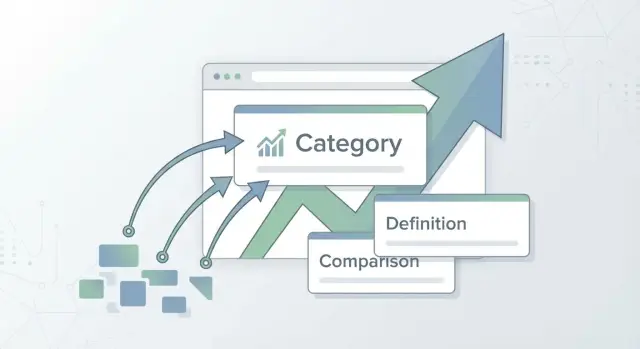
Backlinks for Early Category Entry Pages help new sites rank with definition plus comparison assets before you have deep topical coverage or a full content hub.
Why early category pages rarely rank on their own
Early category pages often look “right” to you, but “unproven” to Google. They usually have a broad headline, a short intro, and a list of items. That can work for people who already know you. Search engines, though, need signals that your page is a dependable starting point for the topic.
“Early entry” means you’re publishing the category page before you have much depth around it. You don’t yet have a library of supporting articles, brand mentions, or backlinks pointing at related pages. Even if the page is well-written, it can feel like a new store on a street with no reviews.
The biggest issue is trust, not effort. A fresh category page usually has three gaps: limited supporting content (so you look less established), weak internal signals (so the topic cluster isn’t obvious), and little outside validation (so nothing else on the web confirms the page matters).
Backlinks help with that trust problem because they work like third-party votes. They tell search engines, “this page is worth attention,” even while your site is still building coverage.
Example: you publish a new “expense tracking tools” category page, but you don’t yet have guides like “expense categories,” “receipt workflows,” or “best tools for freelancers.” Without those supporting pages, the entry page has to earn trust mostly from the outside.
This approach tends to work best when the category is emerging or underserved (so the bar is lower), your page is more than a directory (it explains and compares), and you can earn a few high-quality backlinks early.
It tends to fail when results are dominated by huge brands with years of content, or when your page is basically a list with no clear angle. In those cases, links can help, but the page still needs a better reason to rank.
What an early category entry page is (and is not)
An early category entry page is a simple, helpful page you publish when you’re entering a category but you don’t have a full library of articles, tools, or use cases yet. It gives search engines and people a clear starting point: what the category means, who it’s for, and how the main options compare.
It’s not a “we sell this” page. A product or service page is about your offer: features, pricing, and a call to action. A category entry page is about the category itself. Your brand can be one option, but it shouldn’t be the whole story.
A good entry page does a few jobs quickly:
- Defines the term in plain language and answers “what is it?” fast.
- Shows the most common approaches side by side, even at a high level.
- Sets expectations (costs, timelines, typical outcomes).
- Points to next steps, even if some pages are coming soon.
Success is usually quiet at first. Aim for impressions before you expect clicks. A good early entry page starts showing up for broader queries, then earns clicks as you refine the comparison and add proof.
Why definition-plus-comparison assets fit early entry
When you’re entering a new category, most searchers aren’t ready to buy. They’re trying to understand what the thing is, who it’s for, and how to choose between similar options. A definition-plus-comparison page matches that mindset, even if you don’t have a huge content library.
A strong definition section does more than explain a term. It sets boundaries: what counts, what doesn’t, and which problems it solves. It also introduces the criteria people use to evaluate options later (price, setup time, accuracy, compliance, integrations, and so on). That helps readers form a clear mental model, and it gives search engines clearer relevance signals.
Then the comparison section earns trust. Instead of declaring one “best” answer, you show the real tradeoffs and how to pick based on needs.
If you want a simple comparison that doesn’t turn into a wall of bullets, focus on four things:
- Best fit by use case (solo, team, enterprise, regulated).
- Key tradeoffs (cost vs control, speed vs customization).
- What to check before choosing (data needs, budget, timeline, risk).
- Common deal-breakers (lock-in, missing must-have features, surprise fees).
Example: imagine you’re launching a new analytics tool and you publish a page for “product analytics software.” You define product analytics, who needs it, and the features that separate it from basic web analytics. Then you compare 4 to 6 approaches (all-in-one platforms, lightweight event tools, self-hosted options) with a short decision guide. That can satisfy intent today, even before you build a full hub.
What doesn’t hold up: thin pages that paraphrase other sites, list tools with no reasoning, or stuff the same keyword on every paragraph. If the page doesn’t teach or help someone choose, rankings won’t last.
Choosing keywords when you don’t have topical depth yet
Without a full content library, the goal isn’t to win the biggest head term on day one. The goal is to win a clear “entry” query, earn trust fast, then expand.
Start with one primary term that names the category in plain language. Then choose 3 to 5 close variations that mean nearly the same thing, so one page can naturally cover them without feeling forced. If a variation pulls you into a different problem, it belongs on its own page later.
Next, separate “entry” queries from “deep” queries. Entry queries ask what something is, how it compares, or which option to pick. Deep queries demand detailed expertise and usually reward sites with lots of supporting content.
Common entry modifiers include “best,” “vs,” “alternatives,” “examples,” and “pricing.”
Set a realistic target: long-tail first, head terms later. A long-tail keyword might be “best [category] for small teams” or “[category] alternatives for startups.” These are easier to satisfy with definition-plus-comparison content.
A quick sanity check:
- Can one page define the category and compare 4 to 8 options?
- Do the keywords share the same intent (understanding, choosing, comparing)?
- Is the query specific enough that you can be useful without 20 supporting posts?
- Can you answer “who is this for?” in one sentence?
Example: if you sell a project management tool, “project management software” is a long fight. “Project management software for remote teams pricing and alternatives” is a more realistic starting point, and it naturally fits a definition-plus-comparison page.
How to structure the page so it deserves to rank
An early category entry page wins when it answers two questions fast: what this thing is, and how to choose between the main options. If you do that clearly, backlinks have something real to support.
Start with one positioning sentence that matches the search intent. For example:
“A password manager is an app that stores and fills your logins securely so you don’t reuse weak passwords.”
Keep it plain, specific, and close to what a first-time searcher expects.
A structure that tends to work:
- Definition: 2 to 4 short paragraphs on the term and the problem it solves.
- Who it’s for: a few audiences with one line each.
- Buying criteria: a short framework for evaluating options.
- Options table: a small, honest comparison using the same criteria for every row.
- FAQs: quick answers that handle common confusion.
Put the comparison framework before you list options. That’s what makes the page feel fair and useful, not like a random roundup.
Keep criteria simple and easy to understand: price range, setup time, integrations, reporting depth, support, and best fit. In the options table, use consistent language and skip claims you can’t verify.
Add proof you can actually stand behind, even if it’s lightweight. A short “how we evaluated” note, a simple example workflow you built yourself, or a mini scenario (like a 5-person team choosing based on setup time and admin controls) can make the page feel earned.
Step-by-step: build a definition-plus-comparison entry page
A definition-plus-comparison page works when it answers one simple need: “What is this, and how do I pick one?” Before you think about link building, make sure the page would still help a reader even if it had zero backlinks.
A simple build order
-
Write a plain-language definition in your own words. Add one concrete example that feels real, like a mini scenario of how a small business would use it.
-
Add selection criteria that won’t change every month. Aim for 5 to 8, and keep them timeless: price range, setup time, learning curve, integrations, compliance, support, and best-fit use cases.
-
Build the comparison around tradeoffs, not winners. Include 4 to 6 options or types, then state what each is best for and what it gives up. People trust you more when you say, “Choose A if you value speed, but expect less control.”
-
Add 5 to 10 FAQs pulled from real language: sales calls, support tickets, forums, and “People also ask.” Keep answers short. When you can, include a specific number, range, or rule of thumb.
-
End with one next step that matches intent. Early-stage readers might want a checklist or template. Later-stage readers might want a shortlist or self-assessment. Keep it one sentence so it doesn’t feel pushy.
Backlink strategy for early entry pages (simple and safe)
If you want an entry page to rank early, point some links directly to that page, not only to your homepage. A few direct links can speed up discovery, build trust, and help search engines see the page as a real answer for the category.
Quantity isn’t the goal. For early category pages, a small set of strong, relevant links is usually safer and more effective than dozens of weak mentions. One vote from a respected, closely related site can matter more than many random votes.
Decide what you want links to reinforce. Do you want the page known for the category term itself (for example, “AI meeting notes”) or for the framework you introduce (for example, “definition plus comparison guide”)? Pick one main angle and keep most anchors and surrounding text aligned with it.
A plan that stays on the safe side:
- Get 2 to 6 relevant, high-authority links pointed at the entry page.
- Use mostly branded or neutral anchors (brand name, product name, or the topic in plain language).
- Place links inside real content, near text that matches your page’s promise.
- Add internal links into the entry page from any related posts you already have.
- After links land, refresh the page with one clear improvement (a sharper definition, a better table, or a tighter FAQ).
Internal linking is part of the same strategy. Even a couple of small supporting posts (a use case, a beginner glossary, or a “vs” mini comparison) can strengthen the entry page if they link back in natural language.
What to avoid: repeating exact-match anchors, buying irrelevant links because they’re cheap, or sending every external link to the homepage while the entry page stays isolated.
Anchor text and placement: what to ask for (and avoid)
Anchor text is the clickable words in a link. The goal is to look natural while still making it clear what the page is about.
A simple rule: ask for variety. If every site links with the exact same phrase, it can look forced. You want a mix that matches how people reference a useful resource.
What to ask for
When you request a backlink, focus on the words used for the link and where the link sits on the page.
Ask for a small rotation of anchors (mostly brand name, page title, and descriptive phrases), and aim for in-content placement where the surrounding paragraph actually discusses the category or the comparison. One link to the most relevant entry page is usually enough; multiple links to the same URL from the same article often adds little.
If possible, prefer pages that already get steady traffic over thin “resources” pages.
What to avoid
Avoid sitewide links, footers, author bios, and blogrolls. They’re easier to spot and usually less tied to a specific topic.
Also avoid repeating the same keyword-heavy anchor again and again. If you notice you’re requesting the same phrase in every outreach email, rewrite it.
Track results separately. In Google Search Console, watch impressions (are you showing up for more queries?) and clicks (are your title and snippet earning visits?). If impressions rise but clicks don’t, your link and placement might be fine, but the page headline, promise, or comparison section may need work. If neither moves after a few weeks, adjust your anchor mix and focus on more in-context placements.
Example: ranking early before you build a full content library
A small startup enters a new category and has only two supporting posts live. The product is solid, but the site doesn’t yet have the depth Google expects for a competitive term.
They publish one early category entry page that covers the basics in plain language: what the category is, who it’s for, what problems it solves, common features, and what “good” looks like. Then they publish a second page built around the question buyers actually ask: “X vs Y vs Z - which type should I choose?” The two pages overlap, but they aren’t duplicates. One is a clean definition and buying guide. The other is more decision-focused, with a simple comparison table.
Instead of chasing dozens of random links, they secure a small set of authoritative placements pointing to the entry page (the one meant to rank first). They keep anchors mostly branded or descriptive, and they add a few internal links from the two existing posts back to the entry page.
Within a few weeks, Search Console shows impressions for unexpected questions in the FAQ section. They use that data to write the next three supporting articles, each built around a real question people are already typing (pricing models, setup time, common mistakes). Those new posts then link back to the entry page, strengthening it without needing a massive library.
Common mistakes that keep early category pages stuck
Early entry pages usually fail for boring reasons: they look like placeholders. A thin 400-word page aimed at a head term won’t earn trust just because it exists. Backlinks help, but they can’t fix a page that doesn’t answer the basic questions people have.
The biggest problem is unclear substance. A comparison only works when readers can see how you decided who fits what situation. If you list five tools with generic sentences, it reads like marketing, not guidance.
Common patterns that keep these pages stuck:
- Trying to rank the main head keyword with a short, vague page.
- Comparing options with no clear criteria or real tradeoffs.
- Sending most backlinks to the homepage while the entry page stays underpowered.
- Repeating the same exact-match anchor text until it looks unnatural.
- Changing the page’s topic every month, so links point at a moving target.
If you need to update the page, keep the same core intent and improve depth. Tighten the definition, add a clearer comparison table, and expand one or two high-intent sections (like “best for freelancers” vs “best for small teams”) instead of reinventing the topic.
Quick checklist and next steps
If your page isn’t moving, it’s usually not a “more backlinks” problem first. It’s an “is this page obvious and trustworthy” problem.
Quick checklist (before you build links)
- Intent match: the page clearly answers “what is this category” and “how do options compare” without turning into a product pitch.
- Clear definition near the top, plus who it’s for (and who it’s not for).
- Stable criteria that will still make sense in 6 to 12 months.
- Credible comparisons with at least a lightweight explanation of how you evaluated.
- Clean structure with scannable headings and a simple internal linking plan.
Once the page reads like a helpful category starter, link building becomes simpler and safer. You’re looking for a small set of placements that make sense for a definitional, top-of-funnel resource.
Next steps (simple plan)
Publish, get it indexed, then revise once you can see early queries in Search Console. Choose backlink targets that fit the page type, plan a mixed set of anchors (brand, URL, partial match), and secure a few strong placements. Then pause and measure for 2 to 4 weeks.
From there, expand around the FAQs you’re already getting impressions for, and add one supporting article per week until the cluster forms.
If you want a faster path to a few authoritative placements, SEOBoosty (seoboosty.com) is one option. It focuses on premium backlinks from established sites, which fits the “few strong links” approach that early entry pages typically need.
FAQ
What exactly is an “early category entry page”?
An early category entry page is a starter page you publish before you have a full library around the topic. It should explain what the category is, who it’s for, and how to choose between the main options, even if the rest of your site is still thin.
Why do new category pages often struggle to rank, even if they look fine?
Because it looks unproven to search engines. Without supporting articles, strong internal links, and outside references, the page doesn’t have enough trust signals to be treated as a reliable starting point for the topic.
How is a category entry page different from a product or service page?
A category entry page should be about the category, not your offer. It can mention your brand as one option, but the core job is to define the term, lay out decision criteria, and compare approaches so a first-time searcher can choose.
What structure makes an early entry page feel trustworthy?
Put a plain-language definition near the top, then quickly clarify who it’s for and what “good” looks like. After that, introduce a small set of buying criteria and only then show a consistent comparison of options using those criteria.
How should I pick keywords if I don’t have topical depth yet?
Start with one primary category term, then add a few close variations that share the same intent. Aim for “entry” queries like definitions, comparisons, and alternatives, and save deep, expert-only queries for future supporting posts.
How do backlinks help an early category page rank faster?
Backlinks act like third-party validation that your page matters, which can speed up discovery and trust while your content library is still small. A few relevant, high-quality links to the entry page are usually more useful than lots of weak mentions.
What anchor text should I ask for when building links to the entry page?
Use mostly branded or neutral anchors and vary them so they read naturally. The safest placements are in-content links where the surrounding text actually discusses the category or the comparison you’re offering.
How much does internal linking matter if I only have a few posts?
Add internal links into the entry page from any related content you already have, even if it’s only a couple of posts. If you can, publish one or two small supporting pages that answer a specific use case or “vs” question and link back in plain language.
How do I know if the page is improving after links go live?
Watch impressions first, then clicks and query variety in Search Console. If impressions rise but clicks don’t, improve the title, opening definition, or comparison clarity; if nothing moves after a few weeks, you likely need better in-context links or a clearer intent match.
What are the most common mistakes that keep these pages stuck?
Common issues are being too thin, having no clear comparison criteria, sounding like a generic roundup, or pushing exact-match anchors too hard. If you want a faster path to a small set of authoritative placements, a service like SEOBoosty can fit the “few strong links” approach, but the page still needs real definition and decision help to hold rankings.
Share