Backlinks for free tools: small calculators that earn citations
Learn how backlinks for free tools happen naturally, how to design utilities people cite, and when to add a few authority placements to speed results.
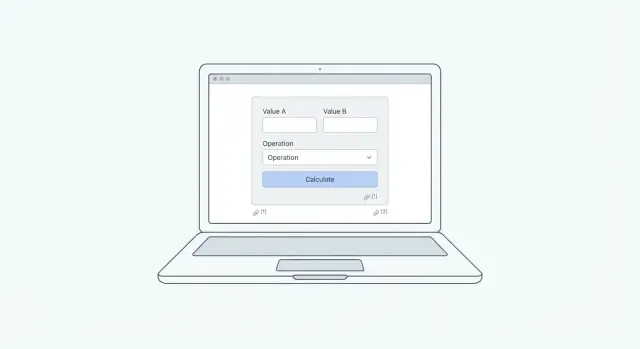
Why free tools attract backlinks in the first place
Free tools earn backlinks because they save people time. A blog post explains how to do something. A calculator does it for you, so writers, students, and teams can reference the result and move on.
Tools also feel neutral. When someone cites a checklist or calculator, it reads like a helpful reference, not an opinion piece. That makes it easier to link to in guides, documentation, and resource pages.
Natural citations often sound like: “Use this calculator to estimate your monthly cost,” or “Here’s a quick tool to convert units so you can follow along.” The tool becomes the shortcut inside someone else’s explanation.
A tool tends to earn links when three things are true:
- The problem repeats (people need the answer every week, not once a year).
- The output is easy to share (a number, a table, or a simple result someone can quote).
- The page explains what the result means in plain language.
A tool stays invisible when it’s too generic, too slow, or too thin. If it takes 30 seconds to load, hides the result behind a signup, or spits out a number with no context, writers will skip it and cite a competing page.
“Success” isn’t just a few links. Over time you want a mix of signals: mentions on other sites, new referring domains, long-tail search traffic (people searching for the tool by name or by problem), and a steady trickle of signups or inquiries if the tool lines up with what you sell.
Choosing a tool idea people actually reference
The best tool ideas aren’t the biggest. They’re the ones people need to cite when they explain a decision. If your output is easy to quote (a number, a score, or a short checklist), it becomes something writers can drop into a post, doc, or forum answer.
Start with one narrow problem with a clear input and a clear output. A calculator that answers one question usually beats a “do everything” dashboard, especially if your goal is backlinks for free tools.
Tool topics that get referenced often live where people argue, compare, or estimate: pricing, sizes, deadlines, limits, and benchmarks. Questions like “How many words is a 5-minute video script?” or “What hourly rate gets me X monthly income?” get linked because they settle a debate quickly.
Keep the tool fast to use: no login, no setup, and only a few inputs. If someone can’t get an answer in 10 seconds, they’ll bounce and cite another tool.
A quick way to sanity-check an idea:
- Can the output be copied into a sentence without extra explanation?
- Are the inputs obvious to a non-expert?
- Is the result stable enough to cite (not changing every hour)?
- Does the tool name match how people search for it?
Before you build, decide two things: the main keyword you want the tool page to rank for, and the type of person you want to cite it (bloggers, journalists, consultants, teachers, product managers). Match the wording and units to how that audience actually talks.
One practical example: a “SaaS pricing break-even” calculator with three inputs (monthly cost, plan price, target profit) outputs the customer count needed. That single number is easy to quote, so it naturally fits into articles and comparisons.
What to include on the tool page to earn citations
A tool earns citations when it’s easy to understand, easy to reference, and easy to trust. People rarely link because your calculator is clever. They link because it saves them time and makes their content stronger.
Start with one focused page. Use a clear title that matches what someone would search and quote, like “Email Subject Line Length Checker” or “SaaS Churn Rate Calculator.” Then add a short explanation (2 to 3 sentences) saying what it does and who it’s for.
A simple “How it works” box helps a lot. Keep it practical, not academic. If someone can read it in 10 seconds and feel safe using the output, you’re much closer to earning natural backlinks.
Make the output citation-friendly. Show a clean result with labels, units, and a short summary line someone can paste into a paragraph. Clean layouts also make screenshots look good in newsletters and posts.
What usually matters most:
- Clear inputs with example values so the tool doesn’t feel empty
- A result area with a one-line takeaway, not just a number
- Assumptions and limitations (what you include, what you ignore)
- A “last updated” note if formulas or benchmarks change
- Fast loading and mobile-first layout
Trust details are make-or-break. If the calculator uses averages, roundings, or standard rates, say so. A payroll tax estimator, for example, should state location assumptions and that results are estimates.
Step-by-step: build a simple calculator people can cite
A calculator earns citations when it makes one small job easier and gives a result people can point to with confidence. The goal isn’t fancy design. It’s a clear promise, simple inputs, and results that feel reliable.
Start by writing the promise in one sentence. Make it specific and measurable, like: “Estimate how many support tickets you’ll get from a site outage based on traffic and conversion rate.” If someone can repeat that sentence to a coworker, you’re on the right track.
A practical build order:
- Lock the outcome first: name the exact number or table the tool returns.
- Choose only the inputs you truly need (usually 2 to 6), and add sensible defaults so it works on first load.
- Write the math or rules in plain language, then implement it. Test edge cases like zeros, very large values, and missing fields.
- Add an “Example” area below the calculator with 2 to 3 sample input sets and the outputs they produce.
- Add an easy way to reference results, like a “Copy result” button and a shareable URL that keeps the inputs.
Edge cases matter. If a conversion rate is entered as “5” instead of “5%,” the tool should handle it or clearly explain the expected format. If an input would create nonsense (negative values, impossible percentages), show a short error message and don’t calculate.
Make the examples feel real. For a “time saved” calculator, show a small team scenario: “3 people, 20 minutes saved per day, 220 workdays,” then display the yearly hours saved. Writers can cite the example or run their own numbers.
Finish with a citation-friendly shape: a labeled number, the assumptions used, and a short line like “Calculated using: X, Y, Z.” That small detail often turns a handy widget into backlinks for free tools.
Basic on-page SEO for tools and calculators
A good tool can earn mentions on its own, but basic on-page SEO makes it easier for people and search engines to understand what it does.
Use a clear H1 that matches search intent. If people search “VAT calculator” or “LTV calculator,” use that exact wording in the H1. Avoid clever names that hide the purpose.
Write a short intro above the tool (3 to 6 lines). Say who it’s for, what it calculates, and what the result means. For example: “For freelancers who need to estimate quarterly taxes. Enter income and expenses to get an estimated payment.” This reduces confusion and keeps people on the page.
Add FAQ blocks people actually search
A small FAQ section can pull in long-tail queries and also gives writers something to quote. Keep it practical: what inputs are needed, whether the estimate is exact, and how the calculation works.
Use simple schema where it fits
If you have an FAQ, add FAQ schema. If the tool behaves like an app (inputs, outputs, clear function), consider SoftwareApplication schema.
{
  "@context": "https://schema.org",
  "@type": "FAQPage",
  "mainEntity": [
    {
      "@type": "Question",
      "name": "Is this calculator accurate?",
      "acceptedAnswer": {
        "@type": "Answer",
        "text": "It provides an estimate based on the numbers you enter. Always confirm final figures with your official sources."
      }
    }
  ]
}
Don’t publish a thin copy. If ten other tools use the same formula and same UI with different labels, you’ll struggle to rank and you’ll struggle to get cited. Add one original angle: clearer explanations, better defaults, a comparison table, or a mini example result users can share.
Before publishing, do a quick check: one purpose-focused H1, a short “who it’s for” intro, fast mobile performance, an FAQ with real questions, and one unique feature.
How to encourage natural links without begging for them
Natural links happen when someone can cite your tool quickly and trust it will still work next month. Your job is to remove friction and make the reference feel publication-ready.
Start with what writers care about: a clear name, a one-sentence summary, and a stable URL. Put that summary near the top so a busy editor understands the tool in seconds.
Add a short methodology paragraph that explains what the calculator does and where the numbers come from. Keep it plain and quotable. For example: “This calculator estimates monthly loan payments using the standard amortization formula. Results are estimates and may vary based on fees and lender terms.” That paragraph often becomes the citation.
If your audience would reuse the tool inside their own pages, offer a tiny embed snippet. Only do this when it genuinely helps (schools, nonprofits, communities maintaining resource pages). Keep it optional and simple.
A small content halo can help discovery without outreach. Two or three supporting pages is enough: use cases, worked examples, and plain definitions of key terms.
Track mentions so you can follow up later. Check for unlinked brand mentions and tool-name mentions. When you find one, send a short note: thank them, then ask if they can add the link for reader convenience.
Common mistakes that stop a tool from earning backlinks
A free tool can be genuinely useful and still earn zero mentions. Most of the time it’s not the math or the code. It’s the way the tool is framed, explained, and experienced by the person who might cite it.
One common issue is going too broad. If your tool tries to help everyone, writers don’t know when to reference it. A calculator that answers one clear question (with one clear output) is easier to cite than a do-it-all toolbox.
Another blocker is trust. If results feel random, writers won’t risk linking to it. Hidden assumptions are usually the cause: unclear input definitions, mystery defaults, or no explanation of what the number means. A short note like “We assume X” or “Based on Y” makes the output feel safer to cite.
Page experience also kills sharing. Heavy ads, popups, chat widgets covering the inputs, or slow mobile performance make people bounce. Writers need to test the tool quickly and move on.
Gating the tool behind an email form is a near-guaranteed link killer. Most writers won’t sign up just to verify a number, and they can’t recommend what they can’t access.
Finally, vague titles cost links. If the page title isn’t specific, the citation often goes to a competitor with a cleaner name.
When to add authority placements to speed discovery
A new tool can be useful and still sit unnoticed for weeks. Search engines and people need signals that a page is worth crawling, indexing, and showing.
Authority backlink placements make sense when the page is ready to be judged. If the calculator is still changing daily or missing basic explanations, wait. A strong page plus a few strong links can speed discovery. Links won’t fix a confusing tool.
Good signs it’s time for a small boost:
- The tool works, loads fast, and is usable on mobile
- The page has a clear title, short instructions, and an example result
- You’re seeing impressions but not rankings, or clicks are low
- You’re in a competitive niche where similar tools already rank
- You need the page indexed and tested quickly (launch timing or seasonality)
Keep the number of placements small. One to three relevant, high-quality links often beat ten random ones.
Relevance matters as much as authority. Match the linking site to the topic of the tool. A margin calculator fits business and finance content. A JSON formatter fits developer and engineering content. When the audience matches, the link looks natural and sends visitors who may share it again.
When you place links, point them to the tool page (not only the homepage). Use simple, descriptive wording around the link, like the tool name or what it calculates.
Example scenario: a tiny calculator that starts earning links
A good starter tool is something people need while writing a post, answering a question, or making a quick decision.
Imagine you run a small site for online sellers and you publish a Shipping Cost + Margin Calculator. It takes three inputs (product cost, shipping fee, selling price), then shows profit, margin percent, and a simple break-even price. Nothing fancy, but it solves a daily problem.
You launch with clear assumptions (for example: “shipping is paid by the seller” and “fees not included”), plus three worked examples. Those examples matter because they let someone reference the tool without doing math in their head.
A week later, someone replies to a forum question like “How do I price items with shipping?” and mentions your calculator as a quick sanity check. Soon after, two bloggers writing about pricing basics include it as a resource. That’s how backlinks for free tools often start: people cite what helps them explain something.
Quick checklist before you ship
Do a final pass like a first-time visitor. If someone can’t understand the tool in seconds, they won’t trust it, and they won’t cite it.
- Can someone open the page on a phone, enter numbers, and get a result quickly?
- Are inputs, outputs, units, rounding, and assumptions stated in plain English?
- Can a writer describe the tool and the result in one clean sentence?
- Did you test weird cases (zeros, blanks, negative values, huge values) and confirm at least one manual calculation?
- Do you already know a few places to mention it where it truly helps (a community thread, a partner, a small newsletter, a relevant roundup)?
A simple “citation test” helps: pretend you’re writing a post and try to reference your tool without looking back at the page. If you can’t describe what it does and what the number means in one sentence, rewrite the explanation block.
Next steps: a simple plan to earn links and grow traffic
Pick one tool to build this month and treat it like a small product, not a side widget. Decide what success means before you start so you know what to improve.
A simple plan most teams can follow:
- Choose one calculator with a clear audience and a single promise.
- Pick one success metric (200 organic visits a month, 10 referring domains, or 3 citations).
- Ship a first version quickly, even if it’s basic.
- Add one worked example and one test case so writers can verify it fast.
- Track mentions weekly and write down what people seem to use it for.
Then set an update cadence you can actually keep. Even small changes help: fix edge cases, add one new example, tighten wording, or expand the FAQ.
If you want to speed up early discovery after the page is solid, a small number of high-authority placements can help the right people find the tool sooner. SEOBoosty (seoboosty.com) is one option for this style of placement, since it focuses on securing premium backlinks from authoritative sites without the usual outreach back-and-forth.
FAQ
Why do free tools get backlinks more easily than blog posts?
Because they remove work. If someone can get a number, conversion, or checklist result in seconds, it becomes an easy reference inside their own article, doc, or answer without rewriting the logic themselves.
What makes a tool idea “link-worthy”?
Pick a repeating problem with a clear output someone can quote, like a number, score, or short result statement. If the tool settles a common question quickly, writers will reach for it when they explain a decision.
Should my tool be broad or focused if I want citations?
Keep it narrow. A calculator that answers one specific question usually earns more citations than a “do everything” dashboard, because people know exactly when to reference it.
How many inputs should a calculator have to be shareable?
Aim for 2–6 inputs, sensible defaults, and an answer that appears instantly. If a new visitor can’t get a result in about 10 seconds, many will leave and cite a faster alternative.
How do I make the output easy for people to cite?
Add a one-line takeaway next to the result, include units and labels, and state any key assumptions. The goal is for someone to paste the output into a sentence without extra explanation or cleanup.
What trust signals matter most on a calculator page?
Explain what you include and what you ignore, and clarify where any averages, roundings, or standard rates come from. People hesitate to link when they can’t tell what the number actually represents.
What should I avoid if I want people to link to my tool?
Don’t gate it behind email, don’t cover it with popups, and don’t make the page heavy or slow on mobile. Anything that blocks quick testing makes it hard for a writer to confidently recommend the tool.
What basic on-page SEO should a tool page have?
Use a plain, exact H1 that matches how people search, and add a short intro explaining who it’s for and what the result means. A small FAQ with real input and accuracy questions can also pick up long-tail searches.
When does it make sense to add authority backlinks to a new tool?
Add a few authority placements after the tool is stable, fast, and clearly explained. Links can speed up indexing and discovery, but they won’t fix a confusing tool or unclear results.
How do I measure whether a free tool is actually earning links and traffic?
Track referring domains, mentions of the tool name, long-tail searches, and whether visitors take the next step you care about (signup, inquiry, or another page). A healthy tool usually grows in small, steady signals rather than one big spike.
Share