Backlinks for recruiting and careers hubs: a practical plan
Backlinks for recruiting and careers hubs help your job content rank for niche hiring queries, earn trust, and grow brand authority without salesy posts.
Why recruiting content often fails to rank
Most careers content ranks for one thing: the company name. That helps people who already know you, but it does little for someone searching by role, skill, location, or work style. The usual problem is that many teams publish pages that answer only one question: “How do I apply?” Search engines tend to reward pages that also help people decide whether the role fits.
Hiring searches behave differently from product searches. A product page can stay stable for months. Job searches are time-sensitive, vary by location, and use inconsistent wording (multiple titles for the same work). Candidates also compare options across companies, so they look for proof: team context, tools, growth, pay ranges, interview steps, and what “success” looks like.
Thin job pages hold you back because they all look the same. If 50 postings use the same template, the pages compete with each other and with big job boards. Duplicate or near-duplicate postings across locations (or reposted every month) can also confuse search engines, so none of them becomes the clear “main” result.
A simple example: if your page says “Senior Data Engineer, apply now” and nothing else, it rarely beats a job board. If it explains the stack (Snowflake, dbt), the team size, the first 90 days, and the interview steps, it can win long-tail searches.
Employer brand authority on careers pages usually comes from a few basics done consistently: clear role details, context beyond the job ad (team, projects, process), a structure that helps people find related roles, and a handful of trusted sites referencing your pages.
What counts as a recruiting and careers hub
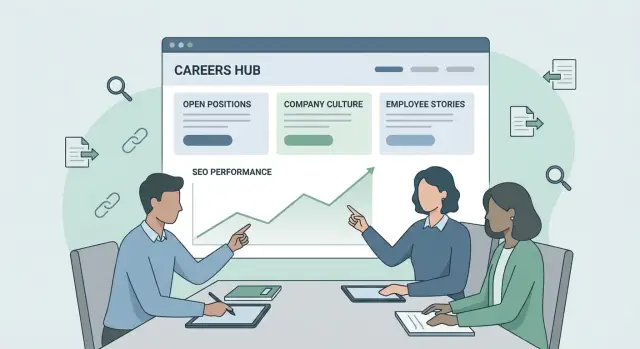
A recruiting and careers hub is more than a list of open roles. It’s a connected set of pages that answers what candidates want to know before they apply, while making it easy for search engines to understand what you hire for.
The basics are the pages people expect when they click “Careers”: job listings, team overviews, benefits, locations, your hiring process, and a clear FAQ. Together, they set expectations and cut down repeat questions.
The “hub” part is the content around those basics. This is where you earn visibility for niche hiring queries without sounding like marketing. The best hub content helps candidates make decisions and prepare, even if they don’t apply today.
Common pieces that turn a careers area into a real hub include role guides (what the job does, tools used, growth paths), interview prep (what to expect and how decisions are made), leveling and pay basics (ranges or bands, and what affects offers), skills primers (what “required” means in practice), and day-in-the-life stories rooted in real work.
Indexing choices matter. If a page helps candidates understand the role and your process, it’s usually safe to keep public and indexable. If it’s short-lived, repetitive, or sensitive, keep it out of search.
For example, a “Backend Engineer interview process” page can stay public for years and earn references. Candidate portals, offer details, internal referral pages, and test instructions should stay gated or blocked to avoid confusion and protect privacy.
Niche hiring queries worth targeting
Niche hiring queries are searches people make when they already have a specific role in mind but need details before applying. They’re usually lower volume than broad terms like “jobs” or “careers,” but they convert better because the intent is clear.
Many high-intent queries follow a few repeatable patterns:
- Role + stack (for example, “data engineer dbt snowflake”)
- Seniority + location (for example, “senior product designer berlin”)
- Schedule + industry (for example, “night shift warehouse jobs”)
- Clearance or compliance terms (for example, “gmp manufacturing jobs”)
- Role + team type (for example, “growth marketing manager b2b saas”)
You’ll see these questions answered (often poorly) across job boards, Reddit threads, university career pages, bootcamp communities, and local industry groups. That’s a clear signal: candidates want specifics, and they’ll click the result that explains the job in plain language.
Map each query to a page type that matches the real question. “Night shift maintenance technician manufacturing” fits a role page with a clear schedule section. “Junior data analyst SQL test interview” fits an FAQ or interview prep page. “Controls engineer salary texas” fits a location page with compensation context. When the page is genuinely useful, earning links later becomes much easier.
How backlinks help careers content (without hype)
A backlink is another website pointing to yours. Search engines treat many of these mentions as a vote of trust. Not every vote counts the same, but the principle is straightforward: if respected sites reference your careers hub, it becomes easier for your pages to show up for the right searches.
Why some careers pages get stuck
Many recruiting pages sit in a corner of the site with few internal links and no outside references. Even with good writing, search engines may not see enough proof that the page matters. The result is a page that stays buried and never moves.
Backlinks help by passing value into your site. That value can then flow through internal links. If your hub is organized well, one strong mention to an evergreen informational page can lift other connected pages, too.
A practical chain that often works:
- A respected site links to a non-commercial guide (for example, “How to become a clinical data manager”).
- That guide links internally to your role overview, team page, and relevant open roles.
- Those job pages improve on niche hiring queries because they’re now connected to a page with earned trust.
The trust signal effect (and what not to do)
Links from recognized publications, universities, industry groups, and major blogs do more than add traffic. They also signal that your content is safe to recommend, which matters for recruiting topics like pay, skills, certifications, and career paths.
One common mistake is pushing every link to the homepage. If you want a specific role guide, location page, or interview page to rank, those pages need to earn trust directly, then pass it to related pages through internal links.
Content types that attract links naturally
The easiest links to earn come from pages that help someone do their job better: a candidate preparing, a hiring manager explaining a role, or a community organizer sharing resources.
Role and level guides are a strong starting point. A simple page that explains what the job does day to day, what “junior vs senior” means in your company, and what growth looks like gets referenced in forums, newsletters, and internal docs.
An honest interview process page can also attract links because it reduces anxiety and saves time. “How many steps, what each step tests, how to prepare, how we decide” is useful. If you include a realistic timeline (for example, “application to decision is usually 10 to 15 business days”), it becomes shareable.
Location and remote policy pages get cited when the rules are clear: which time zones work, what hybrid really means, and what varies by location.
Candidate resources are underrated. Accessibility notes, accommodation requests, and clear take-home guidelines (scope, expected time, what you evaluate) earn references from inclusion and career coaching communities.
What makes these pages linkable is mostly common sense: specifics over slogans, reusable definitions and timelines, plain language, consistent policies across pages, and proof that the work is real.
Step by step: build a backlink-ready careers hub
Backlinks work best when the destination is worth linking to. Start by choosing the right pages and making them easy to understand.
A simple build plan
Start by cleaning up what you already have. Review old job posts, role templates, and thin pages. Merge duplicates, retire outdated postings, and avoid keeping multiple versions of the same role that compete with each other.
Next, choose 10 to 20 target searches and assign one “best page” for each. Pick queries you can realistically win (for example, “junior SOC analyst interview process”), then make sure only one page is clearly designed to rank.
Build a structure that feels natural: one or two pillar pages for major hiring areas, with supporting pages for specific roles, locations, and process details. Each supporting page should answer one clear question.
Then add internal links people will actually click. Role pages should point to interview steps, benefits, location rules, and anything else that helps a candidate decide.
Finally, publish a few “reference” pages before you try to earn links. Three to five evergreen resources (role requirements guide, skills checklist, take-home policy, candidate prep guide) give other sites something concrete to cite.
Where backlinks can come from for recruiting topics
Strong references for recruiting content rarely come from job boards. They usually come from places that already talk about learning, work, and how teams operate.
Start with partners and communities that have a reason to mention you: alumni groups, local meetups, professional communities, training programs, university career centers, and industry publications that cover hiring practices.
If your hub has a clear rubric for what “Senior” means (scope, ownership, collaboration), a bootcamp can cite it in a lesson on career progression. That link is earned because it helps students understand real-world expectations.
What others can cite most easily is specific and reusable: clear definitions (levels, titles, remote rules), short process write-ups (how screening and feedback work), and checklists candidates actually use.
Common mistakes that waste links and effort
Careers pages often fail not because teams do nothing, but because effort goes to the wrong places.
Sending every mention to the homepage is one of the biggest wastes. That can lift brand searches, but it rarely helps a page rank for a specific hiring query. If you want to rank for a role, location, or hiring guide, those pages need strong internal links and, when possible, a few outside references pointing directly to them.
Another issue is page sprawl: dozens of near-duplicate role and location pages that repeat the same text with the city name swapped. Search engines usually pick one version and ignore the rest. You end up splitting internal links and disappointing candidates who land on thin pages.
A quick quality check: can someone land on the page from search and understand, in 10 seconds, what the role is, who it’s for, and what the process looks like? If not, rewrite before you chase links.
Example: ranking for a hard-to-fill niche role
A mid-size SaaS company is hiring a Sales Engineer with healthcare data experience in Austin and Boston. Their main careers page ranks for the company name, but not for the searches candidates actually use, like “healthcare sales engineer interview process” or “sales engineer healthcare Austin.”
They build a small cluster that answers real questions. The center is a role guide that covers day-to-day work, tools, typical backgrounds, what “good” looks like in the first 90 days, and compensation ranges if they can share them. They add an interview process page (stages, timelines, sample tasks), plus two location pages that explain what changes by state (schedule expectations, travel, benefits that vary locally).
They prioritize earning links to the evergreen pages (the role guide and interview process), then let the location pages benefit through internal linking. Over the next few weeks, they watch long-tail impressions and click-through rate, then expand sections candidates keep asking about (travel, on-call, tooling) and adjust titles that get impressions but few clicks.
Next steps: a simple plan to build authority over time
Treat authority as a steady habit, not a one-time push. Useful pages come first. Links work best when the page answers the question better than anything else.
Over 90 days, focus on three phases: fix thin role pages and navigation, publish a small set of candidate-first resources that match real searches, then earn a small number of targeted links to your best evergreen pages.
Track only what helps you make decisions: impressions and clicks by page, query themes (the wording people actually use), and application quality.
If you need high-authority placements that are hard to secure through outreach, SEOBoosty (seoboosty.com) is one option. It focuses on premium backlinks from authoritative websites, and subscriptions can start around $10 per year depending on source authority. Whatever approach you use, point links at evergreen guides and hub pages first, then use internal links to support the roles you need to fill.
FAQ
Why do our job postings only rank for our company name?
Most job pages only cover the application step, so they don’t match what people search for when they’re comparing roles. Add the details candidates use to decide: tools and stack, team context, success in the first 30–90 days, pay ranges or bands if you can share them, and clear interview steps.
What’s the difference between a careers hub and a basic careers page?
A careers hub is a connected set of pages that helps candidates understand your roles and process, not just a list of openings. It typically includes role guides, team and location context, benefits, and an interview/process page that stays useful even when specific jobs change.
Which recruiting pages should be indexable, and which should be blocked from search?
Index pages that stay accurate and help people decide or prepare, such as role guides and interview process pages. Block or gate pages that are short-lived, repetitive, or sensitive, like candidate portals, offer details, internal referral pages, and test instructions meant only for applicants.
How do we choose niche hiring queries that are worth targeting?
Start from how candidates phrase searches, not from your internal job titles. Target patterns like role plus stack, seniority plus location, schedule requirements, compliance terms, and role plus team type, then build one clear “best page” per query so you’re not competing with yourself.
How do we avoid duplicate job pages hurting our rankings?
Pick a single canonical page for each role and consolidate duplicates, especially location variations that only swap the city name. Retire outdated posts and avoid reposting the same job every month as a new URL, because that splits signals and makes it unclear which page should rank.
Where should backlinks point on a careers site?
Point links to evergreen pages that answer a real question, such as a role guide or interview process overview, instead of defaulting to the homepage. Once those pages earn trust, they can pass value to active job postings through clear internal links.
What kinds of careers content attract backlinks naturally?
Pages get cited when they’re reusable and specific, not promotional. Practical role and leveling guides, honest interview process write-ups with timelines, and clear remote/location rules tend to attract references because they help candidates and educators explain expectations.
How should we structure internal linking in a recruiting content cluster?
Treat internal links like a candidate journey, not a sitemap. From a role page, link to the interview steps, team context, location/remote policy, benefits, and any “what success looks like” details so both users and search engines can understand the relationship between pages.
What metrics actually tell us if the careers hub strategy is working?
Track impressions and clicks by page, the exact query wording people use, and whether titles and snippets earn clicks when you show up. Pair that with recruiting outcomes like application quality or pass-through rates so you improve what matters, not just traffic.
How can SEOBoosty fit into a backlink plan for careers content?
SEOBoosty can help when you need high-authority placements that are hard to earn through normal outreach, and you want consistent, predictable access through a subscription. It’s still best to point those links at evergreen guides or hub pages first, then use internal links to support the specific roles you need to fill.
Share