Backlinks for support articles that convert: pick intent queries
Learn how to pick troubleshooting queries with purchase intent, map them to the right support page, and earn backlinks for support articles without hurting UX.
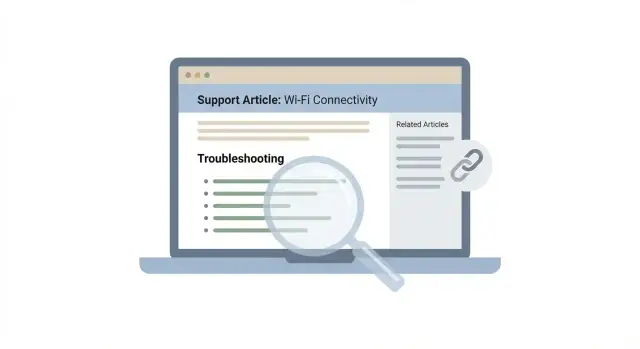
Why many support articles get traffic but not customers
Support articles rank because they match specific searches. People paste an exact error message, a model number, or a setting name. That precision makes the page highly relevant.
The issue is intent. Most support visitors are in fix-it-now mode. They want the steps, they want them fast, and they leave as soon as things work again. If they already own the product, that’s fine. If they don’t, solving the problem doesn’t automatically create a reason to buy.
Buying intent looks different, even when it starts as troubleshooting. It shows up when the problem is tied to switching tools, replacing a setup, or preventing a recurring issue.
- “Wi‑Fi keeps dropping on video calls” is usually fix-it-now.
- “Best router to stop Wi‑Fi dropping on video calls” is closer to a purchase.
Both are problems. Only one naturally leads to checkout.
When you pick the wrong support topic, you often attract the wrong audience: existing customers who just need a reset step, users of competing products looking for a workaround, researchers with no budget, or people hunting for a free alternative.
A natural product path in a help center means the next step feels helpful, not salesy. The page solves the problem first, then offers the product as the simplest way to prevent the issue, speed up the fix, or remove a repeat headache.
This is also why authority and backlinks can disappoint. If a page ranks for pure fix-it-now queries, more authority can bring more traffic but not more customers. If it targets purchase-leaning troubleshooting questions, each new visit has a better chance of turning into a trial, demo request, or checkout.
If you’re using higher-authority placements (for example through a service like SEOBoosty), the payoff is stronger when the support page already has that natural path built in.
Spotting purchase intent inside troubleshooting queries
Troubleshooting searches aren’t all “help me fix this.” Some are really “help me decide what to buy” searches in disguise.
A simple tell: the query mentions a boundary. When someone hits a limit, a missing feature, or a requirement they must follow, they’re often evaluating alternatives.
Common purchase-intent signals inside troubleshooting queries:
- Comparisons and replacements: “alternative to”, “vs”, “best tool for”
- Workarounds and gaps: “workaround”, “can’t”, “doesn’t support”, “missing feature”
- Integrations: “connect to”, “sync with”, “API”, “webhook”, “works with”
- Scaling: “for teams”, “multiple users”, “SSO”, “audit log”, “rate limit”
- Compliance: “GDPR”, “SOC 2”, “HIPAA”, “data residency”, “retention policy”
Error codes can be high intent too, but only sometimes. If an error points to a product limitation (“export failed due to plan limit” or “integration not available”), the searcher may be shopping. If it’s random noise (“temporary server error”, “app won’t open”), it’s usually pure support.
Use a simple rule: does the fix require a capability your product sells? If the real solution is “you need SSO,” “you need that integration,” or “you need higher limits,” the query has buying intent.
Example: “Slack integration not working” can be low intent if it’s a temporary outage. But “Slack integration not supported on free plan” is often a decision moment, because the “fix” is upgrading or choosing a tool that includes it.
How to choose the right troubleshooting topics to target
Start where real users struggle. Your best ideas are already in support tickets, chat logs, call notes, refunds, and churn reasons. Look for repeats, especially questions that show hesitation right before purchase: setup fears, compatibility doubts, and “will this work with my stack?”
Then turn each issue into search-friendly patterns. Troubleshooting searches are specific, so include context like device, app, integration, or the error text. One problem can produce several useful queries, such as “error + product name,” “not working + integration,” or “slow + platform + fix.”
Do a quick search results scan before you commit.
- If page one is mostly vendor docs, you can compete with a strong help center page.
- If it’s dominated by forums, you can still win, but you’ll need clearer steps and better visuals.
- If it’s mostly generic blog posts, the query may be too broad to convert.
A fast way to score candidates:
- Fit: does the person likely own the tool, trial it, or compare options?
- Volume: is there steady interest, not just a one-off spike?
- Difficulty: are you up against huge brands, or weaker docs and thin threads?
- Product relevance: can you lead naturally to a next step inside your product?
- Support cost: will answering this reduce tickets too?
Example: if many chats mention “Slack notifications not sending,” that’s often setup and permissions. A good support article fixes it, then naturally points to the next step: verifying workspace permissions, enabling the key feature, and confirming success with a short checklist.
Start with a small batch of money troubleshooting topics, usually 5 to 10. Build and polish those first, then promote them with contextual backlinks from reputable sites when it makes sense.
Map each query to one support page with the most natural path
For each troubleshooting query, pick one primary support page to be the answer. When you split one query across three pages, you confuse readers (and search engines). You also weaken the page you want to earn backlinks for support articles, because citations get spread out.
A strong support page guides people from symptom to solution to the capability that removes the problem for good. The trick is keeping that path natural. Someone searching “why does my dashboard keep timing out” isn’t asking for a pitch. They want clarity and a fix.
A simple decision tree helps you serve beginners and power users without making the page feel messy:
- Beginner fix: quick checks anyone can do in 2-5 minutes
- Advanced fix: deeper steps (settings, logs, edge cases)
- Product-based fix: when the best answer is “use X feature” or “upgrade to handle Y”
- Stop conditions: how to confirm it’s resolved, and what to try if it isn’t
Mapping example: query “CSV import stuck at 99%.” The page should explain common causes (file size, encoding, duplicate headers), then offer an advanced path (chunked uploads, background processing). Only then introduce the product capability that prevents it reliably (an import validator or async import). That way, the product path feels like the practical next step, not a detour.
Decide what belongs on the support page vs a separate product page based on intent.
- Support page: symptoms, diagnosis, steps, screenshots, limitations
- Product page: pricing, comparisons, full feature positioning, case studies
When you later build backlinks, the support page becomes an easy citation because it genuinely answers the “how do I fix this?” question.
Make the support page convert without turning it into an ad
A support page converts best when it feels like help, not marketing.
Start with a clear problem statement in the first lines, and name who the fix is for. Example: “This is for people who connected the tool, but the change isn’t showing up yet.” That filters out the wrong readers and reduces frustration.
Add a short product-specific block so readers can match the steps to their setup. Keep it optional and easy to scan, like a quick “If you’re using X” section. In a help center for a service like SEOBoosty, that could be as simple as: “If you selected a domain and pointed the backlink, here’s what to check next.” It reassures readers they’re in the right place without turning into a pitch.
A few elements tend to raise conversions while staying genuinely useful:
- A tight opening: symptom, likely cause, and what “fixed” looks like
- Numbered steps with expected results after each step
- Screenshots only where confusion is common
- One gentle next step near the end
- “Related issues” navigation so readers keep moving instead of bouncing
That next step should feel like a continuation, not a detour. Offer one option, not five. Examples: “Start a trial to apply this fix automatically,” “Book a demo if this keeps happening,” or “See the feature overview that prevents this issue.”
A small “Related issues” area can do a lot of work. If someone solved “not updating,” the next question is often “how long it takes,” “how to verify,” or “why results differ.”
Pick the right backlink target and the right reason to cite it
If you’re building backlinks for support articles, point them at the page that does the real work. Most of the time, that isn’t your homepage. It’s the support page that answers the question fully and then naturally points to a buyer-appropriate next step.
Before you place a link, decide what it’s meant to reinforce. A good support backlink typically does one of three things: it adds authority (you’re a trustworthy reference), adds clarity (your explanation is the simplest), or adds proof (your steps reduce risk and errors).
Match the angle to the linking page’s goal. A few backlink angles that tend to fit support content:
- Troubleshooting reference: a specific fix or error explanation
- Glossary entry: a definition that clears up confusing terms
- Checklist: a short set of steps people can follow and share
- Benchmark or test: a simple method to verify the problem is solved
Make citing easy by adding a small citeable block near the top of the page. Keep it tight: one sentence, or a 3 to 5 step mini-procedure.
Example: if your article targets “why is my integration failing?”, the backlink should land on the section that names the most common cause and the exact steps to confirm it. After the fix, you can offer the natural product path (“enable monitoring alerts” or “use the feature that prevents this error”) without turning the page into an ad.
If you use a provider like SEOBoosty to secure placements on authoritative sites, this clarity matters more. Strong sites cite pages with a clear, specific reason to exist.
Step by step: earning backlinks to support articles
Choose a small set of support pages that already solve a common problem and also signal buying intent. Three to five pages is enough. Look for issues that show up during setup, integration, billing, limits, or plan comparisons, because those moments often decide whether someone sticks or switches.
Then think like a publisher. A software review site, an IT newsletter, and a how-to blog need different reasons to reference you. Write two or three angles that fit their audience, not your product, like “quick fix checklist,” “what usually causes it,” or “safe settings to avoid it.”
Make it easy to cite you by providing a short excerpt they can paste. A definition, a 3-step fix, a small table, or a warning about a common mistake works well. If they can quote it in 15 seconds, your odds go up.
A simple process:
- Pick 3 to 5 high-intent support pages that solve the issue end to end.
- Prepare 2 to 3 publisher-specific angles for each page.
- Send a cite-ready excerpt plus the page title and what it helps with.
- Log placements and vary anchors so they stay natural.
- Recheck monthly and update screenshots, steps, and dates.
After links go live, keep the article fresh so the citation stays true over time. Even small UI label changes can turn a good reference into an outdated one.
If you need faster access to hard-to-get placements, services like SEOBoosty can secure rare mentions on authoritative sites without long outreach cycles.
Anchor text and placement that look natural and stay safe
Anchor text should read like something a real person would click because it answers their question. If someone is stuck, they don’t want “best CRM software” as the link. They want “reset the sync token” or “fix the billing error.”
Exact-match anchors get risky when repeated across many pages. For support page SEO, partial matches and natural phrasing usually look better and match intent.
Common anchor styles that tend to fit editorial pages:
- Question anchors: “Why does my account keep logging out?”
- Action anchors: “clear cache and re-authenticate”
- Feature anchors: “set up SSO correctly”
- Reference anchors: “error code 403: meaning and fixes”
- Neutral anchors: “this support guide” (use sparingly)
Placement matters as much as wording. Put the link where it removes friction: right after a definition, inside the step most people get wrong, or next to a table that helps compare causes and fixes.
Match the destination to the promise in the anchor. If the anchor says “fix payment failed error,” land on the section that explains that error, not a generic help center category.
Brand anchors are fine sometimes, but don’t force them into every mention. If you use a service like SEOBoosty to place contextual backlinks, ask for anchors that match the host site’s voice and make sure the surrounding sentence explains why the support page is worth citing.
Common mistakes that waste backlinks on support content
The fastest way to waste backlinks for support articles is aiming them at pages that solve a problem but never move a reader closer to buying. Traffic goes up, sign-ups don’t, and it feels like SEO “doesn’t work” for support.
Common traps:
- Topics that only attract beginners (“what is X”) and lack urgency
- Backlinks pointed at a generic help center homepage or category page
- CTAs pushed too early, so the page feels like an ad and readers bounce
- Thin pages that end with “contact support” instead of a complete fix
- Outdated steps and screenshots that don’t match the current UI
- Pages that are still changing (URLs, headings, instructions), making citations fragile
Example: if your article covers “can’t verify email domain,” and the best next step is “add these DNS records,” include the exact records, common mistakes, and a gentle path to the feature that solves it long-term (like managed setup). Build links only after the page is stable.
Quick checklist before you build links
Before spending time or money on backlinks for support articles, make sure the page is worth amplifying.
Start with intent. Ask whether the query shows up when someone is evaluating options or switching tools. “Error code 403 when connecting X” is often searched by people who are already testing a product and close to a decision.
Then check the page itself. It should include a complete fix that works for most readers, plus a product-based option that feels like the natural next step.
Pre-link checklist:
- The query shows up during evaluation, migration, or “this tool isn’t working” moments.
- The page gives a full fix and explains when a product feature is the better long-term answer.
- There’s one clear next step for the right reader type (new user, trial user, power user).
- The page includes a citeable snippet (short definition, steps, or a table) and clean headings.
- You can track rankings and conversions for that exact URL.
If you’re placing links on authoritative sites, this checklist helps ensure those placements point to pages that can earn trust and drive action, not just pageviews.
Example: turning one troubleshooting article into a sales entry point
Imagine a SaaS tool that integrates with Shopify. Users hit an “Integration error: failed to sync orders” message, so the team publishes “Fix Shopify integration error.” It gets traffic, but few sign-ups.
Now tighten the target to a query that signals someone is ready to switch or buy: “Shopify integration error alternative” or “best fix for Shopify integration error.” People searching that are often under pressure, comparing options, and willing to try something new.
The page layout matters as much as the keyword. A simple structure keeps it helpful while still guiding the reader toward the most natural product path:
- Quick fix (2 to 4 steps, upfront)
- Root cause (what usually triggers it, in plain language)
- Product-based solution (how your tool prevents or detects it next time)
- Next step (start a trial, connect the integration, or use a setup checklist)
It stays a support article, but it answers the hidden question: “Should I keep fighting this, or use a tool that makes it go away?”
For the backlink plan, focus on places where a support page is a legitimate citation, not a forced promo. Two good fits are comparison posts about integration tools and explainers about the error itself. When those pages need a reference for “how to fix it,” your support article becomes a clean source.
If you use a service like SEOBoosty, pick placements that already cover Shopify integrations or sync errors so the citation feels expected.
Success looks like two numbers moving together: the article climbs for the intent query, and trial starts from that page rise (even if total sessions stay flat).
Next steps: build a small pipeline and scale what converts
Start small. Pick 2 to 3 support pages that already lead to a natural next step, like a setup guide that ends with “try the feature,” a billing fix that points to the right plan, or a comparison-style FAQ that answers “will this work for me?” These are the pages where backlinks for support articles can turn into revenue, not just visits.
Before you promote anything, make the page worth citing. A good rule: if a neutral expert wouldn’t reference it, a backlink will feel forced. Tighten the opening so it answers the problem fast, add a clear “why it happens,” and include an honest “what to do next” that matches the reader’s situation.
Run a small test so you learn what actually pulls its weight:
- Choose one high-intent troubleshooting query and one support page to be the conversion path.
- Get a handful of contextual mentions from relevant sites, not dozens at once.
- Keep anchor text plain and specific (often the article title or the problem name).
- Track results for 2 to 4 weeks before changing too much.
- Repeat the pattern on the next page.
Watch the right signals:
- Clicks from the support page to product pages (trial, signup, checkout)
- Branded searches that increase after the page ranks
- Demo or trial starts that include the support page in the journey
- Fewer tickets for the same issue (bonus win)
When one page clearly outperforms the others, build 3 to 5 similar pages around adjacent problems and promote the best one first. If you want faster access to authoritative placements without long outreach cycles, a curated backlink subscription like SEOBoosty (seoboosty.com) can help you point high-quality mentions at your highest-intent support page and validate the path sooner.
Share