Backlinks for template libraries: how to rank SOP hubs
Learn how to build a SOP and checklist hub, target high-intent template keywords, and use backlinks for template libraries to rank faster.
Why template libraries often do not rank
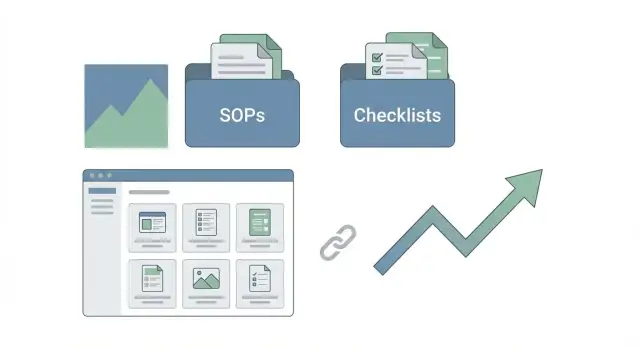
A template library is a collection of ready-to-use assets people can copy and use right away: SOPs, checklists, scripts, email sequences, meeting agendas, calculators, and other fill-in-the-blanks pages. Done well, it becomes a practical hub people return to whenever they need to get work done.
People search for templates when they’re ready to act. They’re trying to finish a task today: onboard a new hire, run a sales call, ship a release, or set up reporting. That’s why template searches often convert into signups, trials, or leads.
Many libraries stay invisible for a few predictable reasons.
The first is thin or lookalike pages. A “SOP template” page that’s just a short intro plus a generic embed looks the same as hundreds of others, so search engines don’t see a strong reason to rank it.
The second is a fuzzy theme. If one hub mixes HR, finance, product, legal, and marketing templates without a clear structure, it’s hard for readers (and crawlers) to understand what the site is actually about.
The third is a lack of authority. Even solid templates can stall if few reputable sites point to the library. Quality links help your best hub pages and highest-intent templates earn trust faster.
What usually works is straightforward: build a hub that’s easy to browse, publish template pages that feel complete, then support the hub with a small, intentional link plan that’s clear about where the strongest links should land.
Pick high-intent template keywords without overthinking it
Start with what people are trying to get done, not what sounds clever. Template libraries rank best when they match a clear job: hire, onboard, launch, audit, report, or plan. Write down your real categories using those verbs, then turn each category into simple “template” queries.
Next, look for modifiers that signal “I want to use this right now.” These often show higher intent than a generic “template” search because the person already picked a format. Common ones include free, example, PDF, Notion, and Google Sheets.
Pick one primary hub topic you can own, then build a small cluster around it. If you choose “employee onboarding templates,” start with 5 to 15 supporting pages, like an onboarding checklist, a 30-60-90 plan, an equipment request form, and a first-week schedule. That’s enough to feel complete without becoming a giant, messy library.
The hard part is deciding what not to cover yet. Skip endless low-value variations like “best,” “2026,” or tiny format swaps unless they clearly change the need. If “onboarding checklist PDF” and “onboarding checklist Google Docs” would be nearly the same page, pick one format to start and do it well.
Create a hub that’s easy to browse and easy to crawl
A template library ranks better when it feels like a tidy bookshelf, not a junk drawer. People should be able to find the right SOP or checklist in two clicks. Search engines should be able to understand what each page is about without guessing.
A simple structure holds up as the library grows:
- A hub page that explains the library and highlights the main categories
- Category pages that group templates by job-to-be-done (not vague labels)
- Individual template pages that solve one clear purpose
Avoid overlap by setting naming rules early. If two pages solve the same problem, merge them. If a template has multiple versions, keep one main page and offer variants inside it instead of publishing near-duplicates.
Every template page also needs a short intro, even if the template is the star. Keep it practical: who it’s for, when to use it, and how long it takes. That helps users self-qualify and helps Google connect the page to a specific intent.
One rule that saves a lot of pain: don’t publish two pages with different titles and the same content. If you have an “Employee onboarding checklist” template, don’t also publish “New hire onboarding checklist” as a clone. Pick one main page, then include a small “Variations” section (remote, contractor, international) on that same page.
Write template pages that deserve to rank
A template page won’t rank if it feels like a thin landing page with a single “Download” button. Searchers want to understand what the template is for, how to use it, and whether it fits their situation. If your page answers that quickly, it becomes worth bookmarking and worth linking to.
A good rule: someone should be able to use the template without downloading anything.
Make each template page feel complete with a few consistent elements:
- When to use it (2 to 3 real use cases)
- A copy-and-paste version in plain text
- A filled-out example that shows what “good” looks like
- Clear customization notes (what to change, what not to change)
- Common mistakes and how to avoid them
If you publish an onboarding checklist, don’t stop at a blank list. Show a completed onboarding for a sample role (like customer support), include timing (Day 1, Week 1), and explain what changes based on company size.
Short FAQs help match the questions people actually type and reduce quick bounces. Keep them tight and specific, like format choices, customization for team size, role or industry fit, and how often to update the SOP.
One ranking killer to watch for is file-type cloning (Google Doc vs PDF vs Notion). Choose one strong page as the main version, then offer other formats inside that page. It concentrates relevance and prevents cannibalization.
A repeatable workflow to publish templates
Publishing templates works best when you treat each page like a small product. It should be usable in minutes, easy to skim, and clear about what it solves.
A simple workflow you can reuse:
- Draft the template, then fill it out with a realistic example. People copy what they can see.
- Add a short SOP that gets someone from zero to done in under 10 minutes. Include when to use it, who owns it, and the first three actions.
- Add a checklist version directly on the page. Keep it scannable and verb-led.
- Publish, then connect it to the library: link it from the hub and the right category page, and add a small “related templates” block.
- Revisit after 2 to 4 weeks and update based on real questions from sales calls, support tickets, or comments.
If a new visitor can’t understand the template in 30 seconds, it’s not ready. Fix the title, add a one-sentence “when to use this,” and make the example more specific.
Add linkable elements inside the library
Templates rank better when they feel complete, but earning mentions and links often requires something extra that’s easy to cite.
One reliable approach is to add a tiny framework to each page. A template is useful; a framework is quotable. For example, on a “SOP template” page, include a short quality check that answers, “Is this SOP ready to use?” A simple scoring rubric (missing, okay, great) or a small decision tree (“use this template if…”) is often enough.
Also make the page shareable in under 30 seconds. Most sharing happens internally, so give readers a compact summary block near the top: purpose, who uses it, time to complete, and required inputs/outputs. Pair that with a filled example and you’ve got a mini toolkit people can pass around.
Where authority links should point in a template library
The fastest way to waste good links is to point them at the wrong page. In a template library, you usually have two main targets: the broad hub page and a small set of standout templates.
Start by building authority to the hub. It’s the page that can rank for broader searches like “SOP templates” or “checklist templates,” and it passes strength to the rest of the library through internal links. It’s also less likely to change, even as you add, merge, or retire individual templates.
After the hub is strong, choose a few template pages to earn direct links. Pick the ones with the clearest intent, where the visitor is trying to do one job right now.
Supporting content matters too, even if it doesn’t get direct links. A short guide like “How to run weekly operations reviews” can link to your agenda template, scorecard template, and action-item checklist. That structure helps search engines understand what the library covers and which pages are the best answers.
Keep link targets matched to the context of the mention. If a link comes from an article about building a process library, point to the hub. If the mention is about a specific workflow, point to the matching template page.
Anchor text and internal linking that supports rankings
Internal links do two jobs in a template library: they help readers find the next useful page, and they show search engines how your hub is organized.
Anchor text should sound like something a real person would click. Vary it naturally. If every page links using the same exact phrase, it starts to look forced and stops helping. A simple rule is to write anchors based on what the reader gets: “Daily opening checklist” beats “click here,” and it’s usually clearer than stuffing “best checklist template.”
Most libraries need a few reliable link paths:
- From every template page back to the main hub
- From every template page back to its category page
- From the hub and category pages down to the best templates (your top 5 to 10)
- A short “related templates” section that links to sibling pages
That setup also protects you when you build authority to the hub later. Strong internal links pass that value into the templates that convert, without needing to promote every page individually.
Common mistakes when building links to template pages
The biggest mistake is volume without value. If you publish 50 templates that look almost the same, Google sees duplicates, not a library worth recommending. Links won’t fix that. One strong, clearly different template with real guidance often beats ten thin variations.
Another common problem is sending strong links to random templates just because they sound popular. Template libraries work better when links support a clear structure: a hub page that explains the collection, plus a few standout templates that prove quality.
Exact-match anchor spam is another easy way to backfire. Mix anchors naturally with partial phrases, brand mentions, and simple “this template” style wording, then let internal links do the organizing.
Finally, don’t let templates go stale. If a “2024” template is still live in 2026, it quietly signals the library isn’t maintained. Refresh examples, prune outdated pages, and keep the winners current.
Quick checklist before you start building links
Before you spend time or money on authority, make sure the library is worth linking to.
Start with the hub. A good hub makes a clear promise (what the library is for), sets the scope (what’s included and what isn’t), and helps people find the right template fast.
Then pressure-test your first batch. Your first 10 to 20 templates shouldn’t be thin copies with different titles. They should be filled out with realistic examples so someone can use them in under 10 minutes without extra context.
A quick check:
- One clear hub page with strong categories and obvious next clicks
- 10 to 20 templates that are genuinely unique and include filled examples
- Each template passes a 10-minute use test (open, copy, apply, done)
- Hub and category pages link to the right templates, and templates link back to the right parent page
- A short priority list of 3 to 5 pages that deserve authority first
Decide your link targets up front. If you can’t name the 3 to 5 pages you want to rank first, you’ll spread trust too thin.
Example plan: turning a template hub into steady organic leads
A small ops consultancy builds a public onboarding template library to attract people already searching for specific onboarding assets, then convert them with a clear next step (book a call, request a quote, or download a bundle).
They publish 12 pages total. Some are SOPs (like “new hire laptop setup”), some are checklists (like “first-week manager checklist”), and a few are email scripts (like “welcome email” plus a day-3 check-in). Each page is short, practical, and easy to copy.
They pick one hub keyword to describe the collection (for example, “employee onboarding templates”), then choose four high-intent template keywords to push first. They don’t try to rank everything at once.
Their first month looks like this:
- Week 1: Publish the hub page and 4 priority templates, then add simple category navigation.
- Week 2: Publish 4 more templates and add “related templates” blocks to every page.
- Week 3: Publish the final 4 templates and add a downloadable bundle for email capture.
- Week 4: Improve the 2 templates with the best early engagement (more examples, clearer steps).
For authority, they focus links on the hub and only two of the priority templates. Those pages pass value to the rest through internal links (hub - categories - templates, plus “related templates” between similar pages).
Next steps: publish, measure, then add authority
Publish first, then earn the right to build links. A clean hub plus a small batch of strong templates gives Google something real to crawl, and it gives you early data on what to promote.
A simple 30-day plan:
- Week 1: Publish the SOP and checklist hub with clear categories and a short “start here” section
- Week 2 to 3: Publish 10 templates aimed at high-intent searches
- Week 4: Add authority to the hub and 1 to 3 templates that show early promise
Keep measurement simple. Check impressions, top queries, and which templates get the most saves (bookmarks, downloads, copy events, or time on page).
If a template starts getting impressions for the right terms but sits around positions 8 to 30, that’s often the best time to support it. The page is already being tested.
If you want a faster path to hard-to-get placements, SEOBoosty (seoboosty.com) offers subscription access to a curated inventory of authoritative sites, so you can choose where a backlink points without drawn-out outreach. It works best when you send that authority to pages that already prove they’re useful: the hub and a small set of standout templates.
FAQ
Why doesn’t my template library show up in Google?
Most template libraries don’t rank because their pages feel interchangeable. If your “SOP template” page is just a short intro and a generic download, it won’t look meaningfully different from hundreds of others, so it’s hard for search engines to justify ranking it.
How do I choose a theme for my template hub?
Start with one clear job-to-be-done you can own, like onboarding, weekly reporting, or release checklists. Then build a small set of supporting templates around that one theme so your site reads like a focused collection instead of a random grab bag.
What are “high-intent” template keywords, and how do I pick them?
Pick keywords based on what people are trying to finish today, then use simple “template” phrases that match that job. Add one or two high-intent modifiers only when they clearly reflect a real preference, like a specific tool or a “free” intent, and avoid making near-duplicate pages for tiny variations.
What site structure works best for a template library?
A clean structure usually wins: one hub page that explains the library, category pages that group by task, and individual template pages that solve one specific purpose. The goal is that a person can find the right template fast and a crawler can understand the site without guessing.
What should a template page include to actually rank?
Give each template a short, practical intro, then include a copy-and-paste version directly on the page and a filled-out example. Add brief customization notes and a couple of common mistakes so the page feels usable even if someone never downloads anything.
Should I make separate pages for PDF vs Notion vs Google Sheets versions?
Choose one main page per intent and keep variants inside it, instead of publishing clones for every file type or synonym. If you split “onboarding checklist PDF,” “Google Docs,” and “Notion” into separate pages with the same core content, you usually create cannibalization and weaken all of them.
Where should backlinks point in a template library?
Point your strongest links to the hub first, because it can rank for broader queries and pass value to templates through internal links. After that, send a smaller number of direct links to a few standout templates with the clearest “do this now” intent.
How should I handle anchor text and internal linking?
Use anchor text that sounds natural and describes what the reader gets, not repeated exact-match phrases. Internal linking should make it obvious how pages relate, especially from templates back to their category and hub, so search engines understand your hierarchy.
How do I make template pages more “linkable” without writing long articles?
A simple way is to add one quotable element that’s easy to reference, like a quick readiness check, a tiny scoring rubric, or a short decision guide for when to use the template. That turns the page from “just a download” into something people can cite and share.
Can SEOBoosty help my template hub rank faster, and where should I use it?
If your pages are already useful, SEOBoosty can help by providing access to authoritative backlink placements without long outreach cycles. It tends to work best when you concentrate that authority on a stable hub page and a small set of top templates that already show strong engagement.
Share