Backlinks to changelogs: make release notes rank for features
Learn how to use backlinks to changelogs and clean release note structure to rank for feature names and “when did it launch” searches.
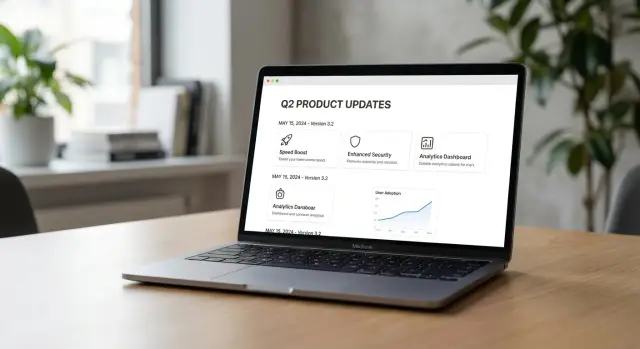
Why changelogs can win feature and launch date searches
People don’t only search broad categories like “project management app.” They search for the exact feature name they saw in a screenshot, a tweet, a job post, or a support reply. If your update page is clear, that feature name becomes a keyword you can own.
Launch-date searches are even more direct. Queries like “when did [feature] launch” or “[feature] release date” show up when someone is deciding whether to upgrade, switch tools, or trust your roadmap. A good changelog or release note answers that in one place, using the same wording people type.
Changelogs work in search because they’re structured by default: a date, a title, and a short explanation. That structure makes it easier for search engines to match a query to a specific moment.
Most failures come down to execution. Teams often publish updates in ways that are hard to read or hard to crawl, like screenshots of text, vague headings (“Improvements”), missing or edited dates, or multiple update pages that contradict each other. Another common issue is dumping everything into one long page without clear headings, so neither readers nor search engines can tell where one update ends and the next begins.
When it’s done well, the results are practical. You start getting impressions for feature names (not just your brand), and support gets easier because you can point to a single entry that states what changed and when.
This fits products that ship changes people talk about, especially SaaS, mobile apps, developer tools, and APIs. If you launch “Smart Alerts” in February, a clean entry titled “Smart Alerts,” with the release date and a plain-language summary, can start ranking quickly. If you later earn a few relevant backlinks to that update entry, it’s even easier for search engines to treat it as the source of truth.
Changelog, release notes, and announcements: pick the right format
A changelog, release notes, and a blog announcement can describe the same update, but they serve different jobs. Picking the right one helps you rank for feature names and “when did X launch?” without creating a pile of near-duplicate pages.
Think of them like this:
- Changelog: a running timeline of every change, short and consistent. Best for launch-date queries.
- Release notes: a curated summary of what matters to users, with a bit more context. Best for feature-name searches.
- Announcement post: positioning and story. Good for sharing, less reliable for long-term search.
If you want one page to target feature-name searches over time, choose the page you’ll keep accessible, updated, and easy to find later. For many products, that’s a release notes entry (or a dedicated feature update page) because it can include a clear name, benefits, screenshots, and a quick FAQ. The changelog entry can stay shorter while still answering the launch-date intent.
One hub or separate pages?
If you ship weekly, an updates hub with one page per update is usually cleaner. If you ship rarely, one combined page can work, as long as each update has a clear heading and a stable date.
Separate pages tend to work better when the feature name is something people search directly, when the update needs setup steps or limitations, or when you expect other sites to cite it.
To avoid duplication, don’t paste the same text into a changelog, release notes, and an announcement post. Write one “source of truth” entry (often release notes), then keep the other formats as shorter, uniquely written summaries. That also makes backlinking more natural: writers can cite the changelog for the exact date, while the richer release notes page can capture broader searches.
What every update entry should include (so it can rank)
A release note that ranks reads like a tiny, well-labeled page, not a diary entry. The goal is simple: make it obvious what launched, when it launched, and who can use it.
Start with one clear feature name per entry and keep it consistent everywhere. If you call it “Team Calendar” in the changelog, don’t switch to “Shared Calendar” in support docs or in-app copy. People search the exact words they saw.
Right after the title, add a plain-language summary line. One sentence is enough: what changed and who benefits. Skip internal terms like “v2 rollout” or “refactor.” People search for outcomes.
Include the launch date in a consistent format (for example, 2026-02-03). A clear date helps with “when did X launch” searches and reduces confusion when you ship follow-up improvements.
Then add a small context block so readers can self-qualify without opening a ticket. Keep it tight: availability (plan or tier), where it works (web, iOS, Android, API), any region limits, known limitations, and one short “how to enable” instruction.
Finish with one FAQ-style line that answers the common “can I use it?” question, such as whether guests can access it, whether it works on mobile, or whether it’s included on a specific plan.
Example: an entry titled “Team Calendar” with the date, “Available on Pro and above on web and iOS,” plus “Guests can’t edit events yet,” satisfies most intent in seconds.
Page structure that search engines can understand
Search engines do better when your updates follow the same pattern every time. A consistent structure also helps people scan, share, and bookmark the exact change they care about.
Start with one main page that acts like a library, then make each release easy to identify on its own. Use a predictable heading order so it’s clear what’s a release and what’s a feature inside that release.
Use a consistent hierarchy
Give each release its own clear heading, then list changes under it. Keep feature names as subheadings, not buried in paragraphs.
A simple structure:
- Release heading with a date or version (for example, “ProductName 2.3 - January 2026”)
- Feature or fix headings underneath (for example, “Team permissions”)
- 1 to 3 sentences explaining what changed, who it affects, and any limits
This improves your odds for both feature-name searches and “when did a feature launch” queries because the feature name is prominent and the date is nearby.
Make navigation and browsing effortless
Pick a stable naming system and stick to it. If you group updates by month, keep doing that. If you group them by version, keep doing that. Mixing formats on the same product makes updates harder to cite and harder to understand.
A short “Jump to” section for months or versions can help, but keep it small. Make older entries easy to browse with pagination or an archive view, and add basic on-page search if you can.
Titles should match how people search: feature name, product name, and the release date when relevant. That wording also helps when others cite your updates, including when they add backlinks to changelog entries.
URLs, naming, and versioning choices that avoid confusion
Your release notes can be great, but if naming is messy, readers and search engines will treat updates as “maybe the same thing.” Keep it boring and consistent.
Decide early whether you want one page per release or one rolling changelog page.
One page per release works well when each update is meaningful and shareable. One rolling page works well when updates are frequent, but it needs clear anchors and a strong table of contents.
Either can rank. The mistake is doing both without a plan, like publishing a new page and also pasting the same text into the rolling page.
Names: treat old feature names as search terms
Features get renamed, but people keep searching the old name for months.
When a feature name changes, keep both names on the page. Put the current name in the headline and add a short line near the top: “Previously called X.” If the rename is significant, add one sentence explaining what changed and what didn’t.
If a feature is removed, avoid deleting the entry. That breaks citations and creates missing-page problems. Instead, add a clear note like “Deprecated on DATE” or “Removed in VERSION,” plus what users should do instead.
Versions and dates: don’t blur rollout timelines
If you have beta, staged rollout, and general availability, separate the dates. People really do search “when did FEATURE launch,” and you want the answer to be unambiguous. Use simple labels (Beta, Limited rollout, GA) with a date next to each.
Also make sure the content is crawlable. If your UI uses accordions, tabs, or “load more,” the full text should still exist in the page HTML. Otherwise search engines can miss the details that match feature-name queries.
Step by step: turn updates into a ranking strategy
Treat your updates like a small library of answers. The job is to be the clearest page for a feature name, and the clearest source for “when did X launch?”
1) Pick the queries you actually hear
Collect 10 to 30 real questions and phrases from support tickets, sales calls, onboarding chats, and internal product notes. Keep the exact phrasing, even if it feels informal. You’ll often find patterns like “FeatureName export,” “FeatureName pricing,” and “when did FeatureName launch.”
Make sure you have one clean home for updates. When updates are scattered across blog posts, help docs, and social posts, search engines often pick the wrong page, or none at all.
2) Publish entries that match search language
Write 5 to 10 strong entries first, not 50 thin ones. Each entry should make it obvious what shipped, who it’s for, and when it became available.
A practical workflow:
- Map your target feature queries to specific update entries.
- Clean up the updates hub so older entries are easy to browse.
- Write a small batch of entries using real search phrasing in headings and the first paragraph.
- Pick a few priority updates and support them with a small number of relevant backlinks to those changelog or release note pages.
- Track impressions and clicks at the entry level, not just the hub.
If you use a provider like SEOBoosty, keep placements focused on the releases tied to your most valuable features. That keeps the signal clear and makes it easier to see what’s working.
How backlinks support changelogs without feeling promotional
Backlinks help release notes most when the query is specific and time-based: new feature names, “does tool X have Y?”, and “when did feature Y launch?” A good changelog entry can be a safe source to cite because it’s close to an official record.
This matters most for features people compare, integrations, pricing-related changes, and anything that drives repeated support questions. In those cases, a cited release note can prevent your product from looking “behind” just because someone else’s page is easier to find.
The pages that naturally cite updates are usually not sales pages. They link because they need a source: news roundups, industry blogs covering releases, review sites that track availability, community wiki pages, and “status of feature” threads.
Make it easy for others to cite
Aim for a clean, factual entry with a clear feature name, a visible launch date (and timezone if it matters), a stable page address that won’t be replaced next month, and a short “what changed” summary in plain language. One or two concrete details (availability, limits, rollout scope) makes the entry easier to quote.
Don’t over-focus on a single entry. It’s better to earn mentions across a small set of key releases so your updates read like a consistent record, not a one-off campaign.
If you’re securing placements on authoritative sites, SEOBoosty can help by offering a curated inventory of domains where citations and references are expected. The key is to keep the changelog itself strictly informational, so the link feels like a reference, not an ad.
Common mistakes that stop release notes from ranking
Release notes usually fail for simple reasons. The page doesn’t clearly say what changed, when it changed, and where the official record lives.
One major mistake is breaking history. If you delete old entries, rewrite dates, or change page addresses without clear redirects, you lose trust and any rankings you earned. People also search older versions when troubleshooting, so keeping past entries accessible helps SEO and support.
Naming is another common issue. Teams write internal codenames like “Project Falcon” instead of the public feature name users search. Your headline and first lines should match the name customers see, with a plain description.
Marketing copy can also bury the update. If the first half of the entry is a pitch, the change becomes vague. Lead with the specific change first, then add context.
The patterns that most often block rankings:
- Splitting one release across multiple pages with no clear primary page
- Publishing announcement pages that repeat the same text as the changelog (near-duplicate content)
- Letting docs or pricing notes contradict release notes
- Using inconsistent version numbers and dates
- Hiding key details behind labels like “improvements” or “various fixes”
Example: you launch “Team Audit Logs,” but the changelog says “Security enhancements,” the docs still say “coming soon,” and pricing mentions a different plan name. Even if you build backlinks to changelog entries, mixed signals can stop the page from ranking for the feature name and launch-date queries.
Pick one canonical update page, use the public feature name, keep the page address stable, and make sure the rest of your site agrees with the claim.
Quick checklist before you publish the next update
Read your release note like a stranger who just searched for the feature name. If they can’t tell what shipped and when in a few seconds, search engines will struggle too.
- Feature name and ship date are obvious: Put the exact feature name near the top and include a clear date (not just a quarter).
- Headings match how people talk: Keep wording consistent across the page title, on-page heading, and entry heading. If you renamed something, say so.
- The entry is easy to find from the updates hub: Make sure major releases don’t get buried in a reverse-chronological firehose.
- The page address will still make sense next year: Avoid temporary campaign-style naming.
- The “what changed” answer is scannable: Lead with one short sentence that says what changed, who it helps, and the outcome. Put details below.
A quick test: send the feature name and the entry to a teammate and ask, “From this alone, can you tell what it does and when it shipped?” If they hesitate, tighten the first sentence, add the date, and fix naming.
Example: ranking for a new feature name in 30 days
A SaaS team ships a new feature called Team Permissions. The goal is that when someone searches “Team Permissions,” “Team Permissions feature,” or “when did Team Permissions launch,” your release note shows up first, not a random support thread.
Write one update entry that works like a mini landing page. Put the exact feature name in the title, then open with a plain-English definition: what it is, who it’s for, and the main outcome. Add a clear launch date near the top (for example: “Released: Jan 12, 2026”) so the launch-date question is answered at a glance.
Keep it as a single source of truth. Publish the detailed entry in your changelog or release notes hub, then share shorter summaries elsewhere (email, social, community) that reference that page as the official record.
What to prioritize in week one:
- Publish the entry with the exact name in the title and first paragraph.
- Add a short “What it is” section and a “Who gets it” line (plan, role, or rollout scope).
- Include 1 to 2 concrete examples.
- Make sure the entry sits in context (for example, it’s clearly listed on the updates hub, and it’s consistent with docs).
- Ask internal teams (Support, Sales, Partners) to use the same update page when answering questions.
Then build signal over the first month. This is where a few targeted backlinks to changelog or release note pages can help, especially if the feature name is new and has little search history.
Measure weekly. Track impressions and clicks for queries containing “Team Permissions,” watch average position, and see whether people land on the update entry and then continue to the product.
Next steps: make this repeatable (and scale with the right backlinks)
Pick a small set of upcoming features that deserve a stronger search footprint. Three to five is plenty. Choose the ones with clear names, a clear audience, and a real chance of being asked about.
Make your release note template a habit. Each entry should be publishable in one pass, with the details searchers need.
A simple rhythm:
- Keep a running list of priority features for the next month.
- Publish the update the same day the feature becomes available.
- Add one short FAQ line to each entry (often “Who has access?”).
- Review older entries when names or rollout details change.
After that, plan a small set of placements. In practice, this usually means a few backlinks to your updates hub to build overall authority, plus one or two links to specific entries tied to high-value features.
If you want a faster path to high-authority placements, SEOBoosty (seoboosty.com) is one option: you select domains from a curated inventory, subscribe, and point a backlink to your changelog or release notes page.
Review quarterly. Look at which feature names gained impressions, which entries attract “when did it launch” searches, and which older updates need a quick refresh for date clarity, renames, or rollout notes.
FAQ
What’s the simplest way to make a changelog entry rank for a feature name?
Use the exact public feature name as the title, put the release date right near the top, and open with one plain sentence that says what changed and who it helps. If someone can answer “what is it?” and “when did it ship?” in five seconds, it’s usually written well for search too.
Should I use a changelog or release notes to target “when did X launch?” searches?
Changelogs tend to win on date intent because they’re naturally chronological, while release notes tend to win on feature intent because they can include a bit more context and eligibility details. A practical approach is to keep the changelog factual and short, and make one richer release note entry the main page people should land on.
How do I avoid duplicate content if I also publish announcements and emails?
Pick one “source of truth” page for the full details, then write shorter, uniquely worded summaries elsewhere. Avoid copying the same paragraphs into a changelog, release notes, and an announcement post, because near-duplicates make it unclear which page should rank.
What should I do if we renamed a feature people still search for?
Use the current name as the main headline, then add a short line near the top that says it was previously called the old name. This keeps you eligible for searches on both names without needing separate pages or rewriting history.
How do I handle beta vs general availability dates without confusing people?
Don’t overwrite the original date or pretend the rollout was a single moment. Label each stage clearly with its own date, such as Beta, limited rollout, and general availability, so the page can answer the exact question the searcher meant.
Should I remove old entries when a feature is deprecated or removed?
Don’t delete the entry. Keep it live and add a clear note like “Deprecated on [date]” or “Removed in [version]” plus what users should use instead. This preserves trust, keeps old citations valid, and helps users who are troubleshooting older behavior.
How should I structure the page so search engines can crawl it properly?
Make each update easy to identify with a consistent heading pattern and clear boundaries between releases. If you use collapsible UI, make sure the full text still exists in the page’s HTML so search engines can actually see the feature names and details.
What details should I include to reduce “can I use it?” questions?
Put one sentence near the top that states availability and where it works, such as plan, platform, region, or role requirements. This reduces support tickets and helps the page match queries like “FeatureName pricing” or “does tool X have FeatureName on mobile.”
Do backlinks actually help changelogs and release notes rank?
Write the entry like an official record, not a pitch: clear feature name, clear date, and a factual summary of what changed. Backlinks tend to help most when the page is a clean reference others can cite, and providers like SEOBoosty focus on securing placements from authoritative sites where citations are expected.
What are the most common mistakes that stop release notes from ranking?
Vague headings like “Improvements,” missing or edited dates, inconsistent feature naming across docs and notes, and scattering the same update across multiple pages. Another common problem is one endlessly long page with no clear headings, so neither readers nor search engines can tell where one update ends and the next begins.
Share