Backlinks to PDFs: When Files Beat HTML for Rankings
Backlinks to PDFs can work, but HTML often ranks better. Learn when to link to a file, when to publish a page, and how to handle gated assets.
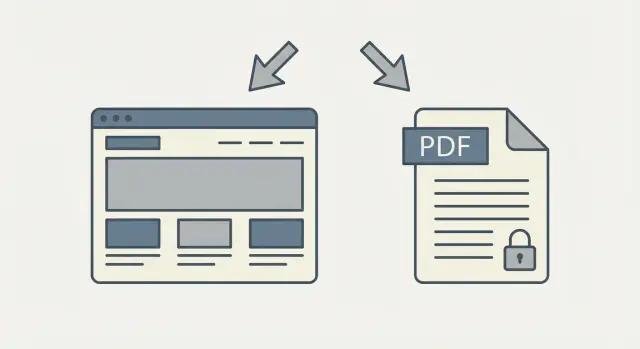
The real problem: what should the backlink point to?
Usually this starts as a good problem. You have something people actually want to reference: a research report (PDF), a slide deck, a checklist, a template, or a gated download your team uses for lead capture. It’s the kind of asset journalists quote, partners share, and newsletters recommend.
Then someone asks, “What URL should I link to?” and you hit the fork:
- Link directly to the file (the PDF itself).
- Link to an HTML page that introduces it, summarizes it, and offers the download.
That choice is where most of the SEO upside is either captured or quietly lost. Backlinks to PDFs can work, but they can also trap value in a place that’s harder to rank, harder to improve, and awkward for visitors.
When the target is wrong, the same problems show up again and again. The page you actually want to rank doesn’t receive the authority from the links. Visitors land on a document with no context and no clear next step. Tracking and conversions get messy, especially when the file is shared outside your site. Updates create version chaos, with older PDFs still getting linked. And if the asset is gated, people hit a login wall and bounce.
The right answer depends on what you want the link to do:
- Rankings: you usually want an indexable page that can improve over time.
- Citations: you may need a stable “source of truth” people can reference without confusion.
- Leads: you need a path that captures intent without frustrating visitors.
A useful rule is simple: point the link to what delivers the most value at the moment someone clicks. Sometimes that’s the PDF itself. Often it’s a page that explains what’s inside, who it’s for, and what to do next.
If you’re investing in high-authority placements, the decision matters even more. A strong link is a limited asset, and you want it landing on the URL that best supports your rankings, leads, and long-term sharing.
How search engines treat PDFs vs HTML pages
Search engines can index PDFs, and a PDF can appear in results just like a web page. But PDFs behave more like documents than living pages, and that changes what you can control.
A PDF result often pulls its visible title from document metadata (the PDF “Title” field) or from the filename. If the metadata is missing or messy, the snippet can look strange: a long filename, an outdated title, or a generic “download” label. That can hurt clicks even when the PDF ranks.
HTML pages give you more control. You can set a clear page title, use headings that match how people search, and add supporting text that helps both readers and search engines understand the topic. With a PDF, you’re relying more on how the document was exported and how cleanly a crawler can interpret it.
Where PDFs struggle most is maintenance and connection to the rest of your site. An HTML page can be updated quickly, can link to related pages, and can naturally collect internal links over time. A PDF is easier to orphan.
The practical differences that tend to matter most for rankings are straightforward:
- Updates are slower. Changing a PDF usually means re-exporting, re-uploading, and dealing with multiple versions floating around.
- Internal linking is limited. PDFs rarely live inside your navigation in a way that builds relevance.
- Intent and next steps are harder to guide. A PDF can satisfy a search, but it’s not great at moving someone deeper into your site.
- Snippet control is weaker. Metadata and filenames can override your message.
Accessibility and mobile readability matter too. Long PDFs can be frustrating on a phone, and poorly tagged PDFs (missing headings, broken reading order) are rough for screen readers. A clean HTML version is usually easier to read, faster to load, and more likely to keep visitors on your site.
When a PDF should be the backlink target
A PDF is the right target when the file itself is what people want to reference. Think: something someone would cite, download, save, forward internally, or print.
PDFs that earn natural citations
If you publish something that feels official, other sites often want to point to the exact document, not a summary page. This is common with original research, benchmark reports, technical standards, policy documents, public forms, and other “source of truth” materials.
In these situations, a backlink to the PDF matches the intent: “Here is the document.” A journalist citing a statistic or a partner sharing a compliance form will often prefer the file.
When the PDF is the product
Direct linking also makes sense when the value is in using the file as-is: a worksheet, printable checklist, template, or guide meant to be downloaded and used offline. If you want the exact file to spread across teams and communities, fewer steps usually wins.
A quick decision check:
- Would someone be annoyed if they landed on a web page instead of getting the file?
- Will people use it offline or print it?
- Do other sites need to reference a specific version of the document?
PDFs work best when the content is stable. If you plan to update it weekly, direct linking can create confusion because older versions get copied and reshared.
Example: an annual industry salary report with original survey data. Sites quoting the numbers want a clean citation to the report itself, and readers often want to download it. That’s a strong case for making the PDF the target, while keeping the filename and internal title consistent year to year.
When an HTML version is more likely to rank well
An HTML page usually wins when you want broad search visibility, not just a single query. If you want to rank for several related keywords, HTML gives you more room: clear headings, skimmable sections, and internal links that help readers and search engines understand the topic.
HTML also lets you add context around the core asset. A PDF might contain the full report, but the page around it can answer what people actually search for: who it’s for, what’s inside, why it matters, and how to use it. That extra context is often what moves a page from “buried” to “visible.”
An HTML page is usually the better target when you want to rank for multiple terms, rely on internal linking from related articles, expect to update the content often, want FAQs and examples that capture long-tail searches, or need full control over navigation and calls to action.
Speed of improvements matters more than most teams expect. With a PDF, even small edits can mean uploading a new file, changing filenames, and dealing with old versions already referenced on other sites. With HTML, you can tighten a paragraph, add a missing section, or test a better title in minutes.
A simple example: you publish a “2026 pricing benchmark” PDF. If all backlinks point straight to the file, you might rank for the report name, but you miss easy wins like “pricing benchmark by industry,” “how to use pricing benchmarks,” or “pricing benchmark template.” An HTML page can cover those with separate sections and still offer the PDF as the download.
If you’re paying for placements or working hard to earn them, pointing links at a ranking-ready HTML page often gives you more room to grow than sending them straight to a file.
The simple middle path: an HTML hub plus a downloadable PDF
If you’re torn between ranking power and a clean download experience, use both. Create one HTML “hub” page that search engines can fully understand, and offer the PDF as the optional file people can save, print, or share.
This also makes link decisions easier. In most cases, point backlinks to PDFs only when the file itself is clearly the best destination (like a printable checklist). Otherwise, send links to the hub page, where you control context and can guide readers to the download.
What the hub page should contain
Think of the HTML page as the trailer plus table of contents for the file. It should stand on its own, even for people who never download.
A strong hub page usually includes a plain-language summary and who it’s for, the key sections with short excerpts (not just headings), one or two important tables or charts rewritten in HTML, a small FAQ that answers common questions, and a clear call to download the PDF with a quick “what’s inside.”
Where the PDF fits (without competing)
Treat the PDF as the formatted, portable version. Put the download button near the top and again after readers understand the value. Inside the PDF, include a simple “how to cite this” note (title, date, brand name) so screenshots and forwards keep the right source.
Keep messaging consistent. Use the same title, subtitle, and section names in both places, and match numbers and claims. A common mistake is updating the PDF but forgetting the hub page (or the other way around), which confuses readers and weakens trust.
Example: a 2026 industry report. The hub page ranks for the topic, earns links, and answers quick questions. The PDF becomes the “take it with you” version for meetings.
Step by step: choosing the right target for links
Start by deciding what you want the link to achieve. A link can help you rank for a topic, drive downloads, or push people into a lead form. You can do all three, but you still need one primary target so authority doesn’t get split across multiple URLs.
Here’s a simple flow.
-
Pick the main goal. If the goal is rankings, aim links at the URL that has the best chance to rank (usually an HTML page). If the goal is pure downloads, a PDF can be the main target. If the goal is leads, the primary target is a landing page with the form.
-
Decide what people should see first vs take away. A good default is: people land on a page that explains the resource, then they download the file. The PDF is the takeaway. This is often better than sending first-time visitors straight into a file.
-
Match the title and description to search intent. Use a clear, specific page title and a short intro that answers “what is this and who is it for?” If you do point backlinks to PDFs, make sure the PDF filename and visible title match what people search.
-
Make the primary target easy to crawl and share. Keep it accessible (don’t make the main SEO target a login wall), fast to load, and consistent. Use one clean URL you can safely share in outreach and partnerships.
-
Make the download experience obvious. If the page is the entry point, add one clear download button and label it with what they get (format, length, date). Avoid surprise popups and vague “click here” text.
A good gut check: if someone finds your link in search results, will they immediately understand what they’re getting, and can they reach it without friction? If not, make the primary target an HTML page and keep the PDF as the optional download.
Gated assets: balancing SEO with lead capture
A gate can protect your lead flow, but it also blocks search engines. If a crawler hits a form, a login, or a file that only downloads after an email, it usually can’t see the content. That means the page can’t rank for the topics inside the asset, and backlinks may pass less value than you expect.
A practical compromise is to separate “ranking” from “capturing.” Keep something public that search engines can read, then use that page to invite people to download the full version.
SEO-friendly ways to gate without losing visibility
Pick one option based on how much you can share publicly:
- A public landing page that explains who it’s for, what’s included, and why it matters
- An ungated summary (1 to 2 pages of key findings) with the full download behind the form
- A public excerpt (a few charts, a sample section, or one chapter) plus the gated full file
- Two versions: an HTML article for ranking and a gated PDF for leads
If you’re building backlinks to PDFs, point most links to the public page, not the gated file. The public page can rank and then send people to the download.
Don’t break the link (or the user)
Gated assets change over time (new report, new quarter, new file name). Keep the URL stable and make the next step obvious. A link that lands on “File not found” or a confusing form kills trust and conversions.
Track results in a simple way. Watch three numbers: downloads, sign-ups, and assisted conversions (people who downloaded, then later bought or booked a call). If you’re placing links on strong sites, measure not only the traffic, but also how many visitors complete the gate and how many return later.
Common mistakes that waste rankings and links
The fastest way to waste good backlinks is to point them at something searchers can’t use. This happens a lot with downloadable files: a PDF gets mentioned in a newsletter or press hit, but it has no surrounding context, no clear title in the browser, and no next step for the reader. Even if the file is great, the ranking upside often stays small.
Another common trap is using a gated URL as the only destination you pitch. If the first thing people see is a form, many will bounce. Search engines may also have less to index, which reduces how much visibility you get from the mention. Gating can still work, but it needs a public page that explains the value first.
URL changes quietly kill results. Teams rename files (Report-Final-v7.pdf), move folders, switch platforms, and forget that old links keep pointing to the previous location. Those links don’t follow you unless you plan redirects and keep a stable canonical URL.
Duplication is also a self-inflicted wound. Publishing the same report as both an HTML page and a PDF without a clear plan can split signals. People link to whichever one they stumble on first, and neither version gets the full benefit.
Mobile experience gets ignored too. Large PDFs load slowly, text is tiny, and users pinch-zoom or give up. That hurts engagement, and engagement often affects performance.
Mistakes worth catching early:
- Sending links straight to a standalone PDF with no supporting page or summary
- Making the gated download page the only URL you share with PR, partners, or podcasts
- Changing the file URL later and losing accumulated links and trust
- Publishing HTML and PDF versions without choosing which one should be the main ranking target
- Shipping huge files that are painful on mobile
If you’re investing in premium placements, these details matter even more. One strong link pointed at the wrong destination can be a missed opportunity you can’t easily redo.
Quick checklist before you build backlinks
Before you spend money or time promoting an asset, make sure you aren’t splitting attention across multiple targets. Most backlink value is won or lost in small details: what URL people share, what Google can read, and what a visitor sees after they click.
Use this check to catch issues that weaken backlinks to PDFs or make a gated asset invisible in search:
- Pick one main destination for promotion. Decide the single URL you want people to share (often an HTML hub page), and keep everything else secondary.
- If the content is gated, offer a real preview. A short summary, table of contents, or a few key charts helps both search engines and humans understand what’s behind the form.
- Match naming signals. Use a clear, consistent topic in the page title and the PDF filename so it’s obvious they belong together.
- Make the download painless. Check that the PDF is readable on a phone and not unnecessarily large. If it’s heavy, compress it and remove filler pages.
- Track what happens after the click. At minimum, measure visits to the target page and the next step you care about (download, email signup, demo request).
Example scenario: launching a gated report the right way
A SaaS company publishes a 40-page “2026 Industry Benchmarks Report.” They want two things at the same time: show up in Google for research-style queries, and collect leads by gating the download.
Option A: all links point to the gated PDF
They put the PDF behind a form and ask partners to link directly to the file URL.
In practice, this often underperforms. If Google hits a login wall, it may not fully read the content. Even when the PDF can be accessed, users who click the result land on a download (or a form) with little context. That usually leads to shorter visits and fewer shares. You also lose the chance to rank for broader terms that need on-page sections like summaries, charts, definitions, and FAQs.
This is where backlinks to PDFs can feel “wasted”: the authority lands on a destination that’s hard to crawl, hard to browse, and hard to convert.
Option B: a public HTML report page, with a gated download
Instead, they publish an HTML report page that includes the key findings, a table of contents, a few charts, and short explanations for each section. The PDF stays gated, but the page offers a clear “Download the full report” call to action.
Now the HTML page can rank for informational searches, and the PDF becomes the conversion asset. People can preview the value before submitting a form, which often improves lead quality.
A clean way to split keyword targets:
- Put high-intent “report” keywords on the HTML page (for example: “2026 benchmarks report,” “industry benchmarks statistics”).
- Use section-level queries on the HTML page too (for example: “average onboarding time stats,” “cost per lead benchmarks”).
- Treat the PDF as the full, saveable version, not the primary ranking page.
If you’re building links through a provider, this setup also makes targeting easier: point the higher-authority placements to the public HTML page, and let it channel interested readers into the gated download.
Next steps: turning the decision into a backlink plan
Lock the target down before you ask anyone for coverage. Whether you choose an HTML page, a PDF, or an HTML hub with a download, create the final version first and keep the URL stable. If you switch targets later, you risk splitting authority and confusing both readers and search engines.
Write a simple linking rule for yourself and anyone helping you: one preferred URL, one page title, and one short description of what the reader gets. This matters with backlinks to PDFs because people otherwise link to random copies, email attachments, or messy tracking URLs.
Next, build a small support layer around the main target. A single strong asset performs better when it has nearby pages that answer common questions and add context. Keep these pieces short and useful, and make sure they point clearly to the main target.
A practical order of operations:
- Publish the final target and confirm it loads fast and looks good on mobile.
- Add 2 to 4 support pages, like an FAQ, a definitions page, and one short update or summary.
- Create a short outreach brief: the exact URL to use, suggested anchor text, and a one-sentence description.
- Focus on a few trusted placements rather than chasing lots of small mentions.
- After the first links land, re-check performance and adjust what you promote.
If you’re using a placement provider where you choose domains and control the target URL, decide the destination before you buy or place anything. For example, with SEOBoosty (seoboosty.com), it’s worth setting a clear rule up front: send premium links to the hub page unless the PDF is truly the citation target.
Measure early. Give it a little time, then check: are people landing on the right page, are they taking the next step, and is the target starting to show up for the terms you care about? If not, the fix is often simple: shift link effort to the better target and tighten the message on the page.
FAQ
Should my backlink point to the PDF or to an HTML page?
Default to an indexable HTML page when your goal is rankings. It’s easier to optimize, update, and connect to the rest of your site, so link authority is more likely to help the page you actually want to rank.
When is linking directly to a PDF the best choice?
Point links to the PDF when the file itself is the thing people need to cite, save, forward, or print. This fits “source of truth” documents like original research reports, standards, official forms, or a printable template where a web page would feel like an extra step.
Why do HTML pages often outperform PDFs in search results?
An HTML page usually ranks better because you can control titles, headings, copy, internal links, and updates without re-uploading a file. It’s also better for capturing more searches beyond the report name, like definitions, related questions, and long-tail queries.
How can I improve how my PDF looks in Google results?
Set clean PDF metadata and make the visible title match what you want people to see in search. Use a stable filename and keep the document title consistent across versions so the snippet doesn’t turn into an old name or a messy export label.
How do I avoid splitting SEO value between a PDF and an HTML version?
Use one primary URL as the main target, and make everything else support it. A practical setup is an HTML hub page for ranking and context, with the PDF offered as the downloadable version, so you don’t split links between two competing destinations.
What’s the SEO-friendly way to handle a gated PDF?
Keep a public page that search engines can crawl, then invite visitors to download the full version behind the form. If the only thing you share is a gated URL, both search visibility and user trust tend to drop because people hit friction before they understand the value.
How do I update a report without losing backlinks to older PDF versions?
Don’t change the public URL people link to; update the content behind it. If you must move the file, use redirects and keep a stable “main” page so older backlinks still land somewhere useful instead of breaking or pointing to outdated versions.
Is it bad to send visitors straight to a PDF from a backlink?
Usually yes, because first-time visitors land on a document with little context and no clear next step. If you must send people to the PDF, make sure the document itself includes a short intro and an obvious path back to your site for related resources or conversion actions.
What should an HTML “hub” page include to support a downloadable PDF?
One strong hub page can give you both. Add a clear summary, who it’s for, key findings in HTML, and a prominent download option, so search engines understand the topic and readers can quickly decide whether the PDF is worth saving.
How should I choose the target URL when buying or placing high-authority backlinks?
Decide the destination before you place anything, especially for premium placements. With a service like SEOBoosty, you’re choosing where high-authority links point, so send them to the URL that best supports your main goal, which is usually the crawlable hub page unless the PDF is the true citation target.
Share