Backlinks for video-led pages: help your videos rank in SERPs
Backlinks for video-led pages can strengthen relevance for mixed and video results when you use embeds, transcripts, and schema on the target URL.
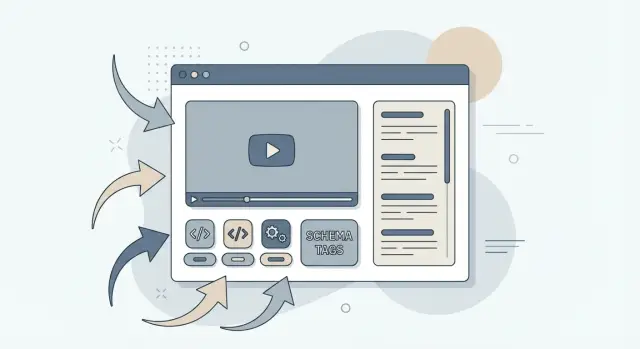
Why video-led pages often underperform in search
A video-led page is a page where the video is the main thing people come for, and everything else supports it. Think of a product demo, a webinar replay, or a how-to clip with a short intro and a play button front and center.
These pages often underperform because search engines still rely heavily on text signals to understand what a page is about. If most of the value sits inside the video player, the page can look thin from the outside. A title and a few sentences are rarely enough to prove the topic, the depth, and the specific questions the video answers.
It gets harder in mixed and video-heavy results. Standard blue links mostly compete on relevance and authority. Mixed and video results also weigh video usefulness signals, like whether the page clearly explains what the video covers, includes a transcript, and helps users find the exact moment they need. If those cues are missing, you can lose to a weaker video on a better-supported page.
Backlinks can help a video-led page the same way they help any page: they raise trust and can help Google prioritize crawling and ranking. What they do not do is fix a page that is unclear, poorly titled, or missing basic context.
Before link building even starts, video-led pages usually get held back by the same set of issues: too little supporting text, no transcript (or one that is buried or messy), weak on-page cues about who the video is for, and link text that does not match the real topic.
A simple example: a "2-minute onboarding demo" page with no transcript and a generic headline like "Watch now" can get links and still struggle. The page does not clearly earn its place in mixed results because it does not explain what the demo actually covers.
What counts as a video-led page (and what does not)
A video-led page is a page where the video is the main thing visitors (and search engines) are meant to understand. The page is not just hosting a file. It gives clear context, answers questions around the topic, and makes it easy for Google to connect the video to the page.
A simple rule: if someone lands on the page with the sound off, they should still understand what the video is about and why it matters.
What counts
A strong video-led page usually puts the video high on the page (visible without lots of scrolling) and supports it with text that matches what the video covers. That support can be a full transcript or a clean, detailed summary on the same URL.
It also needs a clear H1 that says what the video is about, not a vague headline like "Watch now." If the video is a product demo, the page should say which product, which use case, and what viewers will learn.
Structured data helps search engines classify the page correctly. Video schema markup gives machines basic facts like the title, description, and duration.
What does not count
Some pages look like video pages, but they are weak targets for link building:
- A bare embed on a thin page with almost no text.
- A "video gallery" page listing many unrelated clips with no one clear topic.
- A blog post where the video is optional and the main content is really the article.
- Multiple near-duplicate pages for the same video (one for the transcript, one for the summary, one for the embed).
A common mistake is splitting one webinar into three URLs (video, transcript, recap). Links get divided, and none of the pages looks like the best answer. A better setup is one main page for that webinar, with the video, transcript, and supporting copy together.
Choose the right page to build links to
The biggest decision with backlinks for video-led pages is simple: where should the link land? Pointing links to the wrong page is a common reason video content never shows up in mixed results, even when the video is good.
Start by matching the target page to search intent. If the query is "how to," a tutorial page that pairs the video with steps and a transcript usually fits best. If it is "review" or "comparison," a supporting article with clear pros and cons, specs, and the embedded video often wins. If it is "demo," sending links directly to the product demo page can work, but only if the page explains what the viewer will learn and who it is for.
Avoid sending links to thin pages that only have a player and a headline. A page like that gives search engines very little context, so the link equity has fewer relevance signals to attach to.
A practical way to choose the target:
- Video page: best when the page answers the full question (summary, key points, transcript, FAQs).
- Supporting article: best when the topic needs more explanation than a video alone.
- Hub page: best when you have a series (demos, webinars, lessons) and want one page to rank.
If you publish on YouTube too, keep the messaging in sync without competing. Use the same core topic and title theme, but make your website page the complete version (transcript, resources, clear sections), while YouTube stays focused on viewing.
Set up the page so backlinks actually help
A backlink is not magic on its own. It works best when the page it points to makes it easy for search engines to understand what the video is about, and for people to stay and find answers.
Start with text. Add a full transcript, or a detailed written summary that covers the same points as the video. A couple of sentences under the player usually is not enough. The goal is simple: give the page clear, indexable content that matches what viewers hear.
Chapters help on both sides. Users can jump to the right moment, and search engines can spot the main subtopics. Use timestamps (like 00:45, 02:10) and label them with plain wording. If your video is a product demo, chapters like "Setup," "Key feature," and "Common fixes" beat clever titles.
Then add a small FAQ section under the video. Keep it practical and specific. This is where you catch long-tail searches that rarely match a short title, like "Does it work on mobile?" or "How long does setup take?"
Make schema do its job
Use VideoObject schema and make sure the basics are present: name, description, thumbnail, and upload date. Keep the on-page title and description consistent with the schema, and make sure the thumbnail is accessible.
Don’t waste link equity on a weak page
Before you build backlinks for video-led pages, check the fundamentals. The page should have a visible transcript or strong summary, clear chapters, a short FAQ, valid VideoObject fields, and a mobile-friendly embed that loads fast.
If you are paying for authoritative link placements, this setup is what allows those links to lift both the page and the video’s visibility in search.
Step by step: prepare a video page for link building
Backlinks work best when the page gives Google clear, readable signals about what the video is about. Before you start building backlinks for video-led pages, make sure the page can prove its topic without relying on the video player alone.
1) Pin down the topic, then pull supporting angles
Pick one main keyword that matches the search you want to win. Then skim the transcript and pull 3 to 5 supporting subtopics that naturally show up in the video (steps, mistakes, results, tools, features). These become your headings and your FAQ themes.
2) Write a tight intro that sets expectations
Add a short intro above the video (2 to 4 sentences). Say who the video is for, what it covers, and what someone will be able to do after watching. This helps readers and crawlers understand the page before they hit play.
3) Make the page readable without watching
Use the video’s flow as your structure. Add the transcript, break it up with clear headings that match key moments, and clean it lightly so it reads well (remove filler, keep the meaning). If the video answers common questions, turn those into a short FAQ.
A simple structure that holds up:
- One H1 that matches the main topic
- A short intro above the embed
- Timestamp-style section headings
- Transcript with light cleanup
- A short FAQ pulled from real questions
4) Add schema and validate it
Add VideoObject schema (and FAQ schema if you include FAQs). Fill in the basics: title, description, upload date, duration, and a thumbnail reference. Then validate it with a schema testing tool to confirm the video data is being detected.
5) Publish, stabilize, then build links
Once published, give the page time to settle. Confirm the URL will not change, performance is solid, and the transcript and schema are final. Then start link building. If you later swap the video, keep the topic consistent so the links still make sense.
How to build backlinks that support video relevance
Backlinks help a video-led page most when they confirm what the page is about, not just who you are. When someone links to your page, the words around that link should match the topic of the video and the promise of the page.
Anchors should look normal. A natural profile usually mixes branded anchors (your company or product name), plain URL anchors, descriptive anchors that match the topic (like "billing walkthrough video"), and soft calls to action (like "see the demo").
Keep descriptive anchors specific, but do not repeat the exact same keyword phrase across many sites. That pattern stands out fast.
Where the link lives matters as much as the anchor. A link placed inside a relevant paragraph on a page that already covers the subject sends a stronger signal than a random mention on an unrelated page.
One practical pattern is to spread links across a small cluster, then funnel authority to the main page with internal links. For example, you might earn a few links to a supporting guide and a few to a comparison page, then internally link both back to the main video page with clear, natural wording.
How mixed and video results pick up your page
Mixed results blend videos, articles, and product pages. For a video-led page to earn one of those spots, Google needs two things to line up: what other pages say about you (link context) and what your page proves (on-page text and structured signals).
When you build backlinks for video-led pages, the best links do more than pass authority. They describe the topic the way your audience describes it. If a link points to your demo page but the surrounding text is vague, you can end up ranking for the wrong queries, or not ranking at all.
How backlinks, transcripts, and schema work as a package
Backlinks help the page get discovered and trusted, but they do not explain the video by themselves. That is the transcript’s job. A full transcript gives search engines plain text to understand, and it captures long-tail phrases your video naturally includes.
Schema (like VideoObject) ties it together by clarifying that the page is about a specific video, plus details like the title, description, and thumbnail. The strongest pages make these three signals agree:
- The linking page mentions the same topic and intent as your target query.
- The transcript uses the same key terms naturally.
- The schema title and description match what the user will actually see and hear.
Video page vs blog post: which should target the query?
A video-led page is a good target when the intent is "show me," like a product demo, walkthrough, or comparison you can watch. A blog post is often better when users want a quick answer, a skimmable list, or step-by-step text.
If you are unsure, test it. Target the main query with one format, and use the other format to support it with internal links and a tighter subtopic.
Timelines and testing
Expect movement to be uneven. After new links and on-page updates, it can take days to weeks to see stable changes. Change one thing at a time (for example, update the transcript and schema first, then add links), and track whether you gain impressions in video features, mixed results, or standard blue links.
Common mistakes with backlinks to video-led pages
The most common reason backlinks for video-led pages do not move rankings is simple: the links point somewhere that does not clearly represent the video. If people link to your homepage, a broad category, or a thin "watch now" page, search engines get weak relevance signals and the page rarely shows in mixed or video results.
A close second is missing text. Video alone is hard to "read," so a page without a visible, crawlable transcript often underperforms even with strong links. A transcript that only appears after a click can also fail if it is loaded only in the browser and is not present in the page source.
Mistakes that commonly waste good link equity:
- Sending links to the wrong URL instead of the dedicated video page with context and supporting copy.
- Using a transcript that is missing, extremely short, or hidden in a way that is not crawlable.
- Adding video schema markup that is incomplete or does not match what is on the page.
- Forcing exact-match anchors repeatedly, which looks unnatural compared to normal editorial links.
- Building links before you finalize the title, H1, intro copy, and video placement, then changing the page so the link context no longer matches.
A real-world version of this: a team builds links to a "Demo" category page because it is easier to share. Later, they publish the actual demo video on a separate URL with the transcript and FAQ. The links keep flowing to the category, while the real video page stays invisible.
Quick checklist before and after you build links
Before you build backlinks for video-led pages, make sure the page gives Google and real people enough context. A strong link can only amplify what is already clear on the page.
Pre-flight checks that catch most problems:
- The video is easy to find near the top, and the H1 matches what the video actually delivers.
- A full transcript is on the page (not in an image or download).
- One or two short FAQ blocks answer obvious questions.
- Video schema markup validates, and the page is indexable.
- The canonical points to the exact URL you want to rank, and you are not splitting the same content across multiple near-duplicates.
After links go live, sanity check the basics: anchors should sound like something a writer would naturally use, and the linking page should talk about the same problem your video solves. Then track more than a single ranking. Watch Search Console impressions and the mix of queries you show up for. That query mix is often the earliest sign that your page is being understood as a video result.
Example: boosting a product demo page with the right links
A mid-size SaaS company publishes a 6-minute product demo. The page looks fine to users, but in search it barely shows up. When it does, it competes with generic "what is" articles and YouTube results, not the high-intent queries the team cares about.
They decide to treat the demo URL as a real search landing page and build backlinks for video-led pages to that specific URL (not to the homepage and not to a random blog post).
First, they strengthen the page so links have something complete to point at. They add a full transcript under the video, then write five short FAQs that match common demo-intent questions like pricing, setup time, integrations, and security. Finally, they add VideoObject schema on the same URL so the video, title, thumbnail, and duration are clearly described.
Next comes the link plan. Instead of chasing dozens of weak mentions, they aim for a small set of relevant editorial placements. A simple plan could be a few direct links to the demo page (with context like "see the 6-minute demo") plus a couple of links to a supporting comparison article.
That comparison article is not fluff. It targets broader keywords and funnels visitors and signals to the demo. Inside it, they add a clear callout near the top and link to the demo with simple anchor text like "watch the product demo" (and repeat the link once near the decision section).
What success looks like in the first few weeks is not "#1 overnight." It is measurable movement: more impressions for demo-intent queries, more qualified visits, and occasional appearances in mixed results when the query has video intent.
Next steps: scale what works without overdoing it
Pick one priority video page first. Make it the page you would be happy to send anyone to, even if search traffic stayed flat. When that page is clear, complete, and easy to understand, backlinks have something strong to reinforce.
Build a small set of high-quality links, then pause and read the results. Give it enough time to see which queries and SERP features you start showing up for. If you want to scale, a hub model is a clean way to do it: one main video page plus 1 to 2 supporting pages per topic. The main page gets the strongest placements. The supporting pages answer specific questions that show up in Search Console and point people back to the video page.
If you are looking for a straightforward way to secure authoritative link placements without running long outreach cycles, SEOBoosty (seoboosty.com) offers subscription access to a curated inventory of placements. However you source links, the basics stay the same: point them at the right URL, keep the on-page signals clear, and make sure the page can stand on its own without the play button.
Keep improving the page as new queries appear. Small edits often beat big redesigns: tighten the transcript, expand FAQs based on real impressions, adjust headings to match the words people actually use, and refresh the video schema markup when the layout changes.
Scale only after you can explain what worked on the first page and why. If you cannot, build fewer links, measure more, and iterate.
FAQ
Do backlinks actually help a video-led page rank?
Backlinks mainly increase trust and help search engines prioritize crawling and ranking. They don’t explain what your video is about, so if the page is thin or vague, links can’t create relevance on their own.
Where should I point backlinks: the video page, a blog post, or a hub?
Point links to the single URL that best represents the video and answers the search intent. Ideally that page includes the embed, a readable transcript or strong summary, clear on-page context, and stable metadata so link signals don’t get wasted.
Is a transcript really necessary, or is a summary enough?
Add a full transcript on the page whenever you can, because it gives crawlable text that matches what’s said in the video. If a full transcript isn’t realistic, publish a detailed summary that covers the same points and uses the same terms naturally, then expand over time.
What should the page title and H1 look like for a video-led page?
Use a clear, specific H1 and title that say what the video is and who it’s for, such as the product, use case, or problem solved. Avoid vague labels like “Watch now,” because they don’t give search engines or users enough information to match the page to a query.
What schema should I add for a video-led page, and what matters most?
Use VideoObject schema with accurate basics like name, description, upload date, duration, and thumbnail, and keep it consistent with what’s visible on the page. Schema helps classification, but it works best when the page also has strong text support (intro, transcript, and clear sections).
How do I choose anchor text for backlinks to a video page?
Keep anchors natural and varied, mixing branded, URL, and descriptive phrases that match the topic without repeating the exact same keyword every time. The words around the link matter too, so the best placements mention the same problem the video solves.
Can multiple URLs for the same video hurt rankings?
Yes, because you can split authority and confuse search engines about which URL is the main answer. Consolidate the embed, transcript, and recap into one primary page when possible, and use canonicals and internal links to reinforce that single “main” URL.
Do video chapters and timestamps make a difference for SEO?
Add timestamped chapters with plain-language labels that match what happens in the video, and mirror those topics in nearby headings or text. This makes the page easier to scan and gives search engines clearer subtopic cues, which can help in mixed results.
How long does it take to see results after adding links and improving the page?
Expect uneven movement and focus on early signals like impressions and the types of queries you start appearing for, not just one “main” ranking. Change one major thing at a time (on-page improvements first, then links), and give it enough time to settle before judging results.
What should I fix before paying for authoritative backlinks to a video-led page?
First, make sure the page is complete: clear title and H1, intro, transcript or strong summary, chapters, and valid schema. If you want a simpler way to secure authoritative editorial placements without doing long outreach cycles, a subscription service like SEOBoosty can handle placements, but you still need the page fundamentals so those links reinforce the right topic.
Share