Canonical and Redirect Hygiene Before Buying Links: Checklist
Canonical and redirect hygiene before buying links prevents paid authority from pointing to the wrong URL. Fix canonicals, slashes, params, and chains.
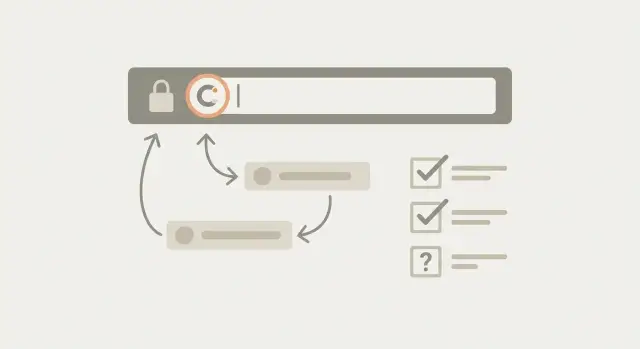
Why link value gets wasted when URLs are inconsistent
Link value gets wasted when a backlink points to a URL your site doesn't treat as the main version of a page. The authority arrives, but it lands on a duplicate, a redirecting URL, or a version Google sees as separate. Instead of strengthening one clear target, the benefit gets split.
You see it when you earn or pay for a placement but rankings barely move. In analytics, traffic shows up on a URL you never promote. In Search Console, the wrong URL appears as the Google-selected canonical, while your preferred page sits nearby with fewer signals.
This matters even more when you're paying for placements. If half your links point to different URL versions, you're paying to build strength in multiple buckets.
Common symptoms are easy to miss:
- Both
/pageand/page/exist and get indexed - The homepage shows as
/and/index.html(or similar variants) - Mixed uppercase and lowercase URLs for the same content
- Tracking parameters (like
?utm_source=) appearing in indexed pages - Old URLs that redirect, but not cleanly
A single preferred URL means: for any piece of content, there is one exact address you want people and search engines to use. That address loads in one step, matches your internal links, matches your sitemap, and is the URL you want backlinks to point to.
If you're buying strong placements, this prep step protects your spend. You want authority to arrive at the right door, not bounce through side entrances and near-duplicates.
Canonicals vs redirects: what each one should do
A canonical tag is a hint to Google about which URL should be treated as the main version of a page. It's useful when multiple URLs show the same or very similar content, like a tracking-parameter version or a print view. The canonical says: index this one, and fold signals from the other versions into it.
A redirect is different. A redirect actually sends users and bots to a new URL. Use it when you don't want the old URL used anymore, like after a migration, a slug change, or when you merge two pages. If someone lands on the old address, they should end up on the right page automatically.
The most important rule is that canonicals and redirects should agree.
- If URL A redirects to URL B, URL B should usually be self-canonical (its canonical points to itself).
- Avoid setups where A redirects to B, but B canonicals back to A, or to a third URL.
Those mismatches are where link value gets diluted or credited to the wrong version.
Aim for one indexable URL per piece of content. Everything else should either:
- Redirect to it (when you want the old URL gone), or
- Canonicalize to it (when alternates need to exist, but shouldn't compete in search)
Practical rules that cover most cases:
- Use a 301 redirect when the old URL should never be the landing page again.
- Use a canonical tag when the alternate URL must stay accessible (parameters, filters, session IDs) but shouldn't be indexed.
- Make the final URL indexable (200 status, not blocked by robots, not marked noindex) and self-canonical.
- Keep the URL format consistent (HTTPS, trailing slash rule, lowercase).
Before you point a high-authority backlink at a page, this alignment is what ensures the authority lands on the exact URL you want to rank.
Choose your preferred URL rules before you touch anything
Before you adjust canonicals or redirects, decide what your official URLs look like. If you skip this step, you'll fix problems in one place and recreate them somewhere else.
Start with four choices and make them non-negotiable: HTTPS only, www or non-www, trailing slash or no trailing slash, and lowercase URLs (no random casing). These decisions sound small, but they define where authority should land.
Write the rules down in plain English so they survive redesigns, CMS changes, and new page launches. It doesn't need to be fancy, it just needs to be easy for everyone to follow.
A short rule set many sites adopt:
- Use HTTPS everywhere.
- Choose one host: www or non-www.
- Pick one trailing slash style and stick to it.
- Force lowercase URLs.
- Keep one canonical URL per page.
Next, decide what should be indexable. Many sites accidentally let "in-between" pages get indexed, like filtered category views, tag archives, and internal search results. If those pages can rank and are genuinely useful, keep them. If they create near-duplicates, block or canonicalize them so they don't compete with your main pages.
A simple team rule that prevents a lot of mess: one page, one URL. When someone shares a page internally, updates navigation, or sets up a campaign, they should use the preferred URL, not "whatever loads."
Fix trailing slash, homepage, and casing splits
Small URL differences can quietly create duplicates. Later, authority can land on the wrong twin instead of the URL you want to rank.
The usual offenders are trailing slashes, mixed letter casing, and homepage variants. You can spot them by checking whether the same content is reachable at two addresses, like /page and /page/, or /About and /about. If both load, search engines can treat them as separate URLs.
Trailing slash and casing: pick one winner
Pick one preferred format, then force everything to it.
- Decide whether page URLs should end with a slash or not.
- Redirect the non-preferred version to the preferred version (one hop).
- Make internal links consistent (menus, footers, in-content links).
- Keep the canonical tag pointing to the preferred version.
- Use lowercase everywhere.
If users can type either version and still get the same page, both versions should end at the same final URL every time.
Homepage variants to lock down
Homepages often have the most duplicates: the www and non-www versions, and sometimes /index.html or /home. Pick one canonical homepage and redirect everything else to it.
Sanity check: open a private browser window and manually type each variant (with and without www, with and without /index.html). Watch the address bar. If they don't all end on the exact same final URL, fix it before you point paid backlinks at your site.
Handle URL parameters without creating duplicates
URL parameters are the extra bits after a question mark, like ?utm_source=newsletter or ?sort=price. They get created by marketing tools, on-site filters, sorting options, and sometimes session IDs. The problem is straightforward: search engines can treat each variation as a separate URL, so signals (and backlinks) spread across many "copies" of the same page.
Start by deciding which parameter versions should exist as real pages.
If a parameter only changes tracking (UTM tags) or a minor view choice (sort order), it usually shouldn't be a separate page in search. In that case, keep one clean main URL as the winner.
A simple decision framework:
- Use a canonical tag when the content is basically the same, but people will still land on parameter URLs.
- Use a redirect when you never want the parameter URL used at all.
- Keep it indexable only when the parameter creates a truly different page that users need. If you keep it, treat it like a real page: clear internal links, a stable URL, and unique intent.
One small but costly mistake is letting parameter URLs become the ones people link to. Standardize the URL you share everywhere (menus, sitemaps, briefs) so the clean version is the one that earns authority.
Remove redirect chains so authority arrives in one hop
A redirect chain is when one URL points to another, which points to another: A to B to C. Your link might be aimed at A, but the page you actually want is C.
Chains waste crawl time and can muddy signals. Bots must follow extra steps, and sometimes they stop early. People can also hit a slower page load. Most importantly, chains increase the odds that link value gets credited inconsistently.
The goal is simple: if A should not exist, make A redirect straight to C.
How chains get created
Chains usually happen when multiple rules stack over time, like:
- http to https
- www to non-www (or the reverse)
- trailing slash added or removed
- uppercase to lowercase
- old path to new path
If each step is a separate redirect, you get a chain.
How to shorten chains
Pick the final destination URL first, then update redirects so every outdated version goes there directly. After changes, test a handful of common variants and confirm they each take one hop.
Step-by-step: audit one target URL the right way
Before you pay for backlinks, audit the exact pages you want to boost. This is the simplest way to avoid wasting authority on the wrong version of a URL.
Start with a short list of targets: your key money pages (product, pricing, service pages) and a few important articles that support them. Keep it small enough that you can retest everything.
A clean, repeatable flow for each target URL:
- Write down the URL you plan to use for links exactly as it will be shared (including https, www or non-www, trailing slash, and path casing).
- Open it in a browser and confirm the final address after any redirects. Copy the final URL from the address bar.
- Check the canonical tag on the final page and confirm it points to that same final URL.
- If anything disagrees, pick one winner URL and fix the other pieces to support it.
- Retest until all three match: the URL you share, the final URL, and the canonical.
Example: you plan to point links at /service, but it redirects to /service/, and the page's canonical points to /services/ (plural). Choose the correct page, then make redirects and canonicals agree. Only after that should you place paid links.
Common mistakes that break canonicals and redirects
The fastest way to waste paid link value is to send signals in different directions. Catch these patterns before you spend money.
One common mistake is setting a canonical to a different page just because it "looked similar." If Page A is about one product and Page B is a category page, forcing A to canonical to B can remove A from search results and confuse crawlers. Canonicals should usually point to the same content, just the preferred version of the same page.
Another classic issue: redirecting to a page that then canonicals back to the old URL. That creates conflicting instructions. Search engines may ignore one of the signals, and backlinks can end up credited inconsistently.
Tracking parameters can also cause trouble. If people link to /page?utm_source=newsletter, those can get indexed as duplicates unless you have clear rules. Even when you handle them correctly, reporting gets messy if teams keep sharing tracked URLs as the destination.
High-impact errors to watch for:
- Using 302 (temporary) redirects for permanent moves
- Redirecting a URL to a 404 or a soft 404 (a thin "not found" page that returns 200)
- Redirect chains like A to B to C instead of A to C
- Mixing trailing slash and non-trailing slash versions without a single winner
- Canonical tags that point to blocked, redirected, or non-200 pages
A reality check: if you buy a premium backlink and it lands on /guide/ but your site prefers /guide and your server does a two-step redirect, you're adding friction you didn't need.
Quick checklist before you spend on backlinks
Before you pay for a placement, do a fast sanity check on the exact URL you plan to point links to.
- Paste the target URL in your browser and confirm it returns a 200 status on the first load (not a redirect first).
- If the URL must redirect, make sure it goes straight to the final page in one hop (no chain).
- On the final page, confirm the canonical tag matches the final page URL exactly.
- Remove tracking and sharing parameters from the link target (for example, anything like
utm_or click IDs). - Verify only one version is indexable. Other versions should either 301 to the preferred URL or canonicalize clearly to it.
You want one clear, stable address. If both /page and /page/ can load, or if uppercase and lowercase versions both work, you risk splitting signals. A paid link that redirects twice before reaching the real page adds another layer of uncertainty.
Realistic example: one page with three competing URLs
A common way paid authority gets wasted is when one page quietly lives at multiple URLs. You think you're promoting one product page, but Google sees three.
Say your main product page can be reached as:
/product/product//product?utm_source=newsletter
Here's what often happens. Your site internally links to /product/, but some older links still point to /product. Then a campaign uses the tracking version because it was copied from analytics. Google may treat the parameter URL as a separate page, or it may consolidate signals inconsistently if canonical and redirect signals don't match. Either way, part of the value you paid for lands on the wrong URL, and rankings move slower than they should.
The fix is simple, but it has to be consistent. Choose one standard URL (for example /product/) and make everything else fold into it in one clean step. Then make your signals match: the page should self-canonical to the chosen version, internal links should use it, and the other versions should redirect straight to it (no detours).
When briefing anyone who will place links, keep it painfully specific:
- Use:
/product/(exactly) - Do not use:
/product, or any URL with?utm_parameters - If tracking is needed, track clicks elsewhere, not by changing the destination URL
That one short instruction prevents the most common and expensive mistake: sending paid authority to a URL you never meant to rank.
Next steps: lock your targets, then buy links with confidence
Once your canonicals and redirects behave the way you expect, make it hard for anyone (or any update) to accidentally send future authority to the wrong URL.
Start by writing down your approved link targets: the exact final URLs you want people to link to. Each one should load in one step, return 200, and self-canonical to itself.
Keep the list short and strict. If a URL needs a parameter, a trailing-slash variant, or a redirect first, it's not ready to be a target yet.
A practical "approved targets" template:
- Exact final canonical URL (copy from the page source)
- Expected status code: 200 OK
- One preferred format (slash/no slash, lowercase, www/no-www)
- One destination only (no A to B to C redirects)
- Notes on what must never be used (old paths, tracking parameters)
Then schedule quick rechecks after anything that can change URL behavior: CMS migrations, theme changes, SEO plugins, redirect plugins, performance plugins, or CDN settings.
If you're using a paid link provider, give them the approved canonical URL, not a redirected version and not a tracked campaign URL. With a service like SEOBoosty (seoboosty.com), that small detail helps ensure premium backlinks point straight at the page you actually want to rank, so results are cleaner to measure.
FAQ
Why do inconsistent URLs make my backlinks less effective?
Use one exact preferred URL per page. If backlinks hit multiple versions like /page and /page/, Google can treat them as separate and the signals get split instead of strengthening one clear target.
When should I use a canonical tag vs a 301 redirect?
A canonical tag is a signal about which URL should be indexed as the main version when duplicates must exist. A 301 redirect is the safer choice when the old URL should stop being used and everyone should land on the new URL automatically.
Should the canonical on the final page match the redirect destination?
Most often, yes. If URL A redirects to URL B, then B should usually be self-canonical (its canonical points to B). Conflicts like “redirect to B but canonical to A” are a common reason link value gets credited unpredictably.
How do I fix the /page vs /page/ trailing slash split?
Pick one standard (with slash or without) and enforce it everywhere. Redirect the non-preferred version to the preferred one in a single hop, update internal links to the winner, and make the canonical match that same final URL.
What should I do about homepage variants like /index.html or www vs non-www?
Choose one homepage URL (HTTPS plus either www or non-www) and redirect all other variants to it. Also lock down /index.html, /home, or similar so they always end on the exact same final homepage URL.
Can I point backlinks to URLs with UTM parameters?
Don’t use tracking parameters as the link target. Send backlinks to the clean URL, and handle measurement another way, because parameter URLs can get indexed or treated as alternates and dilute signals if they spread.
How do I remove redirect chains (A → B → C) before buying links?
Shorten it to one hop. Decide the final destination URL, then update rules so every old version redirects directly to that final page instead of stacking steps like http → https → www changes → trailing slash changes.
What’s the fastest way to audit a target URL before placing a paid link?
Test three things and make them agree: the URL you plan to share, the final URL after loading it, and the canonical in the page source. If any differ, choose one winner and fix redirects, canonicals, and internal links until they align.
What are the most common mistakes that break canonicals and redirects?
Using 302s for permanent moves, canonicals pointing to redirected or blocked pages, redirecting to 404/soft-404 pages, and mixed casing or slash rules that allow duplicates. These issues create conflicting signals and can slow or weaken ranking impact.
What’s a quick checklist I should run before spending money on backlinks?
Make sure the target is the exact final canonical URL you want to rank, ideally loading as 200 without a redirect. If a redirect is unavoidable, keep it one hop, ensure the final page self-canonicals, and avoid tracked or alternate URL versions as the destination.
Share