Pages Google Crawls Often: How to Choose the Right Link Hosts
Learn how to pick pages Google crawls often so new backlinks are found faster, stay fresh, and support quicker ranking improvements.
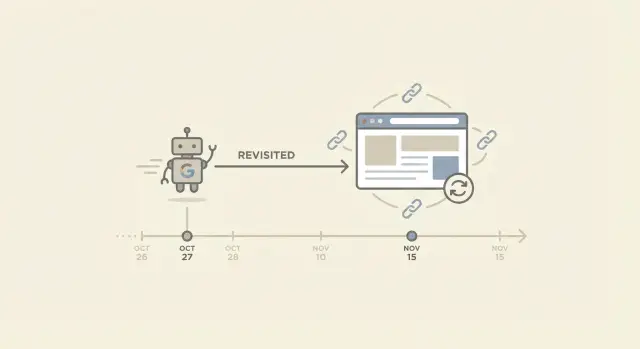
Why some new links take time to show up
A new backlink can feel invisible at first because Google may not have visited the page that contains it yet. The link works for humans right away, but search engines only react to what they’ve actually crawled.
Crawling and indexing are related, but they’re not the same.
- Crawling is when Googlebot visits a page and reads what’s there.
- Indexing is when Google decides to store that page (and its signals) in its search database so it can appear in results.
A page can be crawled and still not be indexed. And even when Google sees a link during a crawl, it can take time for that link to show up consistently across different Google tools.
“Recrawl” simply means Google coming back to the same URL. That matters because most backlinks are added to existing pages, not to brand-new pages. If Google rarely revisits the linking page, your new link can sit there for days or weeks before Google notices it. If the page gets revisited often, discovery tends to happen sooner.
Links are often slow to show up for a few predictable reasons: the linking page is old and rarely updated, it’s buried deep with weak internal linking, the site is so large that Google prioritizes only certain sections, the page is slow or unreliable, or the link sits behind scripts or blocked elements that Google doesn’t process quickly.
Set the right expectation: faster discovery is useful, but it’s not a ranking guarantee. Even after Google finds a link, it still weighs relevance, quality, placement, and the overall strength of your site. Frequent recrawls mainly shorten the waiting time.
Example: you get two links on the same day. One is added to a popular news page that gets updated daily, and the other is added to an old resources page that hasn’t changed in two years. The first link often gets noticed quickly because the page is revisited often. The second can take much longer, even if both are on good sites.
What makes a page likely to be recrawled
A page is “crawled often” when Googlebot visits it on a regular schedule, not just once in a while. That matters because new links on that page can be discovered sooner, and edits around the link can be re-read sooner.
Google doesn’t crawl every URL equally. It has limited time to spend on each site, so it chooses what to revisit based on how useful the page seems and how likely it is to have changed.
Signals that usually lead to more frequent recrawls
Pages that Google recrawls frequently tend to share the same basic traits. They change often enough that revisiting is worth it, they’re clearly important inside the site, and they’re easy and reliable to fetch.
In practice, that often looks like:
- content that gets updated regularly
- strong internal linking (many pages on the same site point to it)
- steady user interest (pages people actually visit)
- fast, error-free loading
- a clear structure that helps crawlers find and re-check important pages
None of this guarantees daily crawling. It just increases the odds the page stays on a shorter “to revisit” cycle.
How Google decides what to revisit (high level)
Think of crawling as a mix of priority and budget.
- Priority is which pages matter most.
- Budget is how much Google is willing to fetch from a site without wasting resources.
If a page is important, changes often, and lives on a healthy site, it’s more likely to be recrawled sooner. If a page is hard to reach, rarely changes, or sits in a site section full of low-value URLs, it can fall behind.
Some pages are naturally low priority for recrawling, even if they’re indexed: old posts that never get updated, thin tag pages, deep archives few people reach, standalone files with little context, and large groups of near-duplicate URLs (like endless filtered variants).
When you’re choosing a link host, this is why “good domain” isn’t the whole story. A strong site helps, but the specific page often determines how quickly the link gets rediscovered and refreshed.
How to tell if a page gets crawled frequently
You can’t see Google’s exact crawl schedule, but you can gather strong hints. The goal is simple: pick pages Google visits often so new links get found and refreshed sooner.
Use Google Search Console for the clearest signals
If you have access to the site that will host the link, Search Console is the most practical place to start.
The quickest checks are:
- URL Inspection: Inspect the exact linking page and look for “Last crawl.” If it was crawled recently and that date updates over time, it’s a strong sign.
- Indexing status and fetched page: If the page is indexed and the fetched content matches what you expect, Google is processing it.
- Crawl Stats (property-wide): This won’t show a single page’s schedule, but it does show whether Googlebot is crawling the site regularly.
- Compare similar pages: Inspect 3 to 5 pages of the same type (posts, category hubs, news pages). You’ll often spot a pattern in “Last crawl” dates.
One important detail: a page can be indexed but still crawled rarely. “Indexed” means it’s in Google’s database, not that Google visits it often.
Check server logs (if you have them)
Server logs are the most direct record because they show real visits. You’re looking for Googlebot requests to the exact linking URL, not just the homepage.
Focus on a few basics: whether the user agent includes Googlebot, how often it hits the specific page, whether the response codes are clean (200 is ideal), and whether Googlebot shows up soon after updates.
If you don’t have log access, ask the site owner for a simple export covering the last 30 days.
Quick spot checks that still help
Spot checks are weaker than Search Console or logs, but they can still support your decision.
If the page is actively maintained (fresh timestamps, new sections, new comments, regular edits) and you notice search snippets or cached versions reflecting changes quickly, that usually lines up with more frequent recrawls.
Know the limits
Even pages Google crawls often can fluctuate. Crawl behavior shifts with site health, server performance, internal linking, and how often content changes. Treat these checks as probability, not a promise.
A practical checklist for picking the right linking page
If you want new links to be found quickly, don’t focus only on the domain. The specific page matters. Pages Google crawls often tend to look active, important, and easy to reach.
Use this as a quick filter:
- Recent updates: Pages that publish new items or refresh content regularly (news hubs, product update logs, “latest” category pages) are more likely to be revisited than pages that never change.
- Clear internal paths: The page should be reachable from the main navigation or other popular pages. If people can get there in one or two clicks, crawlers usually can too.
- Real attention: Pages with steady visits often have more internal links pointing to them and get more maintenance.
- Fast and simple to load: When the main content relies on heavy scripts, crawlers can miss or delay processing important elements.
- No crawl barriers: Avoid pages blocked by robots.txt, marked “noindex,” hidden behind logins, or stuck in endless parameter variants.
A good sanity check: if the page feels like an active part of the site, it’s more likely to be recrawled.
Red flags that slow discovery
Two problems show up constantly.
First, orphaned or nearly orphaned pages. If few (or no) internal links point to the page, Google may find it once and then revisit it rarely.
Second, pages where the link only appears after lots of client-side rendering. If the main content loads late or inconsistently, discovery can be delayed.
Example: a backlink on a “Release notes” page that gets updated weekly is usually picked up faster than a buried “Resources” page that hasn’t changed in two years, even if they’re on the same domain.
Step-by-step: choose a page that gets recrawled
When you place a backlink, the goal is straightforward: Google finds it quickly and keeps seeing it on future visits. That usually happens on pages Google crawls often, not on forgotten pages that sit unchanged for months.
A simple 5-step method
Start by collecting a few realistic homes for your link on the site you’re targeting, then narrow them down:
- List 3 to 8 candidate pages where a link would look natural (a recent article, a resource page, a tools list, a category hub).
- Confirm the page can be indexed. Watch for “noindex,” canonicals pointing somewhere else, and login-only pages.
- Check for freshness signals. Prefer pages with obvious recent edits, new sections, active maintenance, or steady additions.
- Make sure the page is easy to reach. Pages linked from navigation, category hubs, and other popular posts are harder for crawlers to ignore.
- Pick the best balance: relevance first, speed second. A fast page that’s off-topic can turn into a weak or awkward placement.
Quick example
Imagine you can place a link on either (A) an older “Resources” page last updated in 2021 or (B) a category hub that gets new items added every week. Even if both are indexable, (B) is more likely to be recrawled because it changes and sits closer to the main navigation.
Balance recrawl speed with topical relevance
Fast discovery is great, but relevance is what makes a link worth having.
Google is trying to understand why your site deserves to rank for certain searches. A backlink helps most when it sits inside a page that’s already about the same subject (or something closely related). If the host page is irrelevant, you’re trading a small speed gain for weaker meaning, and the placement can look unnatural.
What “context” means (in plain English)
Context is the story around your link. Google reads the text near the link and the page theme to figure out what the link is about. It’s not just anchor text.
Context usually includes the page’s main topic (title, headings, overall content), the paragraph around the link, how naturally it fits (does it help the reader?), and nearby related terms and examples.
A link to a payroll tool inside an article about hiring and onboarding makes sense. The same link inside a movie review might get crawled quickly, but it reads as random.
Don’t chase crawl speed with unrelated placements
Putting links on unrelated, frequently updated pages (generic news feeds, daily deals pages, broad “everything” hubs) can backfire. Even if Google finds it fast, the signal can be diluted because the page doesn’t support the same topic. Readers ignore it too, which is a good hint the placement isn’t helpful.
A practical rule: among the pages that fit your topic well, choose the one that shows the strongest signs of ongoing maintenance.
Common page types and how they behave
Not all pages get the same attention from Google. If you want to get backlinks discovered faster, it helps to know which page types are typically revisited more often, and what you trade off when you use them.
- Homepages are often recrawled frequently, especially on active sites. But links can rotate, move, or disappear during redesigns, seasonal banners, or module changes.
- Category and hub pages are strong connectors. They get updated as new items are added and usually have many internal paths pointing to them. They often offer a good balance of recrawl frequency and stability.
- Fresh posts and news pages can be crawled quickly right after publishing. Over time, older posts can get buried in pagination, and recrawls may slow down.
- Evergreen resource pages (guides, tools pages, “best of” lists, documentation) can keep links stable for a long time. If they rarely change, though, Google may revisit them less often.
- Footer and other sitewide areas can be crawled, but they often look like boilerplate. They’re also easy to break during template changes.
If speed is the main goal, a well-linked hub page or a frequently updated section is often a safer bet than a homepage slot that might rotate away. For long-term value, prioritize pages that stay important and keep your link in a clear, consistent place.
Common mistakes that slow discovery or weaken the link
A link can be live and still take a while to “count” the way you expect. Most delays and weak results come from a few avoidable choices.
Mistake 1: Thinking “indexed” means “recrawled often”
A page being indexed only means Google knows it exists. It doesn’t mean Google visits it frequently. Some pages get crawled daily; others only when Google has a reason.
If the page rarely changes and few people visit it, Google has less incentive to come back often.
Mistake 2: Picking “fresh” pages that have nothing to do with your topic
Fast-moving pages can get recrawled a lot. But if they’re off-topic, the link can look out of place and deliver less value.
Speed is only helpful when the page also makes sense for your site.
Mistake 3: Using pages nobody can reach internally
Google usually finds and revisits pages through links. If the linking page has few internal links pointing to it, is buried deep in navigation, or is effectively an orphan, it can get crawled less often.
Before you choose a page, check whether it’s connected in a normal way through menus, category pages, or related posts.
Mistake 4: Linking from pages that are blocked, redirected, or canonicalized away
Common problems include robots blocking, “noindex,” redirects, canonicals pointing elsewhere, and pages behind a paywall or login. In these cases, Google may ignore the page or treat it as secondary, which can delay or weaken the link.
Mistake 5: Chasing speed and forgetting placement stability
A link that appears briefly on a high-churn page (rotating widgets, “latest links” modules, frequently edited lists) can be discovered quickly and then vanish.
If you’re paying for placement, prioritize links that stay put.
Example scenario: two links, very different recrawl timing
A small home services business launches a new “Emergency Boiler Repair” service page. The owner does the basics: adds the page to the main navigation, writes a clear title, and shares it with a few partners.
Two backlinks go live the same week, but they behave very differently.
The first link is placed on a local “recommended providers” directory page that almost never changes. It’s an old page with a long list of businesses, and the site owner updates it once or twice a year.
The second link is placed on an active “Home Heating Tips” hub page on a publisher site. That hub gets fresh sections added often (seasonal checklists, new tips, short updates). It’s the kind of page that tends to land in the group of pages Google crawls often.
Over the next 2 to 4 weeks, a common pattern shows up:
- The hub page link shows signs of being noticed sooner, because the page gets revisited more.
- The directory link may exist, but it can sit quiet for longer because the page isn’t a crawl priority.
During that window, the business watches a small set of signals that together tell a story: Search Console impressions for the new service page, indexing status, referral visits from the linking pages, crawl activity patterns, and rankings movement for a couple of very specific terms.
The takeaway: link placement isn’t just about “good sites.” It’s also about where on the site the link lives. If you want new links to be discovered and refreshed faster, prefer active pages that get updated and revisited, as long as the topic still matches your page.
Next steps: make link discovery more predictable
If you want new backlinks to show up faster and stay fresh in Google’s view, you need a repeatable way to pick the host page and a simple way to check progress. The goal isn’t perfection. It’s fewer surprises.
A 3-question decision rule
Before you approve any linking page, ask:
- Is this page updated or reviewed often?
- Does it already get attention through internal links or real user demand?
- Does the link fit naturally in the topic, or does it look like it was added only for SEO?
If the first two are “yes” and the third feels natural, you’re usually in a good spot for faster discovery and stronger value.
A simple 30-day tracking routine
Keep it lightweight and consistent:
- Track the host page URL, the target page, the date placed, and the anchor text.
- Check weekly whether the host page has changed recently (new sections, layout updates, refreshed dates).
- Watch for basic visibility signals: impressions, referral visits, and whether the host page appears to be actively maintained.
- After 2 to 4 weeks, compare placements and note which page types got picked up faster.
If you’re buying placements, be direct about your requirements. Ask for pages that are topically relevant and actively maintained, not forgotten archive pages. A strong domain alone isn’t enough if the specific page rarely gets revisited.
If you want to avoid trial and error when sourcing high-authority placements, SEOBoosty (seoboosty.com) is one option: it offers premium backlinks from authoritative sites through a curated inventory, so you can still apply the same logic and favor indexable, well-connected pages that are updated over time.
FAQ
Why is my new backlink live, but not showing up in Google yet?
Most delays happen because Google hasn’t revisited the exact page where your link was added yet. If that page is crawled often, the link may be noticed in days; if it’s rarely revisited, it can take weeks. The link can still send human traffic immediately even while search tools lag behind.
What’s the difference between crawling and indexing?
Crawling is Googlebot visiting a page and reading what’s on it. Indexing is Google deciding to store that page and its signals so it can be used in search results. A page can be crawled without being indexed, and a link can be seen during a crawl but take time to appear consistently in reporting tools.
How can I tell if a page gets crawled frequently?
A recent “last crawl” date on the linking page is a strong hint, especially if it updates regularly over time. Another good sign is that the page is clearly maintained and easy to reach from important parts of the site, which usually leads to more frequent revisits. Without access to the site’s Search Console or logs, you’re estimating probability, not getting a guarantee.
What makes Google more likely to recrawl a page?
Pages get revisited more when they look important and likely to change. That usually means they’re strongly linked internally, they get real user attention, and they load reliably without errors or slowdowns. Pages that sit deep in archives or rarely change often fall into a slower revisit cycle.
Does faster recrawling guarantee better rankings?
No, it mainly shortens the waiting time for discovery and refresh. Rankings still depend on relevance, quality, placement, and how well your own site supports the topic. Faster discovery is useful, but it doesn’t turn a weak or off-topic link into a strong signal.
Which page types usually get my link discovered faster?
Category and hub pages often hit a good balance because they stay central in site structure and get updated as new items are added. Fresh articles can be crawled quickly right after publishing, but older posts may slow down over time as they get buried. Old resource pages can hold links for a long time, but if they rarely change, they may be revisited less often.
How much does internal linking on the host site matter for recrawls?
Weak internal linking is a common cause. If the page is close to the main navigation and gets referenced by other important pages, Google has more paths back to it and more reason to revisit it. If the page is nearly orphaned, it can be found once and then ignored for long stretches.
Can JavaScript or page rendering delay Google seeing my backlink?
Sometimes the link is technically present for users but hard for crawlers to process quickly if it loads late through heavy client-side rendering. If the link is buried behind scripts, inconsistent rendering, or blocked resources, discovery can be delayed or unreliable. A clean, server-rendered placement is usually safer for consistent processing.
What host-page issues can prevent my backlink from counting?
If the host page is blocked by robots rules, marked noindex, redirected, or canonicalized to another URL, Google may ignore it or treat it as secondary. In that situation, the link may never pass the value you expect, even if you can see it in the browser. The safest fix is to use a clearly indexable page where the canonical points to itself and the content is accessible without barriers.
What’s a simple way to track whether a backlink is being noticed over the next month?
Track the host URL, target URL, date placed, and the exact placement so you can compare outcomes later. Check weekly for signs the host page is still maintained and stable, then review results after two to four weeks using a mix of impressions, referral visits, and crawl/index signals where you have access. If you’re buying placements, ask for pages that are topically relevant and actively maintained; services like SEOBoosty can help by offering curated, high-authority inventory, but you still want to choose pages that are indexable and likely to be revisited.
Share