Common backlink mistakes that waste money (and how to avoid them)
Learn common backlink mistakes that waste money, from irrelevant sites to sitewide links and indexation issues, plus quick checks to spot trouble early.
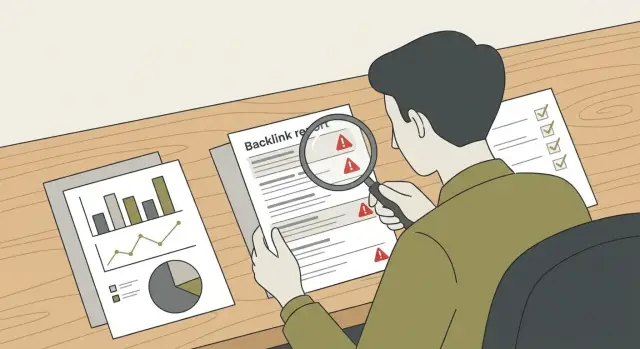
Why some backlinks waste money
Backlinks can be expensive and still do almost nothing for rankings or traffic. A backlink isn’t automatically a vote of trust. If it’s placed in the wrong context, on the wrong page, or in a way search engines ignore, you’re paying for a line of text that never turns into real value.
Bad links waste budget twice: you pay for the placement, then you spend time wondering why nothing moved, or cleaning up a messy link profile later. The frustrating part is that a lot of “cheap wins” look convincing at first, especially when someone shows you screenshots and big metrics.
For most sites, a good link can realistically pass trust and send useful signals. It usually has a few simple traits: it fits the page’s topic, it sits in the main content (not a repeated template area), the linking page is indexed and crawlable, and the site looks like it exists to publish content, not primarily to sell links.
Think of it like renting a billboard. A billboard on a busy road in your city helps. A billboard in a different country, placed behind a building, doesn’t.
Below are the most common backlink mistakes, along with quick checks you can do before you buy and a simple way to audit links you already have.
Some providers, like SEOBoosty, focus on secured placements on authoritative sites and reduce the uncertainty you get with manual outreach. Even so, the same quality checks still apply because results depend on where and how a link is placed, not just the domain name on the invoice.
Mistake 1: Buying links from irrelevant domains
A common mistake is assuming that a “strong” site is automatically a good fit. It’s not. A link can come from a famous domain and still do little if the topic doesn’t match what your page is about.
Topical relevance matters because Google tries to understand why a site is mentioning you. If you sell accounting software and you buy a link from a page about home workouts, the connection looks random. Even if the page has high authority, the link may carry less weight than a smaller site that’s actually in your space.
Relevance also affects real visitors. A link that sends the wrong audience is wasted twice: it doesn’t help SEO much, and the clicks you do get won’t turn into sign-ups, calls, or sales.
Language and location mismatch is the same problem in a different form: a US-only service buying links mainly from non-English pages, a Spanish ecommerce store getting links from English tech news pages that never cover shopping, or a local dentist buying links from global crypto blogs.
A quick relevance test before you pay: read the page title and first two paragraphs, then scan a handful of recent posts. Does your topic show up naturally on the site, and would the mention make sense if SEO didn’t exist?
If you want fewer mismatches, a curated inventory can help because each domain’s focus is clearer up front. For example, SEOBoosty customers choose from pre-vetted domains, which can reduce the odds of paying for placements that look impressive on paper but feel unrelated in context.
Mistake 2: Footer or sitewide links that raise flags
Footer, sidebar, and blogroll links often look like they were added for SEO, not for readers. They’re template-driven, so the same link shows up in the same spot across many pages, sometimes with identical anchor text.
A sitewide link (one placement repeated across most pages) can sound like a bargain because you get hundreds of links. But search engines may treat many of those duplicates as low value, and the pattern can look unnatural if the site rarely links out that way.
Placement usually matters more than people expect. An in-content link, placed inside a real paragraph, has context and looks like something an editor meant to include. A template link is easier to spot and easier to abuse, so it gets more scrutiny.
If you’re buying placements, you can ask for a safer option without sounding technical: request a single in-content placement on one page, avoid footers/sidebars/blogrolls, and keep the anchor natural (often your brand name or a short phrase that fits the sentence).
Even with a curated inventory like SEOBoosty, it’s worth confirming where the link will live. A single editorial-style in-content placement is usually a better spend than a template link that looks paid at a glance.
Mistake 3: Indexation problems that make links worthless
Indexation is simple: Google has found a page, stored it, and is willing to show it in search results. If a page isn’t indexed, your backlink can still “exist” on the web, but it’s much less likely to pass value because Google may never process that page as part of search.
This is a common way money gets wasted. You pay for a placement, you see the link on the page, and you assume it will help. But if the page is blocked, ignored, or removed from Google’s index, the link is basically a receipt, not an asset.
A typical scenario: you buy a guest post on a site that looks fine, but weeks later the post still doesn’t appear in Google. The site publishes dozens of similar posts every day, and that section may be treated as low-value, or the page may be set to “noindex.”
Signs the page was made just to host links
Disposable link-host pages often have the same feel: generic writing, no clear author or topic, lots of outgoing links to unrelated sites, and a “guest post” area packed with near-identical posts. If the page has no signs of an audience and reads like filler, be cautious.
Simple checks you can do in 2 minutes
Do these checks before you pay, and again a few days after the link goes live:
- Search Google for the exact page title in quotes.
- Run a
site:search for the full URL (or the domain plus a unique phrase from the page). - Look for a cached version in Google (if none appears after time, that can be a warning).
- Check if the page has a “noindex” tag in the HTML (View Source and search for “noindex”).
Even if you’re buying from a curated inventory like SEOBoosty, these checks still matter. Strong domains can have sections that Google ignores, and you want a link on a page Google actually keeps indexed.
Mistake 4: Trusting "too good to be true" metrics
A high DA or DR looks comforting, but it doesn’t guarantee your link will help. Those scores are broad estimates, not proof that the site has real readers, strong editorial standards, or pages that search engines trust.
Metrics can be inflated in ways that don’t translate into rankings for you. Red flags include traffic charts that spike overnight and crash just as fast, or sites that rank for lots of unrelated keywords that don’t match the site’s supposed topic.
You’ll also see “strong” authority scores on domains where most pages are thin, vaguely written, and cover completely different subjects (crypto, pets, plumbing) in the same week. The number looks great, but the page quality is low, so the link may pass little value.
Better questions to ask before you pay
Instead of staring at one score, sanity-check the basics. Does the site’s main topic match yours (or sit next to it naturally)? Would a real person enjoy the page where your link will live? Do recent posts get indexed and stay indexed? And is your link likely to be in the article body rather than a template area?
Curated sources like SEOBoosty can make domain selection easier, but the same rule applies: let metrics guide you, not decide for you.
Mistake 5: Over-optimized anchor text
Anchor text is the clickable words in a link. If you force the same keyword-rich phrase again and again, it can look unnatural, even if every link is “high quality.”
Exact-match anchors (like repeating “best accounting software”) aren’t automatically bad. The problem is volume and pattern. If many links show up in a short window with the same phrase, it can read like a paid campaign.
A safer approach is variety that looks like real people linking. For many sites, that means mostly brand and URL anchors, with some generic anchors (“this page”, “learn more”) and a smaller share of partial-match phrases when they fit the sentence.
Match the anchor to what the page delivers. If the page is a guide, “step-by-step guide” can be believable. If it’s your homepage, a brand anchor usually makes the most sense. If you’re selecting placements from a curated inventory like SEOBoosty, choose anchors that read naturally in the publisher’s paragraph, not the perfect keyword you wish they used.
Mistake 6: Pointing links to the wrong page
A backlink can be “good” and still disappoint if it points to the wrong URL. The most common version is sending everything to the homepage. That might lift your domain a little, but it often doesn’t help the page that actually needs to rank.
Another common problem is intent mismatch. If the link sits in an article about email marketing tips but points to a pricing page for accounting software, the click doesn’t make sense and the placement looks less natural.
A linkable destination feels helpful, not like a dead end. It has a clear topic, useful content, and basic trust signals (who you are, what the page is for, and what to do next). Thin pages with only a few lines of sales copy often struggle.
A simple rule works in most cases: the link should land on the page that best matches the intent of the page that’s linking.
If you’re placing a strong link through a service like SEOBoosty, aim it at a credible page that can actually rank (and convert), not automatically your homepage.
How to audit backlinks step by step (without fancy tools)
A basic audit helps you catch waste before it keeps draining your budget. You don’t need paid software for a first pass, just a consistent way to take notes.
Step 1: Build one complete list
Use a single sheet or doc and list every backlink you can find: paid placements, partnerships, PR mentions, directories, and guest posts. Pull from invoices, email receipts, and any link notifications you already get. If you use a provider with a fixed inventory (for example, choosing specific domains inside SEOBoosty), note the exact domain and the specific page where the link should live.
For each link, record the linking page URL, your target URL, the anchor text, and the date it went live.
Step 2: Triage each link with five quick checks
Go line by line and label each link the same way every time:
- Relevance: is the site and page actually related to your topic?
- Placement: is it in the main content, or tucked into a footer/sidebar?
- Page quality: does it read like a real article with a clear purpose?
- Indexation/access: can you load the page normally, and can you find it in Google by searching the title in quotes?
- Pattern risk: does the anchor look natural, or is it repeating the same money phrase?
Then look for clusters. One odd link usually isn’t a crisis. Ten links with the same exact anchor is.
Step 3: Decide what to keep, replace, or stop
Use a simple action tag next to each row: keep (relevant, in-content, indexed), replace (decent site but weak placement or poor target choice), stop (off-topic or never indexed), or fix (good link but wrong anchor or target page).
If you paid for a “tech” link but it sits on a generic coupon page that doesn’t show in Google, that’s not a win. Mark it stop or replace, and move budget to a relevant page that’s clearly indexed and readable.
Quick checklist: sanity checks before you buy
Before you pay for a backlink, do a fast pass-fail check. A few minutes here prevents most expensive mistakes.
Start with the basics: topic and audience match, an in-content placement, a page that reads like it was written for humans, and no obvious pile of unrelated outbound links.
Then confirm what often makes a link worthless even if it looks fine: the page is indexable, the link won’t be blocked by noindex/nofollow rules, the placement is stable, the anchor can be natural, and the target URL actually fits the context.
It also helps to keep a small “audit folder” for every paid link: invoice/receipt, agreed placement details, a screenshot of the live link, the target URL and anchor, and the date it went live.
Example: A simple backlink buy that failed (and how to fix it)
A local home services business bought 10 backlinks in one week. The seller promised fast results, showed impressive metrics, and claimed the links would be “permanent.” Four weeks later, rankings didn’t move and organic traffic stayed flat.
What went wrong is the same pattern seen in many purchases: low relevance (crypto, gadgets, celebrity news), sitewide/footer placements that looked unnatural, indexation issues (some linking pages weren’t indexed), and messy targeting (all links pointing to the homepage with the same money anchor).
They paused new buys and rebuilt the plan around fewer, cleaner placements: a small number of links from sites that regularly publish related content, in-content placements on real articles, verified indexation before and after, mixed natural anchors, and links sent to a specific service page and one helpful guide instead of only the homepage.
If you use a curated inventory service like SEOBoosty, the fix is still the same: pick relevant domains, confirm clean placements, and match each link to a clear target page.
Next steps: reduce waste and buy links more safely
If you suspect you’ve been paying for links that don’t help, treat the next month as a reset. Most waste comes from moving too fast: buying first, checking later.
A simple 30-day plan: pause new buys for a week, list every paid placement with its target URL and anchor, verify whether the linking page is indexed, then replace the worst offenders first (off-topic, sitewide/footer, or never indexed). After that, add only a few higher-quality links and give them time to settle before you judge results.
If a link is simply weak, it’s often fine to move on and spend smarter next time. Consider removal or disavow only when the link looks actively manipulative: obvious link networks, hacked sites, spam pages, or a pattern that keeps dragging your profile in the same direction.
A practical rule: if you’d be embarrassed to show the placement to a customer, it shouldn’t point at your site.
Instead of buying many cheap placements, set a smaller monthly budget with clear standards: topic fit, real editorial context, indexed pages, and natural anchors. If you want fewer surprises, using a curated inventory such as SEOBoosty (seoboosty.com) can help you start from a shortlist of authoritative domains, then apply the same checks in this guide to choose the right page and placement.
The goal is simple: fewer links, better pages, and proof that each new link can actually be found, read, and trusted. " }
FAQ
Why can an expensive backlink still do nothing?
Because search engines may ignore it or discount it. Common causes are poor topical fit, template placements (footer/sidebar), pages that aren’t indexed, or a link sitting on a low-quality page made mainly to host outbound links.
How do I quickly tell if a domain is relevant to my site?
Start by reading the page title and the first couple of paragraphs and ask if your business would be mentioned there naturally. If the site’s recent posts rarely cover anything close to your topic, the link is likely to be weak even if the domain looks famous.
Are footer or sitewide links worth buying?
Usually no. Sitewide links create repetitive patterns and often look paid or automated, so many of those duplicates may carry little value. A single in-content link inside a real paragraph is typically a safer and more useful placement.
What does it mean when a backlink page isn’t indexed, and why does it matter?
If the linking page isn’t indexed, Google may never treat it as part of search, so the link won’t pass meaningful signals. You can often spot this by searching the exact page title in quotes and checking whether that page shows up in results.
Which metrics should I trust before buying a backlink?
Treat DA/DR as rough hints, not proof. Look for signs of real publishing: consistent topics, readable articles, normal-looking outbound links, and pages that get indexed and stay indexed. A high score on a messy, off-topic site can still be a bad buy.
How can anchor text hurt me even if the sites are “high quality”?
Too many exact-match keyword anchors can look manufactured, especially if they appear quickly and repeat across multiple sites. A safer default is mostly brand or plain URL anchors, with occasional descriptive phrases only when they fit the sentence naturally.
Where should I point a backlink: homepage, blog post, or service page?
Point the link to the page that best matches the context of the article linking to you. If the link is in an educational post, a useful guide or relevant service page usually performs better than forcing everything to your homepage or a pricing page.
What should I confirm with a provider before I pay?
Ask where the link will live and whether it will be in the main article body. Also confirm the page can be indexed (not blocked by a noindex tag) and that the placement is meant to stay live, since “permanent” promises aren’t always honored.
How can I audit my backlinks without paid tools?
Make one simple spreadsheet with the linking URL, your target URL, anchor text, and live date. Then manually check relevance, placement (in-content vs template), whether the page is indexed, and whether your anchors and targets form a natural pattern.
When should I remove or disavow backlinks?
Use removal or disavow when links look actively spammy or manipulative, like obvious link networks, hacked pages, or repeated patterns that keep piling up. If a link is merely weak or irrelevant, the practical fix is often to stop buying similar links and replace them with cleaner placements.
Share