Crawlable demo page: earn backlinks without leaking data
Learn how to build a crawlable demo page that attracts backlinks while keeping sandboxes secure, indexable, and free of private data.
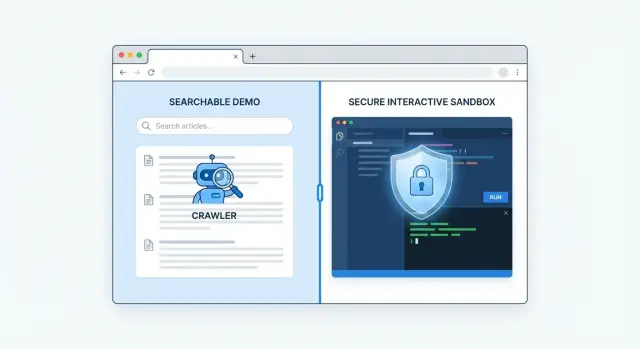
Why interactive demos struggle to earn backlinks
Interactive demos get shared because they’re fun to try. But most sharing happens in chats, social posts, or internal docs - not on pages that pass SEO value.
A bigger issue is how many demos hide the payoff behind a login, a session, or a multi-step “start here” flow. If someone can’t land on one public URL and immediately understand what the demo proves, they’re unlikely to cite it as a reference.
Search engines also struggle when the demo is mostly JavaScript-driven. If the explanation, screenshots, or results only appear after clicks, filters, or API calls, the crawler may see a near-empty shell. To a search engine, that looks like thin content, even if the demo feels rich to a human.
Authority here is practical: other trusted sites link to your page, and that page becomes a reliable source that can rank and support your main site. A demo that can’t be crawled, understood, or safely referenced rarely becomes that source.
A crawlable demo page should work for both readers and crawlers. Keep it simple:
- Explain the problem and what the demo shows in plain language.
- Offer a public preview (even if the full demo needs sign-in).
- Make outcomes visible without requiring user actions.
- Give people something quotable (metrics, screenshots, or a short methodology).
- Set clear boundaries so you don’t expose private data.
Treat the demo like a landing page first and an interaction second. The interactive part can still be there, but the page should stand on its own even if nothing loads beyond the first screen.
What search engines can and cannot see in a demo
People judge your demo by what happens after they click. Search engines judge it by what they can fetch, read, and understand without interacting.
A crawler loads a URL and looks for real text, headings, and internal links in the page source. If your demo is mostly JavaScript that fills the screen after several API calls, the crawler may end up seeing a thin shell, a spinner, or a few generic labels. That’s why a crawlable demo page needs content that’s present immediately, even before the demo runs.
Account-required demos are even harder. If the first screen is a login wall, the crawler hits a dead end. The same thing happens when the demo only becomes meaningful after a user uploads a file, connects a data source, or types in a prompt. Crawlers don’t fill forms like a real person, and they won’t “discover” the good parts hidden behind steps.
Loader screens and empty states don’t help SEO because they don’t describe anything. “Loading…” and “No data yet” don’t tell a crawler what your product does, who it’s for, or what queries it should rank for.
To make an interactive demo indexable, you usually need at least one of these:
- Server-rendered or static text that explains the demo and its outputs
- A visible example view that loads without sign-in
- Pre-filled sample data that produces real charts, tables, or results
- HTML headings and captions that describe what the user is seeing
- Public internal links to supporting pages (docs, FAQs, use cases)
A practical pattern is a default “Sample dashboard” view using safe, fake data, with “Connect your data” as an optional step. Crawlers can understand the demo, and humans still get the interactive experience.
Set boundaries: what the demo can show publicly
A demo earns trust when it feels real. It also becomes risky when “real” starts meaning real customer data, real credentials, or real internal tools.
Before you build a crawlable demo page, write down what is allowed to be public and what can never leave your private environment. Separate two things:
- The public page that search engines can crawl (copy, screenshots, value, instructions)
- The interactive sandbox people can click
The public page should explain the demo clearly even if the sandbox fails to load.
What’s safe to show (and still useful)
Good demos use believable data without being sensitive. Safe options include generated sample records, fake accounts with locked roles (read-only where possible), prebuilt scenarios (like “Retail store” or “SaaS trial”), and synthetic logs/events that look realistic.
Then draw a hard line around what should never appear, even briefly in loading states or error messages: real emails, phone numbers, addresses, invoices, API keys and tokens, internal dashboards or monitoring tools, and unredacted URLs that reveal private systems.
A simple policy for storage and logging
Assume anything stored or logged will be seen by someone someday.
A practical rule: the demo stores only anonymous, disposable data, and logs exclude user input by default. If a visitor types an email into a “try it” form, store nothing (or store only a hashed value), and log “form submitted” without the text. Reset demo accounts on a short schedule (daily or hourly) so the sandbox doesn’t quietly accumulate personal data over time.
Choose the right URL and page layout
Start with one stable URL you want people to share. If the demo address changes every release, you lose the compounding SEO benefit of consistent links.
Keep the “about the demo” content and the demo itself close together. A reliable layout is a standard page (headline, summary, what it does, who it’s for, screenshots or short clips) with the sandbox embedded below. Even if the sandbox loads slowly or depends on scripts, the page still has clear text that search engines and humans can read.
Same page vs separate route
Put the sandbox on the same page when the interaction is simple and the public surface area is easy to control.
Use a separate route when the sandbox needs stricter limits, different security headers, or a login wall, while the landing page stays fully public and indexable.
Variants: folders, subdomains, and query parameters
Use a folder for variants you want indexed and ranked separately. Use query parameters only for small switches that don’t deserve their own page.
A simple rule set:
- One “main” version: /demo (public, indexable, shareable)
- Separate pages for distinct use cases: /demo/analytics, /demo/security
- Query params only for minor switches: ?theme=dark or ?lang=en
- Subdomain only when you need isolation
Finally, pick one main version and stick to it. If both /demo and /demo/ exist, or if parameters create endless copies, you can split authority across duplicates.
Step by step: structure a crawlable demo landing page
A good demo page works even if the interactive parts fail to load. A human should understand the value in 20 seconds, and a search engine should be able to read the same story in plain text.
Start with a short intro at the top: what the demo does, who it’s for, and what problem it solves. Keep it concrete. Name the job and outcome, not a list of features.
Next, make the entry point obvious. Put one primary “Try the demo” button near the top and follow it with 1-2 lines of instructions. If there are limits (time, features, regions), say so upfront.
Build the rest as a text-first walkthrough. Don’t rely on tooltips or inside-app tours for the core explanation. Organize the page around real user actions: what the visitor can change, what stays fixed, what output they’ll see, and how to reset.
If you include screenshots, add a one-line caption that names the state and why it matters. Those captions often do more for linkability than the images themselves.
Finish with a small FAQ that answers the questions people hesitate over:
- Do I need an account?
- What data is used?
- What’s included vs locked?
- Does the demo save anything?
- What should I do after trying it?
Make the page worth linking to
A crawlable demo page earns links when it helps someone decide quickly. Visitors should understand what they can try, what results to expect, and what the demo doesn’t cover.
Start with a short “What you can do in this demo” block that’s task-based, not feature-based. Clear tasks are easier to reference in reviews, tutorials, and comparisons.
Add a few real-world use cases and say who each one is for. One sentence per use case is enough.
Be honest about limitations. Mention rate limits, what resets and when, and meaningful differences from the paid product (missing integrations, smaller datasets, disabled admin settings). If the sandbox wipes data nightly, say it plainly.
Keep the page current with a tiny “Updated” note and a few recent items. It signals the demo is maintained, which makes others more comfortable citing it.
If you provide copyable sample inputs, keep them realistic and safe. For example, offer a sample query and describe the expected output in words, or provide a sample CSV name and explain what a successful import looks like. The goal is to turn “I clicked around” into “I got a predictable result.”
On-page SEO essentials for demo and sandbox pages
A demo can be useful and still invisible in search if the page reads like a blank container. Treat the demo landing page like a normal page first, and an interactive experience second.
Write in plain language. Your title and H1 should say what the demo is and who it helps, not just your product name. Add a short intro above the sandbox so people (and crawlers) understand the value before they click anything.
Indexing controls matter because demos often mix public and private parts. A solid pattern is to index the main landing page, and use noindex for anything user-specific, temporary, or experimental.
If you have multiple demo variants (industries, languages, feature flags), pick a canonical. Keep one primary page as the default and canonical everything else back to it unless each variant has truly unique, search-worthy text.
Structured data can help, but keep it simple. For a product demo, basic SoftwareApplication schema (name, description, operatingSystem, applicationCategory) is usually enough. Don’t mark the demo as something it isn’t.
Performance is an SEO feature. Show core text immediately, then load heavy scripts after. If the first screen is only a spinner until JavaScript finishes, crawlers can miss the point.
Keep private data out of an interactive sandbox
A public sandbox should never touch real customer data, even “just for a demo.” If you’d regret it being indexed, shared, or screen-recorded, it doesn’t belong in the demo.
Start with the dataset. Use synthetic or seeded sample data that can’t be traced back to real people or companies. Avoid “anonymized” rows that can be re-identified by combining fields.
Close common leak paths. Many demos leak through UI labels, network responses, logs, analytics, and error reporting.
Practical safeguards that stop most leaks
A few controls cover most cases:
- Mask tokens and API keys everywhere (UI, network responses, logs).
- Sanitize logs and analytics events so they don’t store payloads or headers.
- Use time-limited sessions with automatic resets back to a clean state.
- Rate limit and protect endpoints that could be abused.
You can keep the experience smooth while adding boundaries. A common setup is read-only actions in the public sandbox, with sign-in required for anything that writes data, triggers exports, or calls sensitive endpoints. If you support integrations, use mock connectors or allowlists so users can’t point the demo at production systems.
Error messages matter more than people think
Friendly errors are fine. Detailed internal errors are not. Avoid messages that reveal stack traces, database names, internal URLs, or feature flags. Show a short user-facing message and keep technical details in private logs.
Example scenario: a public analytics demo with safe sample data
A SaaS company sells an analytics dashboard for e-commerce teams. They already had an interactive sandbox, but it lived behind a generic “try it” route, and most of the interesting charts loaded only after JavaScript calls. People who wanted to share the demo copied whatever URL they were on inside the app, which was different every time.
They rebuilt the entry point into one crawlable demo page that stays stable and explains what the demo is. The landing page is readable and useful even if you never click “Launch demo.”
What the public page shows
Instead of hiding everything inside the app, the page gives a clear preview and sets expectations: a few common tasks, a small set of screenshots with captions, a short FAQ (data source, refresh frequency, what’s simulated), and clear limits (no custom uploads, no real customer connections, reset every session).
The sandbox runs on fake accounts and regenerated event data. Each session pulls from a rotating set of synthetic stores and customers, with realistic patterns but no personal data. If someone types notes or creates a segment, it’s stored only for that session and wiped on exit.
Keeping the sandbox from getting indexed
The team also stopped search engines from indexing user-generated sandbox URLs. Only the landing page is indexable. Session URLs are blocked and expire quickly. Share buttons point back to the landing page, not a session-specific app state.
After the restructure, blog posts and review sites started linking to the stable landing page because it was easy to reference and didn’t break.
Common mistakes that hurt rankings or expose data
Most demo pages fail for two reasons: search engines can’t understand what’s there, or the demo reveals something it shouldn’t.
One common problem is hiding the explanation behind gates. If the headline, summary, and key screenshots only appear after a login, inside a modal, or after a click that triggers heavy JavaScript, crawlers may see a mostly empty page.
Another issue is uncontrolled URL sprawl. Sandboxes often generate new URLs for every filter, query, or session token. That can create thousands of low-value pages that compete with each other, waste crawl budget, and sometimes expose state you never meant to publish.
Data leakage usually happens in small ways: a real customer email in a “sample” table, a screenshot with a visible account name, or a log viewer showing real domains.
A quick set of fixes covers most cases:
- Keep the value and explanation visible in the initial HTML.
- Use one canonical demo URL and limit parameter-based pages.
- Replace real-world identifiers with safe, fake data.
- Render core text server-side so crawlers can parse it.
- Keep the demo URL stable so shares and mentions keep working.
If your sandbox lets users upload a CSV, disable public indexing for upload-generated pages and keep a preloaded “sample dataset” view at a stable URL.
Quick checks and next steps
Before you send people to your demo, do a quick “can Google and humans understand this?” check. The landing page should read like a normal page even if the sandbox fails to load.
Quick checks
- One indexable URL you’re happy to show in search results, with a clear title and explanation above the fold
- Main explanation visible without clicking through steps or waiting for the app to render
- The demo is an extra, not the only content
- Sample data only, obvious reset behavior, and no changes that persist between visitors
- Clean logging: no private IDs, emails, tokens, or query strings captured in analytics or error reports
If you spot parameter-heavy URLs or multiple “almost the same” demo pages, decide what you want indexed and intentionally deindex duplicates so authority doesn’t get split.
Next steps
Once the page is safe and readable, focus on getting the right people to reference it.
Add a short “what this demo proves” paragraph and a small “demo facts” block (limits, data source, what’s simulated). Ask partners, customers, or communities to reference the landing page, not a session URL.
If you want to speed up link acquisition after the page is in good shape, SEOBoosty (seoboosty.com) is one option for securing premium backlinks from authoritative sites. In that case, point links to the stable demo landing page, not a parameter-heavy or session-specific URL.
Treat changes like a release: re-check indexability, rerun the demo in a private window, and confirm it never exposes real user data.
FAQ
Why do interactive demos get shared but still earn few backlinks?
Most people share demos in chats, social posts, and internal docs, which don’t pass SEO value. To earn backlinks, the demo needs a stable public page that explains what it proves and can be cited like a reference.
What’s the fastest way to make a demo page more linkable?
Put the core explanation in visible HTML on a public URL, and make the demo optional. A good default is a text-first landing page with a public preview, sample outputs, and a clear “Launch demo” entry point.
What can search engines actually “see” in an interactive demo?
Search engines mainly read what they can fetch without interacting: page source text, headings, and links. If your content appears only after clicks, API calls, or heavy JavaScript rendering, the crawler may see a thin page and rank it poorly.
Is it bad for SEO if the demo requires an account?
A login wall stops crawlers and makes it hard for writers to cite your page. Keep a public landing page that explains the demo and shows outcomes, then require sign-in only for advanced or write actions inside the sandbox.
How do I pick the right URL structure for a demo?
Choose one main, stable URL you want people to reference over time, and keep it consistent across releases. If you need variants, create separate pages only when the use case is truly different and the text is unique.
Can query parameters and session URLs hurt my rankings?
Yes, if parameters create endless near-duplicate pages or session states. Keep one canonical demo landing page, avoid indexing session URLs, and prevent filter-driven URLs from becoming crawlable pages.
What’s safe to show publicly in a demo without leaking sensitive data?
Show believable but synthetic sample data, pre-filled scenarios, and read-only views where possible. Never expose real emails, API keys, internal URLs, or customer details, even in error messages or loading states.
What’s a simple policy for demo storage and logging?
Assume anything logged will be viewed later, so don’t store raw user inputs by default. Keep data disposable and anonymous, wipe sandbox state on a short schedule, and keep analytics events descriptive without capturing payloads or headers.
What should a crawlable demo landing page include?
Put a clear title and H1 that state what the demo is and who it’s for, plus a short intro above the sandbox. Then add a “What you can do” block, visible outcomes, a few screenshots with captions, and a small FAQ about limits and data.
Should I index the sandbox itself, and how does SEOBoosty fit in?
Keep the landing page indexable and noindex anything user-specific, temporary, or experimental. If you want to speed up link acquisition after the page is solid, SEOBoosty can place premium backlinks from authoritative sites, and you should point those links to the stable demo landing page rather than a session or parameter URL.
Share