Link context audit for placements that look editorially natural
Learn a practical link context audit to review the surrounding text, co-cited sources, and outbound neighbors so placements read naturally.
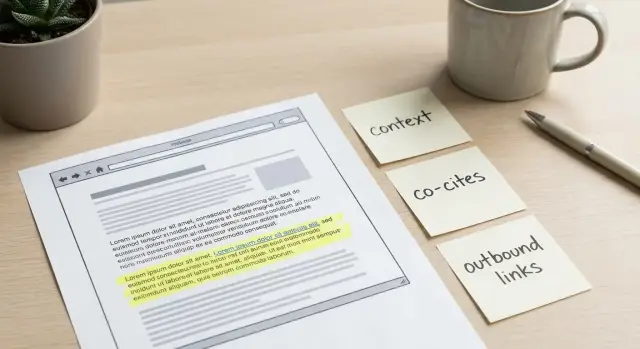
Why link context matters for placements
A high-authority domain can still produce a weak placement if the words around your link feel off. Readers notice when a sentence suddenly changes topics, name-drops a brand with no explanation, or uses an anchor that sounds like an ad. Editors notice, too. The page might be strong, but the link can still look like it was inserted instead of written.
A link context audit is a quick way to judge whether your link is supported by the paragraph it sits in, the sources mentioned nearby, and the other links on the page. When the context fits, your link reads like a normal reference. When it doesn't, it looks like a favor.
"Editorially natural" is simple: the paragraph would still make sense if your link were removed, and your link makes it more useful when it's included. The surrounding text explains what the reader will get, the anchor matches the topic, and the page references similar sources in a consistent tone.
Unnatural context can cost you more than rankings. It can reduce trust with real people. If someone is reading a serious guide and your link points to something unrelated or overly promotional, they may question the whole article. It can also create friction with publishers who want their pages to feel clean and credible.
Timing matters. Audit in three moments: before you pay (to avoid a good site with a bad fit), before the page goes live (when edits are easiest), and after it publishes (to confirm nothing changed during editing).
Example: you secure a link on a respected tech blog. The domain is excellent, but your link sits in a paragraph about data privacy while your page is about local home services. Even with a strong site, the mismatch feels obvious. A quick audit would flag it early and push you toward a placement where your topic is genuinely supported.
What a link context audit actually checks
A link can be "on-topic" and still feel out of place. A link context audit is a short review of the surrounding text and nearby links to answer one question: does the page support your link the way an editor would?
Focus on three areas.
1) The surrounding paragraph
Start with the paragraph that contains your link. You want the sentences around it to set up a related point and make the reader expect a source next.
A random mention is when the paragraph is about one thing (email deliverability) and your link points somewhere only loosely connected (a general marketing homepage). Even if the keyword matches, it reads like a detour.
2) Co-cited sources
Look at other sources mentioned near your link (same paragraph, section, or a few lines above and below). These co-citations signal what the author is really covering.
If nearby sources match your topic and intent, your link looks supported. If they point everywhere, your link can look like an add-on.
3) Outbound neighbors (the page's link neighborhood)
Scan other outbound links on the page, especially the ones closest to yours. Are they credible and relevant? Or are they a mix of salesy, questionable, or unrelated destinations?
A clean neighborhood doesn't guarantee quality, but a messy one is a strong warning sign.
A simple way to score each area is pass or fail.
- Paragraph support: pass if the sentence before and after the link clearly sets up why the reader needs that source; fail if it feels like a jump or the anchor is forced.
- Co-citations: pass if nearby references share the same topic and intent; fail if the section cites unrelated industries or reads like "everything at once."
- Neighborhood: pass if outbound links look consistent and editorial; fail if you see spammy patterns or irrelevant clusters.
Step-by-step: a simple link context audit workflow
You can do a basic audit in a few minutes once you get used to it.
-
Capture the context, not just the URL. Save the exact sentence with your link, the full paragraph, the closest heading above it, and the next paragraph.
-
Write down the nearby meaning. Note the key topics and entities around the link (brands, tools, standards, locations, problem statements). If your destination doesn't match these ideas, the placement will feel forced.
-
Check what co-cited sources imply. Are other references in that section credible and on the same topic? If your link sits next to studies or official docs, it should behave like a supporting source, not a random recommendation.
-
Scan outbound neighbors. Spot-check a handful of nearby links. If you see lots of unrelated, repetitive, or low-effort outbound links, your link may end up in a bad neighborhood even if your paragraph looks okay.
-
Decide and document. Choose one: keep it, request a small edit, or skip it. Write one sentence explaining why. Over time, this becomes your internal standard.
A practical example: if the section talks about "API monitoring, incident response, and SLOs," but your link goes to a general homepage that never mentions those topics, ask for a change. That might mean a different landing page, a more accurate anchor, or placement in a better-fitting paragraph.
Reviewing the surrounding paragraph and anchor text
The fastest way to spot a risky placement is to read the paragraph out loud without looking at the link first. If the paragraph still sounds complete with the link removed, you're closer to something editorial.
Strong links are introduced for a reason. They define a term, back up a claim, give an example, or point to deeper reading. If your URL shows up right after a broad statement with no proof or setup, that's a red flag.
Start with the paragraph's job. It should match the section heading and the page's local topic. If the page is about cloud security and your link sits in a paragraph about hiring trends, it'll feel bolted on even if the anchor text looks fine.
Then check the anchor. Editorial anchors tend to be descriptive and readable, not stuffed. Forced anchors often look like exact-match phrases that don't sound like normal writing, abrupt brand drops (a company name that appears once and never again), or a keyword crammed into an otherwise conversational sentence.
A simple test: does the sentence explain why the reader should click, and does the anchor accurately describe what they'll find?
Checking co-cited sources for topical support
Co-cited sources are the other names, studies, tools, and publications that appear near your link. Readers use them as clues for what the paragraph is really about, and they're often the reason a placement feels credible (or doesn't).
Scan the sentence your link is in, plus a few sentences before and after it. Write down the nearby references: brand names, research groups, tools, standards, stats, publications.
Good co-citations are consistent. If your page is about technical SEO, it's normal to see nearby references to search documentation, performance metrics, well-known tools, or recognizable industry publications. They don't need to be famous. They need to make sense together.
Red flags are mostly about mismatched topic or audience. If the paragraph mixes your business topic with unrelated niches like casino, adult, or pharma, your link can feel out of place even if the anchor text is fine.
Also watch for directory-style patterns: long lists of brands with no explanation, repeated templates across pages, or copy that feels rewritten just to fit links. Those pages rarely read like an editor chose sources for a reason.
Auditing outbound neighbors and the page's "link neighborhood"
Don't look at your link in isolation. A link can be perfectly written and still feel paid or forced if it sits inside a messy link neighborhood.
Scan other outbound links near yours. You're looking for consistency. If the page points to real references (research, standards, reputable brands), your link has a better chance of reading like a citation. If it points to a random mix of coupon pages, unrelated blogs, and thin product sites, the page can feel like it's optimized for links, not readers.
A few quick patterns:
- A small number of relevant citations and tools is normal.
- Clusters of unrelated outbound links in one area create a "link dump" feel.
- Repeated linking to the same type of site (for example, many small affiliate reviews) can signal a commercial mismatch.
- Competing links placed right next to each other can make yours look inserted.
Also check intent. A resource list should link to resources. A statistics paragraph should link to sources. A "best tools" section should link to tools, not a homepage that doesn't match what the sentence promises.
Common traps that make a link feel unnatural
A link can be dofollow and still be a bad placement if it reads like it was added for SEO instead of the reader.
One easy mistake is a heading mismatch. The page might be about "Cloud security basics," but your link sits under a subheading about pricing or compliance checklists. Even if the overall page is related, the local section is what matters.
Another giveaway is anchor text that reads like a search query. If you'd feel awkward reading the sentence out loud, the anchor is probably too exact.
Context can also imply the wrong intent. A sales page cited as a "study," a product page referenced as "research," or a homepage used as a definition source all feel off. The reader expects evidence, not marketing.
Audience fit is the trap people miss most. Beginner guides should cite simple explainers. Buyer-focused pages should cite comparisons, pricing context, or case studies. When the page and the destination serve different readers, the link feels wrong even if the topic is close.
A quick 3-minute checklist
Find your link, then scroll one screen up and down. You want the mini-story around it: what claim is being made, what supports it, and why your page is a reasonable next click.
- Read the full paragraph. Does it set up the reference, or does the link feel random?
- Check nearby mentions and sources. Do they support the same topic, or does the section jump around?
- Look at outbound links near yours. Are they reputable and consistent, or a strange mix?
- Predict the click. Does the anchor set an expectation your page actually meets?
If two or more answers are "no," treat it as a warning sign. Often the fix is small: make the anchor more specific, switch to a better-fitting landing page, or move the link to a sentence that supports a concrete claim.
Example: deciding whether a placement is context-safe
A SaaS company that sells an incident management tool lands a backlink on a popular best-practices article about reducing downtime. On paper, it looks perfect: strong site, relevant theme, and an in-body placement.
Then a quick audit shows the paragraph around the link isn't actually about incident response. It's about database indexing and query performance. The anchor text says "incident response platform," which now reads like a hard left turn.
The co-cited sources confirm it: a caching vendor, a benchmarking tool, and a guide to SQL tuning. Nothing supports the idea that the reader should evaluate on-call workflows. Nearby outbound links include two "top 10 monitoring tools" roundups and a generic coupon page, so the neighborhood is mixed too.
The fix is usually simple: move the reference to a subsection that matches what you sell, like "Runbooks and incident response" or "Postmortems and learning loops." Add one connecting sentence so it reads like a natural citation.
Before: "Index your tables to reduce latency. Learn more about incident response platforms here."
After: "When an outage happens, a clear runbook and defined on-call roles reduce time to recovery. Here's a practical incident response checklist teams can adapt."
Success looks like a reader can skim the section and never suspect the link was added later.
Next steps: make audits routine and choose placements carefully
Link context audits work best when they're boring and repeatable. A simple one-page template helps you check the same signals every time: what the paragraph is claiming, whether the anchor matches the promise, what sources appear nearby, and whether the outbound neighborhood looks clean.
If you need high-authority placements, do a quick pre-screen before you commit. A fast scan of the paragraph and link neighborhood can save you from paying for a placement you can't confidently use.
If you source placements through a curated inventory, treat the audit as your final quality gate. For example, SEOBoosty focuses on securing premium backlink opportunities on authoritative sites, but you still want to point the backlink to a page that clearly matches the topic and fits the surrounding citations.
Make it a habit: audit when the placement is offered, and re-check after it goes live. That keeps your "context-safe" decisions consistent over time.
FAQ
What exactly is a link context audit?
Treat it like a quality check for how your link is presented on the page, not just where it lives. You’re verifying that the surrounding sentences set up the link naturally, the nearby references support the same topic, and the page’s other outbound links don’t make your placement look inserted.
Why does context matter if the site is already high-authority?
Because a strong domain can still host a weak placement. If the paragraph is off-topic, the anchor sounds like an ad, or the section reads like a link dump, your backlink can lose trust with readers and look suspicious to editors even on a reputable site.
How can I tell if a link looks “editorially natural”?
A link is editorially natural when the paragraph still reads cleanly without the link, and the link makes the paragraph more useful when included. The text should explain what the reader will get, and the anchor should match what your destination page actually covers.
When should I run a link context audit?
Audit before you pay to avoid buying a bad fit on a good site. Audit again before the page goes live because edits are easiest then. Finally, re-check after publishing to confirm the context, anchor, or nearby links weren’t changed during editing.
What are the three main things a link context audit checks?
Start with the paragraph containing your link to see if the sentences set up a source. Then review co-cited sources nearby to confirm the topic and intent match your destination. Finally, scan outbound neighbors to make sure the page’s overall link neighborhood looks consistent and editorial.
How do I quickly evaluate the surrounding paragraph?
Read the paragraph out loud and see if the link feels like a natural citation rather than a sudden detour. The sentence before and after should lead into a reference, and the paragraph’s point should match the section heading. If the link appears with no setup, it’s a red flag.
What anchor text usually looks forced?
Use anchors that sound like normal writing and accurately describe what the reader will find after clicking. Avoid anchors that read like search queries, feel overly salesy, or drop a brand name once with no explanation. If the anchor sets an expectation your page doesn’t meet, the placement will feel forced.
What are co-cited sources, and why should I care?
Co-cited sources are the other references near your link, and they signal what the author is truly discussing. If the nearby sources are about the same topic and intent, your link feels supported. If the section mixes unrelated niches or lists random brands without context, your link can look like an add-on.
What does a “bad link neighborhood” look like?
Because your link can look guilty by association. If the page links out to irrelevant, low-effort, or spammy destinations near your placement, the whole section can feel optimized for links instead of readers. A clean neighborhood doesn’t guarantee quality, but a messy one is a strong warning sign.
What should I do if the context is wrong but the site is good?
Ask for a small edit first, because many issues are fixable without losing the placement. Common fixes are switching to a better-matching landing page, changing the anchor to match the paragraph’s promise, or moving the link to a subsection where the topic is clearly supported. If the page is fundamentally messy or off-topic, it’s usually better to skip.
Share