Link reclamation: recover authority from mentions and old URLs
Link reclamation helps you recover SEO value from unlinked mentions, broken backlinks, and old URLs using simple checks, fixes, and outreach.
What link reclamation is (and why it matters)
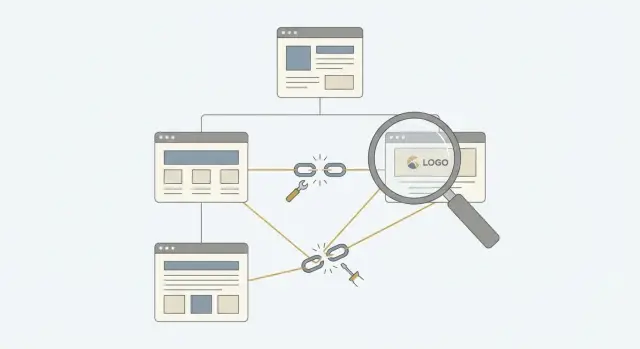
Link reclamation means recovering SEO value you already earned but aren’t fully getting today. A site mentioned your brand, linked to you in the past, or tried to reference one of your pages. That value leaks when the link is missing, broken, or pointing to the wrong place.
The loss isn’t just a missed click. When a mention stays unlinked, readers and search engines have a harder time connecting the reference to your site. When a backlink breaks, the authority that link used to pass can drop to zero. When an old URL is still floating around, people land on an error page or a replacement that doesn’t match what they expected.
The upside is that many fixes don’t require new content or new placements. You’re repairing existing signals.
Most link reclamation work falls into three targets:
- Unlinked brand mentions (your name is there, but no clickable link)
- Broken backlinks (the link exists, but it leads to a 404, a wrong page, or a blocked page)
- Outdated URLs (a linking page points to an old path after a redesign or URL change)
Some wins are instant, like adding a redirect or restoring a removed page. Others require outreach because only the publisher can update their article. In practice, link reclamation is a mix of technical cleanup and polite follow-ups.
Example: a product review from last year still praises your tool, but it links to an old pricing page that no longer exists. A clean redirect can turn that dead link back into a working recommendation fast.
The main opportunities you are looking for
Link reclamation is about finding value that already exists but isn’t flowing to your site the way it should. The wins usually fall into four buckets.
1) Mentions without a link
A writer names your brand, product, or founder, but there’s no clickable reference. This is often the easiest fix because the page already chose to talk about you. A short, friendly request can turn that mention into a link that helps readers and helps search engines connect the reference to your site.
2) Broken backlinks
These links used to work but now lead to a 404 page (or a dead domain). The cause is usually simple: a redesign, a URL change, or a resource that got removed.
Common reasons a link breaks:
- A page was deleted instead of redirected
- A URL changed (http to https, new slug, new folder)
- A migration missed old paths
- A typo in the original link
Broken backlinks are high priority when the referring page is strong and the topic is still relevant.
3) Outdated URLs that still attract links
Sometimes the linked page exists, but it’s the wrong version: an old pricing page, a retired feature page, or an expired campaign URL. You can reclaim authority by choosing the right fix: restore the old page, redirect it to the closest match, or replace it with an updated page that serves the same intent.
4) Links pointing to the wrong page
You might earn a link, but it points to your homepage when a specific page would be more helpful (and more likely to rank).
Example: a blog mentions your “email deliverability guide” but links to your root domain. A small update to point to the correct internal page can improve rankings and conversions.
Prep work before you start: pick targets and track results
Link reclamation works best when you focus on what already moves the needle. Pick 3 to 5 pages that matter most right now, like your main product page, pricing page, a top converting landing page, or a key guide that already gets traffic. If you spread effort across dozens of pages, you’ll fix a lot of small things and still feel like nothing changed.
Next, decide what’s worth your time. A mention from a strong site, a backlink pointing to a 404, or a link that goes to an old version of your product page is usually high priority. A tiny directory page with no traffic and no real relevance often isn’t.
Create a simple tracking sheet before you search for anything. It keeps the project organized and makes results easy to show later.
Track:
- Source (site or page name)
- Your page mentioned or linked
- Issue (unlinked mention, broken backlink, outdated URL)
- Target URL (where the link should point now)
- Status (found, contacted, agreed, fixed, verified)
To keep momentum, choose one focus area for your first pass. Spend a week only on broken backlinks, or only on unlinked mentions. Mixing everything at once makes each task feel different and slows you down.
A practical example: if your top product page moved during a redesign, start there. Old reviews and “best tools” posts may still link to the previous URL. Fixing those early often reclaims authority quickly because the links already exist, they just need a working destination.
How to find unlinked brand mentions
Unlinked brand mentions are one of the easiest wins because someone already chose to talk about you. Your job is to find the pages, confirm there’s no link (or the link is wrong), then ask for a small edit.
Start by searching for:
- Your brand name and product names
- Key people (founder name, spokesperson)
- Common misspellings and spacing variations
Mix in “helper words” that often appear in coverage, like review, pricing, alternative, integration, or partnership.
Search angles that often surface mentions quickly:
- Your brand + review, comparison, or “best tools”
- Your brand + partner, client, or case study
- Your product name + pricing or coupon
- Your brand + a competitor name (roundups and alternatives pages)
When you find a mention, do a quick check: is your brand already linked, and if so, where does it point? Sometimes the link exists but goes to an old URL, a tracking link, or a page that now 404s. Note what you see before contacting anyone.
Pick the destination based on context, not habit. A mention inside a billing discussion should link to pricing. A “how it works” paragraph should link to a product or features page. The homepage is fine for general mentions, but it’s not always the best match.
Example: a SaaS gets listed in a “Top SEO tools” roundup with a short description but no link. The best ask is a single link to the exact product page the roundup describes, not a generic homepage.
How to spot broken backlinks worth fixing
Broken backlinks are links that used to point to you but now land on a 404, a moved page, or something unrelated. These are often fast wins because the site already decided you were worth referencing.
Start from your backlink report and filter for target URLs that return 404 (or soft 404). Then open the referring page itself. A “broken backlink” is only worth your time if the linking page is still live and the link is still visible in the content.
A quick way to qualify a broken backlink:
- The referring page loads normally and doesn’t look blocked
- The page looks maintained (not scraped, not full of spam)
- The mention is relevant to what your page used to cover
- The link is in the main content (not a footer or random sidebar)
- Fixing it would help real readers, not just your metrics
Once you know the link is real, choose the fix based on intent. If the old page was removed by mistake, restoring it can be best. If you replaced it with a newer page that covers the same topic, a redirect is safer. If neither exists, ask for a link update to the closest matching page, or create a short replacement page that answers the same need.
Example: a reputable tech blog linked to your “pricing guide” from 2023, but you later renamed the page and the old URL now 404s. If the new page covers the same topic, a redirect usually preserves the value and fixes the reader experience.
Prioritize broken backlinks from reputable, relevant sites first. One fix from an authoritative publication can be worth more than dozens of low-quality links.
Outdated URLs: when to redirect, restore, or replace
Outdated URLs are common after a site refresh, CMS change, or an overly aggressive cleanup of old pages. The link still exists, but it points to something that no longer works (or no longer matches what the reader expects).
Start by listing the URL changes your site makes most often. Typical culprits include renamed slugs, moved folders (like moving /blog/ into /resources/), and switching from http to https. Even small changes like removing a trailing slash can create dead ends.
Next, find old URLs that still matter. Prioritize anything that still gets visits (from search, email, or referrals) and anything that still has backlinks. If a dead URL has no traffic and no links, it’s rarely worth more than basic cleanup.
A simple decision rule:
- Redirect when the content has a clear new home and users should land somewhere useful
- Restore when the page was removed by mistake or it still fits your site and can rank again
- Replace when the topic still matters but the original page was thin or outdated and needs a better version
When you redirect, keep it direct. One hop is the goal: old URL to the closest matching current URL. Avoid catch-all redirects to the homepage. They confuse visitors and often waste SEO value.
Example: you renamed /case-studies/acme to /customers/acme. Any old mentions or links to the first URL should 301 redirect to the second. If you also redirect /case-studies/ to /customers/ and then /customers/ to /stories/, you’ve created a chain that slows users down and can dilute signals.
Before you mark it done, check the basics:
- One 301 to the closest match (not the homepage)
- No redirect chains and no loops
- The final page loads quickly and matches the promise of the old page
- Internal links are updated so you aren’t relying on redirects
- A handful of key backlinks were re-tested after changes
A simple step-by-step workflow you can repeat
A good link reclamation workflow should feel like processing a queue: collect, verify, fix what you control, then request the rest.
The repeatable 5-phase process
Keep everything in one tracker (sheet or doc). Give each item a status, the source page, what’s wrong, and the best target URL.
- Collect candidates: pull a batch of unlinked mentions, broken backlinks, and old URLs (aim for 20 to 50 items so it stays manageable).
- Verify each issue manually: open the source page and confirm the problem is real (wrong URL, 404, no link, link points into a redirect chain).
- Choose the right target URL: decide where the link should point now. Prefer the most relevant live page, not just the homepage.
- Do on-site fixes first: add redirects for outdated URLs, restore a removed page if it still makes sense, or publish a replacement page that matches the intent.
- Request updates and set a recheck date: send short outreach for items you can’t fix yourself, then recheck in 2 to 4 weeks and close out what’s done (or mark “no response” and move on).
A small example
If an old blog post used to rank and earned links, but you later moved it, fix your redirect first. Then, for sources that still point to the dead URL, you can ask for an update knowing the new URL is stable and relevant.
A useful habit is closing the loop. Don’t keep “maybe” items open forever. If it’s not fixed after a follow-up and the page owner stays silent, archive it and process the next batch.
Outreach that gets link fixes without sounding pushy
Most link fixes happen because you make the editor’s job easy. Keep the message short, be specific about what’s wrong, and give them the exact URL to use.
Assume it’s an honest mistake. People change CMS themes, migrate sites, update slugs, or copy text from an older version of an article. A friendly note works better than a demanding tone.
A structure that usually gets replies:
- Point to the exact page where the issue is
- Quote the text around it (anchor text or the sentence with your brand)
- Provide the correct URL, copied exactly
- Add one line on why the update helps readers
- Thank them and sign off
Example (broken backlink):
“Hi Sam - on your page ‘Best email tools’ you link to our pricing page using the text ‘Acme plans’. That URL now 404s. Could you update it to the current page: paste URL here. It covers the same info, plus the latest plan details, so readers won’t hit an error. Thanks for the mention.”
If you don’t hear back, send one follow-up 5 to 7 days later. Keep it even shorter: quick reminder plus the correct URL. After that, move on.
Common mistakes that waste time (and how to avoid them)
Link reclamation is usually quick, but a few habits can turn it into busywork. The goal isn’t to win any link at any cost. It’s to recover real value while keeping the reader experience clean.
A common miss: you ask for a link, but the site already links to you somewhere else on the page (or in the author bio). Before you email, scan the whole page and click any existing mentions. Sometimes the fix is updating an old URL, not adding a new link.
Mistakes that cost the most time:
- Asking for a link to a random page just to push a keyword. Match the target to what the article is actually discussing.
- Redirecting everything to the homepage. Use the closest relevant page so visitors land where they expect.
- Letting redirect chains grow (A to B to C). Update redirects so they go in one hop, and fix internal links to point to the final URL.
- Losing outreach hygiene. Track who you contacted, when, and what happened so you don’t double-follow-up or lose good leads.
- Spending hours on tiny wins. Start with pages that have real traffic, strong sites, or links pointing to important pages.
Example: if an old blog post mentions your tool but links to a retired pricing page, don’t redirect it to the homepage. Restore a relevant page or redirect to the closest equivalent pricing or plan page, then confirm the final URL loads quickly and makes sense.
Quick checklist before you mark a fix as done
A reclaimed link only helps if it works the way a reader (and a search engine) expects. Before you move on, confirm the basics.
Confirm the link is real and still relevant
Open the referring page in a normal browser window (not a cached preview). Make sure the page is live, the mention is still there, and the link points where you agreed.
Also check the surrounding sentence. If the context changed, the link might now feel out of place and could get removed later.
Confirm your destination works (and stays fixed)
Click the link like a first-time visitor. The target page should load quickly, look normal on mobile, and clearly match what the mention promises. If the mention is about a specific product or guide, sending people to a generic homepage often feels wrong.
If you used a redirect, keep it clean: one hop from the old URL to the final URL. Multiple hops can slow things down and sometimes reduce the value of the fix.
Before you log it as done:
- The final URL is correct (no typos, no extra tracking junk, correct protocol)
- No 404, soft error page, or access wall
- The redirect (if used) is a single hop to the intended page
- The page title and content match the mention on the referring page
- You can click through and see it working
Record the date you fixed it and set a reminder to recheck in 2 weeks. Pages get updated, redirects get changed, and links sometimes get removed.
Example: reclaiming value from one month of missed links
Say you check your last 30 days of mentions and find three small issues. None requires a new placement, but together they can change how clearly search engines understand your site.
First, a blogger publishes a “tools I use” review and names your product but doesn’t link to it. You reply with a short note thanking them and asking if they can add a source link to your homepage or the exact feature page they referenced. This often works because it’s a simple edit and improves the reader’s experience.
Second, an old partner page still links to a retired pricing URL. People click, hit the wrong page, and leave. You add a redirect from the retired URL to your current pricing page, then re-check that the partner link now lands correctly.
Third, a “best resources” list links to one of your guides, but the URL now returns a 404. You choose the cleanest fix: restore the page if it’s still useful, or map the old URL to the closest replacement so the link points to a relevant page again.
These fixes add up. Mentions become real endorsements, broken links stop leaking authority, and visitors land on pages that match what they expected.
If you only have 60 minutes, do this first:
- Pick the easiest unlinked mention and send one clear request
- Fix the destination for the highest-value broken backlink (redirect or restore)
- Map one 404 that already has links pointing to it to the closest live page
- Note simple before-and-after signals (clicks, rankings, impressions) so you can see the win
Next steps: make reclamation a habit (and when to add new links)
Link reclamation works best as routine maintenance, not a one-time cleanup. A monthly check prevents small problems from piling up into lost traffic.
A simple habit is to look for two things: new mentions that forgot to link, and fresh errors caused by site changes. Even one renamed page can break dozens of backlinks if it was popular.
A low-effort monthly rhythm that usually fits into an hour or two:
- Scan for new brand or product mentions and request a link where it makes sense
- Check for new 404s on pages that used to get links or steady traffic
- Review a short “do not break” list (home page, pricing, top guides, top landing pages)
- Log what you fixed so you can tie it to results later
Keep the “do not break” list short. If your team ships changes often, these pages deserve stable URLs and clear redirects.
Once you’ve reclaimed the easy wins, decide whether you still need more authority. If competitors have much stronger link profiles, reclamation alone might not close the gap. That’s where a separate effort focused on new, high-quality backlinks can make sense. For example, SEOBoosty (seoboosty.com) offers premium backlinks from authoritative sites, which can complement reclamation once your URL and redirect hygiene is solid.
FAQ
What is link reclamation in plain English?
Link reclamation is fixing situations where you already earned a mention or backlink, but you’re not getting the full SEO and traffic value because the link is missing, broken, or pointing to the wrong place. It’s usually faster than earning new links because the publisher already intended to reference you.
What should I reclaim first if I have limited time?
Start with pages that matter to your business right now, like your main product, pricing, or a key guide. Then prioritize issues tied to strong, relevant referring pages, especially links that currently lead to a 404 or the wrong destination.
Do unlinked brand mentions actually turn into links if I ask?
Yes, it often works because you’re asking for a small edit on a page that already mentioned you. Keep the request short, point to the exact sentence, and provide the one URL that best matches the context so the editor doesn’t have to guess.
Where should I ask them to link: homepage or a specific page?
Use the page that best matches what the author is talking about, not just your homepage. If the mention is about pricing, send the current pricing page; if it’s about a specific guide or feature, send that exact page so the update feels natural and helpful for readers.
How do I know if a broken backlink is worth fixing?
First confirm the referring page is still live and the link is still in the main content. Then decide whether you can fix it on your side with a clean 301 redirect or whether you need the publisher to update the URL to a new page that matches the original intent.
When should I redirect vs restore vs replace an old URL?
Redirect when there’s a clear modern equivalent and users should land somewhere useful immediately. Restore when the old page still makes sense and could perform again. Replace when the topic is still important but the old page was thin or outdated and needs a better version to satisfy the same intent.
Can redirect chains hurt link reclamation results?
They can. Redirect chains add friction for users and can weaken or slow down how signals flow. Aim for one hop from the old URL to the best matching current URL, and update internal links so you’re not relying on redirects long-term.
What should I say in outreach to get a link updated without being pushy?
Keep it simple: mention the exact page, quote the sentence or anchor text, explain what’s broken or missing, and paste the correct URL. End with a quick thank-you. If there’s no reply, send one brief follow-up after about a week and then move on.
How do I verify a reclamation fix is actually done?
Verify like a real visitor: open the referring page, click the link, and confirm the destination loads normally and matches the mention. If you used a redirect, make sure it’s a single 301 to the intended page and not a chain, loop, or generic homepage catch-all.
Is link reclamation enough, or do I still need new backlinks?
Reclamation recovers value you already earned, but it can’t create authority that never existed. If you’ve fixed the easy leaks and competitors still have many more high-quality links, you’ll likely need new placements too. In that case, services like SEOBoosty can complement reclamation by adding premium backlinks after your URL and redirect setup is clean.
Share