Post-Placement QA Checklist to Verify Backlinks Fast
Use this post-placement QA checklist to confirm your backlink is live, the anchor is correct, HTTP response is clean, canonicals behave, and edits are unlikely.
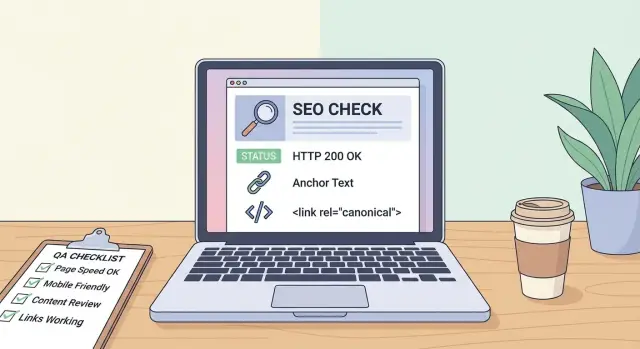
Why post-placement QA matters
A backlink can look perfect the day it’s placed, then quietly change. Pages get updated, templates shift, editors rewrite sections, or someone adds a redirect without thinking about your link. If you only check once and move on, you might not notice anything until rankings stall or traffic drops.
Post-placement QA is for anyone who pays for placements or spends time earning them: site owners, marketers, founders, and agencies. The point is simple: catch issues in minutes, not weeks later. A quick check right after placement gives you a clean baseline and helps you fix problems while the page is still fresh and easier to edit.
Most problems fall into a few buckets. You’re confirming the link is actually visible to normal visitors, points to the right destination, and behaves the way search engines expect.
What to gather before you start
Collect a few basics before you open the page. It keeps your checks fast and consistent, especially when you’re reviewing several placements.
Start with the exact destination URL you want. Copy it from a trusted source (brief, order details, tracking sheet) and note what matters for your setup: HTTPS vs HTTP, trailing slash, and whether parameters are allowed. Small differences can change what Google treats as the main page.
Next, write down the expected anchor text and where it should appear. Be specific (exact match vs partial match, and the expected section of the page). This turns anchor text verification into a simple yes/no.
Finally, decide what you’ll accept for link labeling. Many teams set rules for whether the link can be follow, nofollow, sponsored, or UGC. If you don’t set that rule up front, you’ll waste time debating it after you find the link.
Tools to have ready:
- A browser (regular and incognito/private)
- View-source (or a basic HTML inspector)
- A status checker (or curl)
- A simple notes template (pass/fail + comments)
- A screenshot tool
If you expect the link in a specific section (like a “Resources” block), grab a screenshot immediately. If the link later changes or disappears, you’ll have a clean record of what was delivered.
Check 1: Verify the link is live on the page
Open the linking page in an incognito/private window. This reduces the chance you’re seeing a cached version, a logged-in view, or a personalized layout that differs from what new visitors (and bots) see.
Confirm you’re on the exact URL you approved. Similar titles, “updated” versions, and copied content can trick you into signing off on the wrong page.
To find your link fast, use page search (Ctrl+F or Cmd+F) for your brand name or a unique phrase near the placement.
Once you spot it, capture proof while the context is still clear:
- A screenshot showing the link in context (headline + surrounding paragraph)
- The page title and full page URL (as shown in the browser)
- The date/time you checked (include your time zone)
- Where it appears (for example: “2nd paragraph under H2 Features”)
This check is about one thing: confirming the placement is real, visible, and documented before anything changes.
Check 2: Confirm destination and anchor accuracy
A link can be “live” and still be wrong.
Hover over the link and copy the actual destination (don’t trust what it looks like on the page). Paste it into a plain text note so you can see the full URL.
Verify:
- It points to the intended page (mix-ups like homepage vs product page are common).
- The protocol and preferred version match your standards.
- There are no surprise tracking parameters you didn’t request.
- It doesn’t pass through a shortener or an unexpected redirect.
Then read the sentence around the link. Check spelling, capitalization, and whether the anchor text fits naturally. Small edits can change intent.
Also note whether it opens in a new tab (target="_blank"). It usually doesn’t affect SEO, but it can matter for your own UX standards or publisher rules.
Check 3: Inspect link attributes and visibility
A link can be present and still not count the way you expect. This step is about whether the link is crawlable, user-visible, and labeled correctly.
Inspect the link in your browser and look for rel attributes:
- rel="nofollow" (crawlers may not follow)
- rel="sponsored" (signals a paid placement)
- rel="ugc" (signals user-generated content)
- Multiple rel values (log anything you didn’t agree to)
Then check where the link lives on the page. Links in comments, collapsed accordions, tabbed widgets, heavy “related resources” modules, or footers packed with links are more likely to be treated differently or removed later.
One more thing to watch for: click behavior controlled by scripts. Sometimes the HTML shows one destination, but JavaScript intercepts the click and routes users elsewhere. If clicking briefly flashes a different address in the browser or the click behavior doesn’t match the href, flag it.
Check 4: Validate HTTP responses and redirects
A link can look fine on the page and still be broken in practice.
Check the linking page first. Ideally it loads with a clean HTTP 200. If it returns a redirect (301/302), record the original and final URL.
Then check your destination URL the same way. You want it to resolve to the page you intended, not a category, a homepage, a login wall, or a tracking page.
Outcomes to watch for:
- 200 OK (ideal)
- 301/302 (sometimes fine, but log the final landing URL)
- Redirect chains (more than one hop is a warning)
- Soft 404s (page looks real, but search engines treat it as not found)
- Interstitials or geo-redirects (consent screens, region pickers, age gates)
If your “pricing” page redirects to a different path, and then some users get sent to a login page, it may work for you but fail for many visitors and crawlers. Catching it early gives you time to update the destination before the placement becomes wasted.
Check 5: Canonical behavior and URL versions
A link can be live and still help less than you expect if it points to the wrong URL version. Canonicals tell search engines which version is the main one.
Check your target page’s canonical tag in the source. It should point to the preferred URL you actually want to rank (correct protocol, hostname, path, trailing slash, and no junk parameters). If the canonical points somewhere else, the backlink may end up supporting a different URL.
Sanity-check the linking page too. If the page hosting your backlink is canonicalized to another URL, your placement might be treated as part of that other page instead.
Quick checks that catch most issues:
- Compare the linked URL to the destination page’s canonical (they should match).
- Try common variants (http vs https, www vs non-www, with and without trailing slash).
- Remove query parameters and see if the canonical changes.
- Watch for alternate templates (AMP, print views, tracking variants).
Check 6: Indexing and crawl accessibility
A link can be live and still do nothing if search engines can’t crawl or index the page.
Look for noindex on the linking page (meta robots tag or HTTP header). Do the same on your destination page.
Then consider crawl blockers:
- Robots rules that block crawling
- Login requirements, cookie walls, or heavy scripts
- Links that only appear after JavaScript runs
A fast crawlability spot-check:
- View page source and find the exact anchor text and href
- Scan for
noindexin the head - Confirm the page loads without gating
- Make sure the link isn’t in an element hidden from users
Indexing can take time, especially on newer or recently updated pages. Set a simple recheck schedule (for example: 3 days, 10 days, 30 days) and only escalate when you see a clear blocker.
Check 7: Estimate future edit and removal risk
A backlink that looks perfect today can quietly change next month. A quick risk check helps you decide what to monitor closely.
Read the page like an editor. Phrases such as “updated weekly,” “latest picks,” or “we refresh this list regularly” often mean your section may be rewritten.
Some formats are naturally higher risk than a stable, dated article:
- Rotating lists (“Top 10,” “partners,” “resources”)
- Sponsored blocks that can be swapped when a campaign ends
- Category hubs with short blurbs maintained by multiple authors
- News streams where older items get pushed down or removed
Also look for pruning behavior. If archives are thin, older posts vanish often, or internal navigation has lots of dead ends, plan for closer monitoring.
Log what you learned (publisher type, placement type, and any “updated regularly” signals). That way you’re not guessing later.
A 10-minute step-by-step QA workflow
Run the same routine every time. Consistency beats fancy tooling for most teams.
Minute 0-3: Confirm the placement exists
Open the exact page URL and find the link in the intended location. If you can’t find it quickly, treat it as missing and investigate before doing deeper checks.
Minute 3-10: Run five pass/fail checks
Mark each item pass/fail:
- Link is visible on the page and clickable.
- Anchor text matches what was agreed (spelling, casing, context).
- Destination URL is exact (no wrong path/domain, no unwanted parameters).
- Final landing page returns a clean 200 (no 404, no soft 404, no redirect chain).
- Canonical behavior makes sense (destination canonicals to the preferred version).
Use a small template:
Page URL:
Anchor text:
Destination URL:
HTTP status (final):
Canonical (final):
Indexing flags (noindex/robots blocked?):
Notes:
If anything fails, escalate immediately. The fastest fixes are usually wrong URLs, redirect surprises, noindex tags, canonicals pointing elsewhere, or a link that’s present visually but missing from the actual HTML.
Common mistakes that cause missed issues
Most backlink problems aren’t hard to spot. They’re easy to miss because the check is rushed, done once, or done from only one viewpoint.
Common traps:
- Approving visually but not confirming the final destination after redirects.
- Skipping anchor text verification, then discovering it was changed or wrapped differently.
- Forgetting to check for noindex or a canonical that points to another URL.
- Not saving evidence (screenshot, HTML snippet, timestamp) before requesting a fix.
Another easy miss: assuming the page you see is the page everyone sees. Some sites serve different versions based on location, device, cookies, or A/B tests.
Example: Catching a redirect and canonical problem early
A team runs their post-placement QA the same day a link goes live.
They click the backlink and notice the browser lands somewhere unexpected. A quick HTTP check shows the original destination redirects to a tracking-style URL. The page still loads, but it’s not the clean URL they meant to promote.
Then they check the destination page’s canonical tag. It points to an older version on a different path, so search engines may credit the wrong URL even if the link stays live.
What they record:
- The link is present, visible, and clickable.
- Click-through lands on a redirected URL.
- The redirect involves more hops than expected.
- The canonical points to a different version than the one being linked.
- The anchor text is close, but not exact.
Their fix request is short and specific: update the link to the preferred final destination and adjust the anchor text to match the agreement.
They also set two reminders: a 30-day recheck (to catch quiet edits) and a 90-day recheck (to confirm destination, canonical, and attributes haven’t changed).
Next steps: Document, monitor, and keep placements stable
Treat every new link like a small asset. Run QA immediately, record what you found, and set reminders to re-check. Most “lost” links aren’t truly lost - they were edited, redirected, nofollowed, or affected by canonical changes and nobody noticed.
Keep your logging lightweight but consistent. A shared sheet is enough for many teams. Track:
- Source page URL, date checked, and whether the link is visible
- Expected destination and the final destination after redirects
- Anchor text and rel attributes (nofollow/sponsored/ugc)
- HTTP status for source and target, plus the canonical you observed
- Risk notes (frequently updated page, rotating list, heavy scripts)
If you’re using a placement provider, run the same checks anyway. Even strong publishers can have CMS quirks, and you’ll get more predictable results when every placement is verified the same way. If you buy links through SEOBoosty (seoboosty.com), this workflow gives you a clean baseline for each placement so any later changes are easy to spot and address.
FAQ
When should I run post-placement QA for a new backlink?
Do your first QA check right after the placement goes live, while it’s still easy for the publisher to edit. Then recheck on a simple schedule like 3 days, 10 days, 30 days, and again at 90 days to catch quiet template changes, redirects, or attribute updates.
How do I quickly confirm the backlink is actually live on the page?
Use a private/incognito window and confirm you’re on the exact page URL you approved. Then search the page for your brand name or a unique nearby phrase, and verify the link is visible and clickable in the expected section.
What’s the fastest way to verify the destination URL is correct?
Copy the link address from the page and paste it into a plain text note so you can see the full URL. Compare it to the intended destination and check for subtle differences like http vs https, trailing slashes, or unexpected parameters.
What should I check about the anchor text?
Verify the exact anchor text you agreed to, including spelling, capitalization, and whether it’s an exact or partial match. Also read the surrounding sentence to confirm the context still matches what you intended, because small edits can change meaning.
How do I check if a backlink is nofollow, sponsored, or UGC?
Inspect the link’s HTML and look for rel values like nofollow, sponsored, or ugc. If you see labels you didn’t agree to, record them and request a change, since those attributes can affect how search engines treat the link.
What HTTP status codes and redirects should I watch for?
Do a quick HTTP status check on both the linking page and your destination page. Ideally both return a clean 200, and your destination shouldn’t go through multiple hops, land on a tracking URL, or end up on a different page than you intended.
Why does canonical behavior matter for backlink QA?
Check the canonical tag on your target page and confirm it points to the exact version you want to rank. If the canonical points somewhere else, your backlink may end up supporting a different URL even if the link looks correct.
How can I tell if the linking page is crawlable and indexable?
Look for noindex on the linking page and on your destination page, and confirm the content loads without login walls, cookie gates, or other blockers. Also verify the link exists in the page source, not only after JavaScript runs.
Which types of pages are most likely to remove or change my link later?
Pages that are frequently refreshed, rotating lists, “resources” modules, or template-driven hubs tend to change more often than stable articles. If the page signals “updated regularly,” monitor it more closely and keep clear proof of what was delivered.
What evidence should I save so I can request fixes efficiently?
Record the page URL, a screenshot showing the link in context, the anchor text, the intended destination, the final landing URL after redirects, observed rel attributes, HTTP status results, and the time you checked. If you buy placements through a provider like SEOBoosty, this baseline makes later changes easy to spot and resolve quickly.
Share