Pre-link on-page checklist to turn new authority into clicks
Use this pre-link on-page checklist to match intent, align with the SERP, and fix weak spots before you point new backlinks at a page.
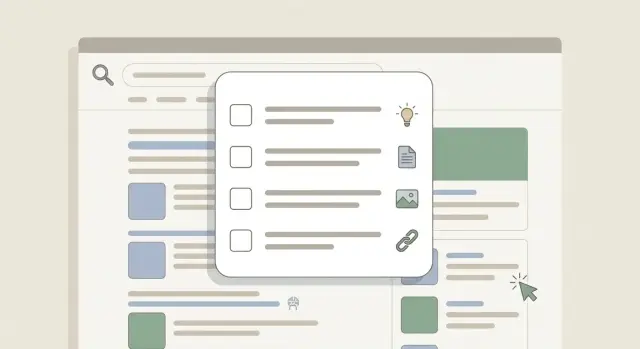
Why a page can waste new link authority
A new backlink can lift a page fast, but it can also expose problems. If the page doesn’t look like the best answer for the query, Google may test it higher, see weak engagement, and slide it back down.
That’s why a pre-link on-page checklist matters. You want new authority landing on a page that can earn the click, satisfy the visit, and make the next step obvious.
Common signs the page can’t turn better rankings into results:
- Impressions rise but click-through rate (CTR) stays low
- People leave quickly or barely scroll
- The page ranks for the wrong terms (curious traffic, not ready traffic)
- Visitors don’t take the next step (no signup, no contact, no purchase)
“Ready” doesn’t mean “long.” It means the page matches what the searcher wants, answers the core questions, and removes friction.
Choose the query and the one job for the page
A backlink isn’t a magic wand. If a page tries to rank for everything, it usually ranks for nothing.
Pick one primary query you want this page to win for. Everything else should support that goal.
Then choose the page’s single job:
- Inform: help someone learn or complete a task
- Compare: help someone choose between options
- Sell: help someone decide to buy or sign up
Write a one-sentence promise the page must keep. Example: “This page helps you choose the best email marketing tool for a small store by comparing price, ease of use, and deliverability.” If a paragraph doesn’t help keep that promise, cut it or move it elsewhere.
Also define who the page is for and what the next step is. “Marketing manager at a small SaaS” is more useful than “anyone doing SEO,” because it forces clearer examples, proof, and calls to action.
If you want a quick lock-in, answer:
- What exact query do we want to rank for?
- What is the page’s job: inform, compare, or sell?
- What is the one-sentence promise?
- What should the reader do next?
Tune intent match so the page feels like the right answer
Before you point new links at a page, make sure it matches why people search that query. If the page feels “off,” you’ll get impressions without clicks.
Name the intent type for the main query:
- Informational (learn)
- Commercial (compare)
- Transactional (buy)
- Navigational (find a specific brand or page)
Then run the 5 to 10 second test. When someone lands, can they instantly tell they’re in the right place? Put the direct answer or promise in the first lines, then back it up.
Match your content and CTA to the intent:
- For informational intent, lead with a clear explanation and a practical next step (template, checklist, example).
- For commercial intent, add comparisons, pros and cons, pricing signals, and “who it’s for.”
- For transactional intent, make the offer obvious and reduce steps.
- For navigational intent, make the destination easy to reach (the right product, login, or contact path).
A common mismatch: a how-to query that lands on a page pushing “Book a demo” before answering anything. That usually raises bounces and lowers CTR.
Do a quick SERP alignment check
Before you send new authority to a page, spend 10 minutes checking what Google already rewards for the exact query.
Search the query in an incognito window and scan the top results. You’re not judging “good writing.” You’re spotting patterns in:
- Format (guide, list, template, tool, category page, product page)
- Angle (“best for beginners,” “cheap,” “step-by-step,” “comparison,” “near me”)
- Proof (screenshots, data, examples, pricing, pros and cons)
- Freshness (lots of recent updates vs evergreen content)
If the top results are “best X” lists and yours is a product page, a backlink may not move the needle much because the page type doesn’t match what searchers want.
Pick one differentiator you can support with real content. Example: if everyone lists 10 options with generic blurbs, add a simple decision chart and two short mini-cases (who chose what, and why).
Fix content depth without making the page longer than needed
More words don’t equal more value. “Depth” means answering the questions a person has right before they choose, buy, or trust you.
A fast test: “If I landed here from Google, what would I still need to know?” Depending on the topic, that usually includes:
- What it is and who it’s for (one clear sentence)
- How it works (what the process looks like)
- What to expect (numbers, ranges, timeframes when possible)
- Proof (examples, reviews, credentials, methods)
- What to do next (one obvious action)
If something is missing, add it. If it’s already there but vague, make it specific instead of longer.
Use headings people actually look for. Avoid clever labels that hide the answer. If the topic naturally raises “pricing,” “timeline,” “risks,” or “best practices,” say that plainly in the H2.
Keep the page lean with a simple edit pattern:
- One idea per section
- Fewer repeated points
- Replace general claims with one concrete example or number
- Cut long intros down to a short summary
Tighten titles, headings, and readability for better CTR
A backlink can help rankings, but CTR decides whether that ranking becomes traffic.
Your title should mirror the query in plain language and hint at the payoff. Put the key phrase early, use it once, and keep it natural.
Your H1 should confirm the page promise. If the title says “checklist,” the H1 shouldn’t say “ultimate guide.” That mismatch creates doubt right after the click.
For readability, focus on scan-ability:
- Short paragraphs
- Clear subheadings that answer real questions
- A brief 2 to 3 line summary near the top
If your first screen is a vague intro about SEO, many people will leave even if you rank. If your first screen states the promise and what they’ll get, they’re more likely to stay.
Add trust and conversion elements that match the intent
On-page readiness isn’t just text. If a page feels sketchy, vague, or hard to act on, you may gain rankings but lose leads.
Start with basics that remove quiet doubt: a clear author or company presence, an updated date when it matters, and straightforward ways to contact or get help.
If the intent is commercial or transactional, be direct about decision points. People want to know what it costs, what’s included, and what happens after they click. Hiding pricing and burying the process creates friction.
Keep FAQs only if they answer real objections. If they’re just repeating headings or stuffing keywords, cut them.
Also remove obvious friction before adding more persuasion: popups that block the first screen, loud sticky banners, and side widgets that pull attention away from the main action.
A few elements that often help (use only what fits the page): a specific CTA that says what happens next, a simple pricing range when buying intent is high, one strong proof element, and a short “How it works” block.
Strengthen internal links so authority can spread
A backlink can boost one page, but the benefit often stops there if internal links are weak.
Before link building, make sure the page sits inside a clear cluster of related pages so Google and readers can move through your site.
A simple approach:
- Add a small set of relevant internal links to the target page from closely related pages
- Use natural anchor text (don’t repeat the exact same phrase every time)
- Favor links from pages that already get traffic
- Place links in the body where they make sense, not only in a footer
Then make sure the target page isn’t a dead end. Add links to the next best step: definitions, deeper comparisons, pricing details, or a related guide.
Finally, watch for orphan pages. If an important page has no internal links pointing to it, it’s hard to rank no matter how much authority you try to send.
Cover the basic technical checks before you build links
Before you send authority to a page, make sure Google can see it and people can use it.
Confirm indexability and clean delivery:
- The page can be crawled and indexed (no noindex, no blocking rules)
- It returns a normal 200 status code (not a redirect chain)
- The canonical points to the version you want to rank
Then do a real mobile check. Scroll, tap key buttons, and read a few paragraphs. Tiny text, content-blocking popups, and broken layouts can quietly kill engagement.
Also fix obvious speed drains: oversized images, too many scripts, heavy embeds. You don’t need perfect scores, but the page should feel smooth.
Step by step: a 60-minute pre-link tune-up
Use this checklist right before you point new backlinks at a page.
First 10 minutes: Choose the target query. Write the one-sentence page promise and name the intent (learn, compare, buy, or find).
Next 15 minutes: Scan the top results. Write down 2 to 4 sections searchers clearly expect that you’re missing (pricing range, pros and cons, steps, “who it’s for,” etc.).
Next 15 minutes: Rewrite the title and opening so they match the promise. Adjust headings so a skimmer can confirm they’re in the right place. Improve one key section with a specific detail, example, or takeaway.
Next 10 minutes: Add a few internal links from related pages. Add a couple of “next step” links from this page to the most helpful follow-ups. Make the CTA fit the intent.
Last 10 minutes: Do a mobile read and a quick tech check: indexable, correct canonical, no obvious broken elements.
Common mistakes that waste new backlinks
Most wasted links fail for simple reasons. The page feels unfocused, untrustworthy, or not worth clicking.
A big mistake is making one page do too many jobs. Mixing intents (learn, compare, buy) usually pleases nobody. Pick one and make every section support it.
Another trap is chasing “more words” instead of better answers. Extra paragraphs that repeat the same point don’t help. Missing the real questions does.
Over-optimizing also backfires. Robotic titles, awkward keyword repetition, and keyword-stuffed headings lower trust and CTR.
A few common issues to fix before building links:
- A weak or vague title that nobody wants to click
- A generic intro that doesn’t confirm “this is the right result”
- Headings that don’t match what searchers expect
- No internal links, so authority hits the page and goes nowhere
- Outdated examples, screenshots, or claims
Quick checklist, a simple example, and next steps
Quick checks that catch most problems:
- Intent match: does the first screen answer what the searcher wants?
- SERP alignment: does the page type fit what ranks?
- Title clarity: would you click it over the other options?
- Internal links: does the page both receive and send useful internal links?
- Mobile scan: is it easy to read and act on without zooming?
A simple scenario: you want a “Pricing” page to rank for “{service} pricing.” Searchers usually want fast clarity: cost ranges, what affects price, and what they get.
What to change first without bloating the page:
- Above the fold: one-sentence promise, a starting price or range, and who it’s for
- A comparison block: 2 to 4 tiers or options with real differences
- Short FAQs: answer the real objections (contracts, setup fees, what’s included)
Then choose the best link target. If the pricing page is clear and specific, point links there. If it’s thin or overly salesy, create a supporting “pricing explained” page that matches informational intent and routes readers to the pricing page.
Next steps:
- Make the edits, then reread the page on mobile like a first-time visitor.
- Add or fix a small set of internal links that help both users and crawlers.
- Only then choose the target URL for new backlinks.
If you’re using a provider like SEOBoosty (seoboosty.com) to secure premium backlink placements, this tune-up helps you get more than a ranking bump. It increases the odds that the new authority turns into real clicks and conversions.
FAQ
Why did my rankings jump after a new backlink and then drop again?
Start with intent mismatch. If your page doesn’t look like the best answer for the query, Google may test it higher, see weak engagement, and move it down. Fix the first-screen promise, align the page type to what ranks, and make the next step obvious so the authority has something solid to amplify.
How do I choose the right keyword and goal for the page before building links?
Pick one primary query and give the page one job: inform, compare, or sell. Write a one-sentence promise and remove anything that doesn’t support it. A focused page converts new authority into clearer relevance, better CTR, and stronger engagement.
What’s the fastest way to fix intent mismatch on a page?
Use the 5–10 second test: can a new visitor instantly tell they’re in the right place? Put the direct answer or promise in the first lines, then support it. If you’re asking for “Book a demo” before you’ve answered the query, you’re likely hurting clicks and time on page.
How do I know if my page type doesn’t match what Google rewards?
Search the exact query in an incognito window and scan the top results for format and angle. If Google rewards “best X” lists and you’re pushing a product page, a backlink may not move much. Either adjust the page to match the expected format or choose a different target URL that already fits the SERP.
How can I improve content depth without making the page longer?
Depth means answering what someone needs to know right before they trust you or take action, not adding filler. Add missing basics like what it is, who it’s for, how it works, what to expect, proof, and a clear next step. If you already cover something but it’s vague, make it specific instead of longer.
What changes usually improve CTR once a page starts ranking higher?
Mirror the query in plain language, put the key phrase early, and hint at the payoff. Make sure the H1 matches the title’s promise so visitors don’t feel misled after clicking. Keep the opening tight with a short summary, then use clear subheadings that answer real questions.
What trust and conversion elements should I add before pointing links to a page?
Add trust basics that reduce doubt: clear author or company presence, an updated date when it matters, and easy ways to contact or get help. For commercial or transactional intent, be straightforward about pricing signals, what’s included, and what happens after the click. Remove friction like popups that block the first screen or distracting banners.
How do I set up internal links so new authority spreads beyond one page?
Add a few relevant internal links to the target page from closely related pages, preferably ones that already get traffic. Use natural anchor text and place links in the body where they fit. Also make sure the target page links out to the next best steps so it isn’t a dead end.
What technical checks should I do before building backlinks?
Confirm the page is indexable and returns a clean 200 status code without redirect chains. Check the canonical points to the version you want to rank and that nothing blocks crawling. Then do a real mobile read to catch broken layouts, intrusive popups, tiny text, and obvious speed drains.
What’s a simple 60-minute pre-link tune-up I can repeat every time?
Spend 10 minutes locking the query, intent, and one-sentence promise, then 15 minutes scanning the SERP for missing sections people expect. Use the next 15 minutes to rewrite the title and opening and improve one key section with a specific detail or example. Finish with internal links, an intent-matched CTA, and a quick mobile and indexability check.
Share