Rankings not moving after backlinks? A practical fix flow
Rankings not moving after backlinks can be fixed with a clear flow: check indexation, relevance, internal links, SERP shifts, and intent mismatch.
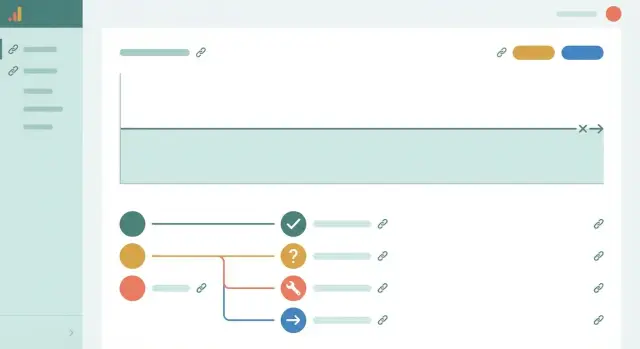
Why rankings sometimes don’t move after new backlinks
“No movement” can mean a few different things. One keyword might stay flat while the page quietly improves for related searches. Or the page moves, but the site-level view looks unchanged. Sometimes the issue is simpler: the tool you’re watching updates slowly, so small shifts don’t show up.
Even with strong links, a short-term stall is normal. Google still has to discover the linking page, crawl it, understand the context, and decide how much that link matters for your specific URL. If the link is new, buried on the page, or placed on a URL that rarely gets crawled, it can take longer.
What you track matters as much as the link itself. Rankings are only one view. These signals often change first:
- Impressions for the target page (often rise before rankings look better)
- Clicks and click-through rate (especially if your snippet improves)
- The number of queries the page appears for
- Which URL Google chooses to rank (it sometimes swaps in a different page)
- Average position trend over 14 to 30 days (not day-to-day)
Timelines also matter. Many sites see early signs in 1 to 3 weeks, clearer movement in 4 to 8 weeks, and bigger shifts over 2 to 3 months. Competitive keywords can take longer.
A quick example: if you point a new backlink to a product page, the main keyword may not move right away, but impressions for long-tail terms can tick up first. That’s still progress.
The rest of this guide is a practical flow to find the real blocker in order, so you don’t waste weeks guessing.
A simple troubleshooting flow (do this in order)
Resist the urge to change ten things at once. Run the flow, fix only what fails, then give Google time to reprocess.
Start with the basics: make sure the backlink is real, public, and pointing to the exact URL you care about (right page, right version, no typo). This sounds obvious, but it’s a top cause of “nothing happened.”
Use this order so you don’t burn time on later steps:
- Confirm the link is live and clickable on the page (not behind a login, not removed, not silently changed to nofollow/sponsored).
- Check the linking page is indexed. If Google isn’t indexing that page, the link usually can’t help.
- Check your target page is indexed and eligible to rank (not blocked by noindex, canonicals, or redirects).
- Sanity-check relevance and intent: does the linking page fit your topic, and does your target page match what searchers want?
- Reinforce signals: strengthen internal links to the target page and tighten key on-page elements (title, headings, sections that answer the query).
A simple example: you point a new link at a “pricing” page, but the keyword you track is informational (“how to choose X”). Even a strong link might not move the needle because the page intent is off. The fix isn’t “more backlinks.” It’s a better-matched page or a content upgrade.
When to pause vs. change: if everything above checks out and your page already matches the query intent, wait 2 to 4 weeks before making more edits. If something fails (for example, the linking page isn’t indexed), fix that first and recheck before building more links.
Confirm the backlink is live, visible, and crawlable
Find the exact page where your backlink should appear. Don’t rely on a screenshot or an email confirmation. Open the page in a normal browser window and use page search (Ctrl/Command + F) to look for your brand name, your URL, or the anchor text.
Then confirm the link points to the right place. A surprising number of “no movement” cases come from a link that goes to the homepage by mistake, lands on a 404, or hits a URL variant you’re not trying to rank (http vs https, www vs non-www, trailing slash differences, or tracking parameters).
Run these quick checks:
- Click the link and confirm the final landing page is the one you want to rank.
- Watch for redirects. One redirect is usually fine, but chains or jumps to a different URL can weaken impact.
- Inspect the link attributes (right-click, inspect). If you see rel="nofollow" or rel="sponsored", Google may choose not to pass ranking value.
- Make sure the link is in the HTML, not injected only after a script runs. If it’s hidden behind “load more,” gated content, or a required user action, crawlers may miss it.
- Confirm the linking page is accessible (not blocked by robots rules, paywalls, or heavy app-style rendering).
On dofollow vs nofollow: a normal link with no special rel attribute can pass ranking signals. A nofollow or sponsored link can still send referral traffic and brand exposure, but it often won’t move rankings on its own.
Example: you order a link to your product page, but it lands on a shortened URL that redirects to a parameter version like ?utm_source=newsletter. If Google treats that as different from your canonical page, the benefit can get diluted.
Indexation checks: the linking page and your target page
A backlink can be live and still do nothing if Google hasn’t indexed the page that contains it. Before you assume the links are “bad,” confirm Google can actually see both sides: the linking page and the page on your site.
Check the linking page is indexed (not just published)
A page can exist on the web and still be invisible to search. Common reasons are straightforward: the site blocks crawling, the page has a noindex tag, it sits behind scripts Google struggles to render, or it’s so new that it hasn’t earned crawl attention yet.
Also watch for “orphan” pages. If the linking URL has no internal links pointing to it, Google can take longer to discover and index it.
If the page is indexed but your link is missing
Sometimes Google indexes the page, but the link you bought or earned isn’t there anymore. Publishers update content, swap modules, change templates, or add rel="nofollow" or rel="sponsored".
Do a quick verification sweep:
- Confirm the exact URL you paid for (or expected) is the one that’s indexed.
- Re-open the page and search for your brand, domain, or anchor text.
- Check whether the link points to the right target page (not a redirected or wrong URL).
- Note where the link sits (body text usually beats footer/sidebar).
- Look for nofollow/sponsored or a JavaScript-wrapped link.
How long to wait before escalating
If the linking page is new, give it 1 to 3 weeks to settle, especially on sites that publish frequently. If it’s still not indexed after that, or the link disappears after being present, escalate: ask for a fix, replacement, or a different placement. At the same time, make sure your own target page is indexable and worth ranking.
Relevance: are you getting the right kind of link for the page?
A strong domain can still send a weak signal if the page linking to you is about something unrelated. Relevance affects how much Google trusts that the link is a real “vote” for this topic.
Start in plain words: if a human read the linking page, would they naturally expect it to reference your page? If the linking page is about cloud security trends and your target page is a local plumbing service, the connection is thin, even if the site is well known.
Next, check whether the link points to the right destination. A relevant mention pointed at the wrong URL often underperforms. A general mention (like “great company”) usually fits the homepage. A specific claim (“pricing for SOC 2 automation”) should point to the matching product or feature page. Educational mentions should point to a guide that answers the same question.
Common signs the link is off-topic:
- The surrounding paragraph discusses a different problem than your page solves.
- The link feels like a random resource, not a natural citation.
- The linking page covers many unrelated topics with no clear theme.
- Your page is very specific, but the mention is broad and generic.
- The audience doesn’t overlap (wrong industry, region, or buyer intent).
A simple fix is to adjust the destination. If the mention is broad, point to a strong hub page (homepage or category). If it’s specific, point to the most specific page that matches the context.
If you can’t change the destination, add supporting content so the connection becomes obvious. For example, if the link comes from a tech publication and your target is a service page, publish a short guide that matches the linking context, then internally link from that guide to your service page.
Anchor text and placement: small details that change impact
Before you decide you “need more links,” look at two details that often decide how much value a link can pass: the anchor text and where the link sits.
Anchor text rarely needs to be exact match. Forcing the same keyword again and again is a common way to make links look unnatural. A healthier mix usually includes brand terms, partial matches, plain URLs, and natural phrases that fit the sentence.
Watch for patterns that look engineered: repeated anchors across many referring pages, awkward keyword stuffing inside a sentence, or a site where every outbound link uses the same generic wording.
Placement matters more than most people think. A link in the main body of an article, surrounded by relevant text, is often stronger than one buried in a footer, a sidebar, or an author bio. Curated resource lists can work too, especially when the surrounding items are genuinely related.
If you want a simple way to keep anchors natural, aim for “reads like a person wrote it,” then vary the phrasing across placements.
Internal linking: help Google connect the dots
Backlinks can help Google notice a page, but internal links help Google understand what the page is about and how important it is relative to your other pages.
A common issue is a “lonely” page: it exists, but almost nobody links to it from inside the site. Google can still crawl it, yet treat it as low priority or unclear in topic.
A quick internal linking checklist
A few deliberate changes usually beat a long list of random links:
- Add 2 to 5 internal links to the target page from pages that already get organic visits (blog posts, guides, category pages).
- Use descriptive internal anchor text that matches what the page solves.
- Place at least one link high on the page (near the top), not only in the footer.
- Build a small cluster: one main page plus 2 to 4 supporting pages that link back to it.
Don’t overdo it. Ten weak links from unrelated pages often help less than three strong links from relevant pages that already perform.
Example: you earn a strong link to a pricing page, but your blog posts and product pages never reference it. Add a few contextual mentions from pages that already rank, and make sure the page is reachable through sensible navigation.
On-page intent mismatch: the most common reason links don’t help
Often the problem isn’t the links. It’s that the page doesn’t match what the searcher wants.
Name the intent in plain words: is the query trying to learn (how-to, definition), compare options (best, vs, reviews), or buy (pricing, booking, near me)? A backlink can prompt Google to re-check your page, but it can’t turn a “how it works” article into the best answer for a “best tools” search.
Look at what ranks and copy the pattern, not the wording. Pay attention to format (list, guide, category page), depth (quick answers vs detailed steps), and angle (beginner-friendly, updated for this year, local, budget).
Quick intent alignment fixes
You can often improve fit without rewriting everything:
- Adjust the title and H1 to match the dominant intent (compare vs explain vs buy).
- Rewrite the first screen so it answers the question quickly (who it’s for, what it does, what to do next).
- Add sections that top results consistently include (pricing ranges, pros/cons, steps, examples).
- Cut or merge thin parts that repeat themselves.
- Add a clear next step (table, checklist, short comparison) that matches the query.
Don’t change everything at once
Make one focused update, then wait long enough to see the effect. For example: if the top results are “best X” roundups and yours is a single-product page, add a comparison section (or publish a separate comparison page) before you restructure every paragraph.
SERP volatility and timing: don’t chase noise
Rankings bounce even when progress is happening. Google tests different results, switches layouts (more videos, more local packs), and reorders pages as it learns what searchers prefer. If you check daily, it’s easy to mistake normal movement for “nothing worked.”
To separate SERP shuffle from real lack of traction, look for patterns, not single points. If your page climbs for a day, drops, then returns near the same range, that’s often testing. If it stays stuck below the same competitor cluster for weeks, that’s more likely a real ceiling caused by relevance or intent.
When you see a drop, check whether several competitors moved too. If multiple pages changed positions around the same time, that usually points to a broader reorder, not a problem with your new links.
Context matters as well. Seasonality, news cycles, and algorithm updates can shift what Google thinks people want. A “best budgeting app” page might dip during a week when searches tilt toward “tax filing” intent, then recover later.
Pick a review window and stick to it:
- For volatile keywords, review weekly for trends, not daily swings.
- For competitive keywords, judge impact monthly (especially after new backlinks).
- Compare the same dates week over week to avoid weekday effects.
- Track the target keyword plus a few close variants.
If you’re worried because nothing seems to move, set a clear decision date (for example, 3 to 4 weeks after the links go live and are indexed). Until then, avoid rapid on-page changes that reset the test and make the signal harder to read.
Technical and page eligibility issues to rule out
A strong link can’t help a page that’s blocked, duplicated, or constantly changing destinations.
Start with basic eligibility checks on the target URL. These issues are common after site migrations, template changes, or rushed fixes.
The fastest technical checks
If any of these are true, your backlinks may be pointing at a page Google won’t rank:
- The page has a noindex tag, or it canonicalizes to a different URL than you intended.
- The URL redirects (301/302) somewhere else, or it sometimes redirects on mobile only.
- robots.txt blocks the page (or blocks key resources like CSS/JS so the page renders poorly).
- The page is only accessible after login, a cookie wall, a region prompt, or an IP block.
- You have near-duplicate pages competing (same intent, similar content, different URL), so signals get split.
Even one of these can turn “good backlinks” into “backlinks to nowhere.”
Page experience problems that hide link gains
Some pages index fine but still struggle because users bounce quickly. If the page is slow or broken on mobile, Google may hesitate to move it up.
Do a real-world test: open the page on a phone using mobile data. If it takes too long to become usable, shifts around while loading, or covers the content with popups, that can blunt the benefit of new links.
Example: a product page loads quickly on desktop, but on mobile it triggers a location gate that blocks the main content. Backlinks can get discovered, but the page isn’t “eligible” enough to win.
Common traps that keep rankings flat
When results stay flat, it’s often not because the links “didn’t work.” It’s because the links are aimed at the wrong problem.
One common mistake is pointing your strongest links at a page that isn’t meant to rank for the query you’re tracking. Sending authority to a generic homepage can help overall, but it may not move the specific page you’re watching.
Another trap is expecting one strong link to rescue a weak page. If the content is thin, outdated, or missing basics (clear topic, useful sections, proof, simple structure), a backlink can’t do much. Links are a boost, not a replacement for a page people want to read.
Other patterns that keep results flat:
- Making edits every day (title, headings, layout) while waiting. You end up measuring chaos, not progress.
- Building links but leaving the target page buried with few internal links pointing to it.
- Tracking success by one keyword position instead of a small group of related queries and overall traffic.
- Chasing “strong” domains that are irrelevant to the topic, so the signal is weaker than it looks.
Example: you point a high-authority link to your pricing page, but the keyword you care about is informational and the SERP is mostly guides. The link may increase authority, but the page still doesn’t match intent.
Quick checks and next steps
Don’t restart the whole plan. Run fast checks, then make small, focused changes.
Pick one page and one keyword group to judge progress. When you spread attention across ten pages, it’s hard to see what helped.
Here’s a quick checklist you can finish in minutes:
- The backlink is live on the page (not removed, not blocked).
- The linking page is indexed, and your target page is indexed.
- The page you’re boosting matches search intent (informational vs product vs comparison).
- You added a few strong internal links pointing to the target page.
- The anchor and placement look natural and fit the topic.
If any box fails, fix that first. Then make 1 to 3 targeted on-page updates (not a full rewrite). For example: tighten the title to match the query, add a short comparison section if results are comparison-heavy, or improve the first screen so it answers the question faster.
After changes, wait and re-check on a set schedule (for example, every 7 to 14 days). Rankings move in bursts, and constant tweaking can blur the results.
If everything checks out but the page still doesn’t budge, you may simply need more authority than one or two links can provide. At that point, plan a steady pace of quality placements to the exact page you’re improving. If you prefer a curated way to select authoritative domains and point links directly at a target URL, SEOBoosty (seoboosty.com) is one option to consider.
Share