Two-hop authority check: how to vet a linking page fast
Learn the two-hop authority check to confirm a linking page is indexed and has inbound links, so you do not pay for backlinks from orphan pages.
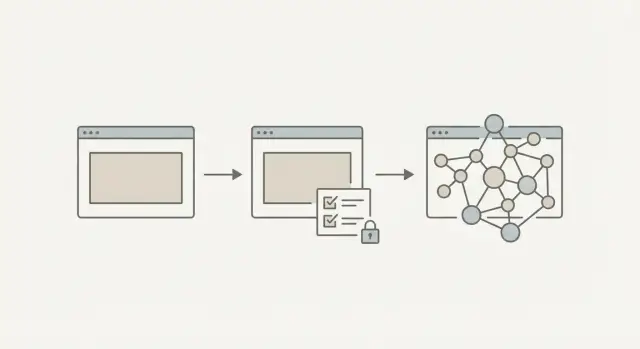
Why orphaned link pages waste money
A backlink only helps if search engines can find and value the page that hosts it. An orphan page exists on a site but isn’t really connected: it’s barely linked internally, not indexed, or no other pages (internal or external) point to it. If your link lives on a page like that, it can be ignored, heavily discounted, or quietly removed.
That’s why a two-hop authority check matters. You’re not only asking, “Is this domain well-known?” You’re also asking, “Is the exact page that will link to me discoverable and supported?” Most expensive link mistakes happen at the page level, not the domain level.
Even strong domains publish plenty of weak URLs: thin tag pages, forgotten archives, low-value partner pages, author profiles with no reach, or one-off posts that never get referenced. The domain looks impressive, but the specific page you’re buying can have close to zero visibility.
When a link lands on an orphan-like page, a few things tend to happen:
- The page never gets indexed, so the link may not count.
- The page is indexed but has no inbound links, so it carries little weight.
- The page is easy to prune later, and your link disappears.
- The “report” looks good (great domain), but rankings don’t move.
Picture a common scenario: you pay for a placement on a recognizable tech site, but your link ends up on a thin “Resources” page that isn’t linked from navigation and has no other sites referencing it. You bought a URL, not authority.
The goal is simple: confirm the linking page is (1) in the index and (2) has its own signals of importance, like inbound links. These are quick checks, not a deep audit. Even when you’re using a curated inventory like SEOBoosty, it’s still worth verifying the exact placement page so you know you’re paying for something search engines can actually find and trust.
What the two hops are, in plain terms
A backlink is only useful if the page that links to you gets seen. The two-hop authority check is a fast way to confirm that the specific linking page has real visibility, not just a good-looking domain name.
You check:
- Hop 1: Is the linking page indexed?
- Hop 2: Do other pages link to that linking page?
If either hop fails, you might be paying for a link that sits on a page search engines rarely crawl, or that never earns trust of its own.
Hop 1: Is the linking page indexed?
Hop 1 asks one basic question: can a search engine find this page in its index?
If the page isn’t indexed, it’s effectively invisible. A link on an invisible page can’t pass much value because the page itself isn’t being counted.
In practice, an indexed page is one you can pull up reliably by searching its exact URL, its title, or a unique sentence from it. If you can’t find it consistently, treat that as a warning.
Hop 2: Does that page have inbound links?
Hop 2 checks whether the linking page has its own support. Inbound links just means other pages link to that page.
Why it matters: pages with inbound links get discovered more easily, crawled more often, and usually carry more weight. A page with zero inbound links is often an orphan. It exists, but nothing points to it.
This is also why domain metrics alone can mislead you. A strong domain can still host weak pages, like a new tag page, a thin author profile, or a post buried so deep it never gets referenced.
Hop 1: confirm the linking page is in the index
If a page isn’t indexed, Google is basically saying, “I’m not using this page.” The link can exist, but it’s far less likely to pass meaningful value or send real visitors.
For a two-hop authority check, Hop 1 is straightforward: make sure the exact URL that will link to you shows up in search.
A fast way to verify index presence
Search for the full URL (try it in quotes), then try a search for the page title or a unique sentence. Don’t stop at checking the domain, because the site can be healthy while the exact linking page is missing.
Signs the page may not be indexed (or isn’t staying indexed) include:
- No results for the exact URL after trying a couple query formats
- Results show other pages on the site, but not the specific linking page
- You only find scraper copies or near-duplicates on other domains
- The result appears once, then disappears when you repeat the search later
If you can’t consistently find the page by URL or a unique snippet, assume you’re paying for a placement search engines might ignore.
Why an indexed page can still be a bad bet
Even if the page is indexed today, it can drop out later. That risk goes up when the page looks like it exists mainly to host links.
Common reasons pages fall out of the index after you pay:
- A noindex tag gets added during a site update
- Content sits behind a paywall or requires a login
- Crawling is blocked for certain folders (often via robots rules)
- The page is thin, duplicated, or part of a large batch of similar pages
- The publisher removes the page, merges it, or changes the URL
One more trap: a page can be “indexed” but still practically invisible. If you can only find it by searching the exact URL, it’s often too isolated to be a strong linking asset.
If you’re choosing placements from a curated inventory (like SEOBoosty), run this check on the exact URL you’ll receive, not just the domain.
Hop 2: check the linking page has inbound links
Inbound links are a simple signal that a page matters. When other pages link to it, they’re saying, “this is worth sending people to.” Search engines read that as a hint the page is part of the site’s real structure, not a page created only to host paid links.
Not all inbound links are equal. A header, footer, or sidebar link can help navigation, but it’s repeated across many pages. What you really want is at least a few intentional references from relevant pages.
What to look for (fast)
You don’t need a perfect profile. You just want signs the page is connected.
Good signals include:
- A few internal links pointing to the page from related articles (not only archives)
- Anchor text that reads naturally (“read more,” “guide,” “details”), not stuffed keywords
- Source pages that look real and are also indexed
- A URL path that fits the site’s normal structure
A clear red flag is a page that’s only reachable through a deep archive (for example, “Page 12” of an old month) or a random tag list no one uses.
A small example
You’re offered a placement on a recognizable domain. The domain looks strong, but the exact article where your link will live has no references from other articles. The only path is an old archive page. That’s usually a sign you’re buying a link on an isolated page.
SEOBoosty focuses on placements that are hard to get through normal outreach. Still, it’s smart to confirm the page is actually connected inside the site, because connection is what prevents your link from sitting on an island.
Step-by-step: do the two-hop authority check in 10 minutes
A two-hop authority check is quick because you only verify two things: the linking page exists in search, and other pages point to it.
First, get the exact URL of the page where your link will live (not just the domain). Ask for the final, published URL, not a draft, preview, or “we’ll place it later.”
Then follow this routine:
- Collect the exact page URL and title. Save both so you can search accurately.
- Do an index check. Try
site:with the full URL, then search the title or a unique sentence in quotes. If nothing shows up, treat it as a warning. - Confirm it’s reachable. Open the URL in a private window. Make sure it loads without a login, and that you can see the paragraph where the link is supposed to be.
- Check inbound links to that page. Use a backlink checker you trust and look at links pointing to the page (not just the domain).
- Sanity-check a few inbound sources. Click a couple. Do they look like real pages that are indexed and related, or are they auto-generated directories?
Then make a decision:
- Approve if the page is indexed and has a few believable inbound links.
- Ask for a different page if the page looks new, empty, or isolated.
- Walk away if the page isn’t indexed, is blocked, or the “inbound links” look fake.
Even if you’re selecting placements from a curated inventory (including SEOBoosty), this keeps you focused on the specific URL you’re paying for.
Common traps that make bad links look good
A lot of weak placements look fine at first glance. The domain name is recognizable, the page loads, and someone shows proof it went live. None of that guarantees the exact linking page has real authority or even exists in search.
The most common mistake is judging the whole site instead of the page. A strong domain can host thousands of low-value URLs, and your link lives on one specific page.
Another trap is checking only the homepage. Seeing the brand rank doesn’t tell you whether your linking page is indexable or supported.
Quick traps to watch for:
- Treating domain reputation as proof every internal page is valuable
- Confirming the site is indexed, but never checking the exact linking URL
- Accepting a brand-new page with zero inbound links and no realistic path to get any
- Trusting screenshots instead of verifying the live page yourself
- Ignoring blockers like noindex tags, paywalls, login walls, or IP restrictions
“Newly published” deserves special caution. A fresh page isn’t automatically bad, but if it’s isolated and never linked from anywhere, it can stay invisible for months.
Screenshots are another classic problem. A screenshot only proves a page existed at one moment. It doesn’t prove the page is accessible, indexable, or stable.
Red flags that often correlate with orphan pages
Orphan pages are easy to miss because the domain looks strong and the page loads fine. The two-hop authority check catches the big issues, but you can also spot trouble early by scanning for patterns.
What “orphan vibes” look like
Thin or recycled content is a common sign. If the article reads stitched together, repeats itself, or feels padded, it often means the page wasn’t made for readers. Pages like that rarely earn natural links.
Another sign is a page that’s hard to reach inside the site. If you can only find it through tag pages, endless archives, or internal search, it probably has weak internal linking.
Fast red flags before you pay:
- Lots of outbound links to unrelated sites, but no sign anyone links to that page
- A disposable-looking URL (random strings, long parameters, odd folder structure)
- A sudden batch of near-identical pages published within days
- Content that’s very short for the topic, heavily padded, or clearly spun
- No sensible internal path: no category trail, no related posts, no links from relevant articles
A quick reality-check example
You’re offered a placement on a tech-sounding domain. The URL looks generated, and the article is packed with outbound links to unrelated industries. When you search for mentions of that page elsewhere, you find none. That’s usually a paid-link hub or a page that won’t hold value for long.
If you buy from a curated source like SEOBoosty, this same scan still helps you spot whether the specific placement page looks like a real editorial asset.
Quick checklist before you pay
Use this as a final pass. Open the exact linking URL first, then review it in a private browser window so you see what normal visitors (and crawlers) are more likely to see.
- Can you find the exact URL in search results? If nothing appears, treat it as a warning.
- Does the page load normally in a clean session? Avoid placements behind logins, heavy blockers, or strange redirects.
- Do other indexed pages link to it? A few real internal references beat one lonely archive path.
- Are inbound links varied and believable? If everything comes from a repeated template area only, that’s weaker than real editorial references.
- Does the topic fit the site’s normal content? Big topic mismatch often signals a rented-out page created to host outbound links.
After that, scan the outbound links. A normal article might cite a handful of sources. A page stuffed with dozens of unrelated outbound links is a warning.
If you’re choosing placements from an inventory or subscription model (including selecting domains through SEOBoosty), run this checklist on the exact URL you’ll receive, not just the domain.
Example: spotting a “great domain, weak page” placement
A small SaaS company pays for a backlink on a recognizable tech publication. The domain looks strong on paper, so they assume the placement is safe. The seller sends a screenshot and a URL, and the link is live.
A week later, nothing changes. No referral clicks, no signs that the page is being found.
Hop 1: Is the linking page actually indexed?
They check whether the exact URL shows up in search (not just the domain). The site has thousands of indexed pages, but this specific page doesn’t appear.
That usually means one of a few things: the page is blocked from indexing, it’s too new and unsupported, it’s buried so deep crawlers haven’t reached it, or it won’t be kept long.
They ask a direct question: “Can you confirm this page is indexable and intended to stay live?” A vague answer is its own signal.
Hop 2: Does the linking page have inbound links?
Next, they check whether other pages point to the linking page. They find none. Even inside the same site, it isn’t linked from categories, “latest posts,” or related modules.
That’s the pattern of an orphaned page: it exists, but almost nobody can find it, including search engines. It can sit outside the normal structure for months, then disappear during a cleanup or redesign.
Their decision is simple:
- If the page isn’t indexed, request a different placement on an indexable page.
- If the page is indexed but has zero inbound links, request a page that’s linked from a real section of the site.
- If the seller won’t move the placement, cancel.
Next steps: make the check part of your link-buying routine
The fastest way to stop wasting money on weak placements is to make the two-hop authority check a habit. It takes minutes and prevents you from paying for pages that look fine on a good domain but do nothing.
Keep a tiny checklist and use it every time:
- Confirm the exact linking page is indexed (not just the domain)
- Confirm the linking page has at least some inbound links
- Confirm the page isn’t just thin filler created to host links
- Record the page URL and the date you placed the order
Set minimum standards and stick to them. A practical baseline is: indexed plus at least a few believable inbound links. If either fails, don’t rely on “it’ll improve later” unless someone can explain exactly why.
After you buy, re-check. Pages can drop out of the index, get moved, or be quietly changed. Put a reminder on your calendar to revisit placements after 30 to 60 days.
If you want fewer surprises, curated inventories can help because you’re choosing from known placements instead of negotiating from scratch. For example, SEOBoosty lets you select from a curated set of authoritative sites and point the backlink to your target page, which can reduce the odds of landing on a forgotten, unsupported URL.
A simple routine beats perfect analysis. When you apply the same page-level checks every time, link buying becomes calmer, more predictable, and easier to improve.
FAQ
What exactly is an “orphaned” link page?
An orphaned link page is a page that exists, but isn’t properly connected or trusted. It may not be indexed, may have almost no internal links pointing to it, and may have zero external links. If your backlink sits there, search engines may crawl it rarely, discount it heavily, or miss it entirely.
Why can a link on a big-name domain still do nothing?
Because the value of a backlink depends on the specific page that hosts it, not just the site’s brand name. Strong domains can still publish weak URLs like thin resource pages, tag pages, or forgotten archives. You can end up buying a URL that search engines barely see.
What is the two-hop authority check in simple terms?
It’s a quick page-level check with two questions: is the linking page indexed, and does it have inbound links pointing to it. If the answer to either is “no,” the page may be too invisible to pass meaningful value. It’s meant to be fast, not a full SEO audit.
How do I quickly confirm the linking page is indexed?
Search for the exact URL, then also try the page title or a unique sentence from the content. If you can’t find it consistently, treat that as a warning sign. Don’t stop at “the domain is indexed,” because your link lives on one specific URL.
If a page is indexed today, why is it still risky?
The page can drop out after an update, a URL change, a cleanup, or a quality review. It can also be effectively hidden if it’s behind a login, paywall, or blocked by crawling rules. Even if it’s indexed, a page that’s only findable by exact URL is often too isolated to be a strong placement.
What counts as “inbound links” to the linking page?
Inbound links are links from other pages to the page that will link to you. They act like support beams: they help crawlers discover the page and signal it matters. A page with no inbound links often behaves like an orphan, even if it technically exists and loads.
How can I check if the linking page has inbound links without doing a deep audit?
Start by looking for internal links from related articles or normal site sections, not just a deep archive. If you have a backlink tool, check links pointing to that exact URL (not the domain) and spot-check a couple sources to see if they look real and indexed. You’re looking for basic connection, not perfection.
What are the most common examples of “great domain, weak page” placements?
A common one is a thin “Resources” or partner page that isn’t linked from navigation and never gets referenced by other pages. Another is a post buried so deep it’s only reachable through old monthly archives or low-traffic tag pages. These pages can look “live” but still have close to zero visibility.
What should I do if Hop 1 or Hop 2 fails?
Ask for the final published URL, not a preview or a promise. Then request a different placement page that is indexable and connected, ideally with a few believable inbound links. If the seller can’t provide that, walking away is usually cheaper than hoping it improves later.
Does using SEOBoosty mean I can skip these checks?
Use it as a shortcut, not a guarantee. Even with a curated inventory like SEOBoosty, you still want to verify the exact URL you’re paying for, because page-level issues are where most expensive mistakes happen. The best habit is to check the final placement page, then re-check again after 30–60 days to ensure it stayed indexed and stable.
Share