SEO Wins in Zero-Click SERPs: Metrics That Prove Growth
Learn how to show SEO wins in zero-click SERPs using impressions, query coverage, and assisted conversions when rankings rise but clicks stay flat.
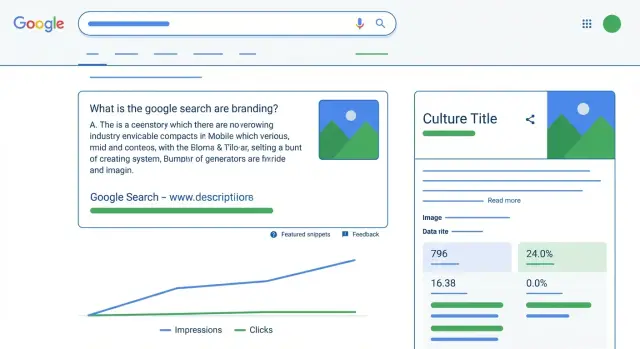
Why clicks stay flat in zero-click search results
Zero-click search results are exactly what they sound like: Google shows the answer right on the results page, so the searcher gets what they need without visiting any website. The search still happened, your page may have helped, but the click never comes.
This happens when the results page is packed with features that satisfy the question fast, like featured snippets, AI overviews, local packs, and knowledge panels. Even “People Also Ask” can keep someone scrolling and comparing instead of choosing a single site.
That’s why rankings can improve while clicks stay flat. You might move from position 8 to 3, but if Google places an AI overview, a snippet, and a map above you, your blue link gets less attention than it would have a few years ago. On mobile, the effect is stronger because the first screen is often nothing but SERP features.
In zero-click SERPs, SEO wins often show up as visibility gains, not traffic spikes. “Success” can still be real when traffic doesn’t jump: you earn more impressions on valuable queries, improve average position on terms that matter, show up for more query variations, build brand recognition, and influence conversions later (even if SEO isn’t the last click).
A simple example: someone searches “best payroll software for restaurants.” They read an AI summary, then later search your brand name and sign up. The first search may have been zero-click, but it still moved them closer to choosing you. That’s why measuring only clicks can miss the growth story.
Decide what success means for your site
Zero-click search can make SEO feel confusing: rankings improve, impressions rise, and clicks barely move. The fix is straightforward: decide what “success” means before you open a dashboard. Otherwise, every report turns into an argument about why traffic isn’t up.
Start by choosing your primary outcome. Most sites fit into one of three buckets:
- Visibility: More people see your brand and associate it with a topic.
- Demand generation: More qualified visits and more returning searches for your brand.
- Revenue assist: SEO influences sign-ups, leads, or purchases, even if it isn’t the last click.
Once the goal is clear, match it to metrics that actually move with that goal. If you’re chasing visibility, Google Search Console impressions and average position often matter more than clicks. If you’re chasing revenue assist, focus on assisted conversions in GA4 and how organic shows up earlier in the journey.
To keep reporting readable, limit yourself to 3 to 5 KPIs. A clean set many teams can stick with is: Search Console impressions (split non-branded and branded), query coverage (how many queries have meaningful impressions), share of top-10 positions for priority queries, assisted conversions or assisted revenue from organic, and branded search lift over time.
Set a reporting rhythm that matches how fast each metric changes. Weekly is usually fine for impressions, query coverage, and major position shifts. Monthly is better for assisted conversions, revenue influence, and trend lines that smooth out noise.
If you’re doing authority work alongside content improvements, treat it as context, not a promise. For example, some teams use services like SEOBoosty (seoboosty.com) to secure placements on high-authority sites and point those links at a small set of priority pages, then watch what happens to impressions, query coverage, and assisted conversions.
Get your data ready (without overcomplicating it)
Before you report SEO wins in zero-click SERPs, make sure you’re looking at the same signals in the same time window. Otherwise, the conversation turns into a debate about tools instead of outcomes.
Start with Google Search Console. In Performance, focus on Queries and Pages, and use Search appearance if you rely on rich results (like FAQs, reviews, or video). Impressions and average position are your visibility signals. Clicks are still useful, but they aren’t the only proof of progress.
In GA4, keep it simple: engaged sessions (not just sessions), key events, and conversions. If your site has a longer journey, Path exploration helps you see whether organic search shows up earlier in the route, even when the last click comes from email, direct, or paid.
A practical checklist that covers most sites: Search Console performance by queries and pages (plus search appearance when available), GA4 engaged sessions and conversions (plus path exploration when needed), and a baseline period and comparison period (for example, last 28 days vs the previous 28). If you have a CRM or ecommerce data, use it to confirm which leads or purchases actually closed. Also keep notes on major changes like redesigns, new templates, tracking updates, or migrations.
One habit that saves time: write down “big change” dates in the same sheet where you track metrics. If impressions jump right after you added schema, or conversions dip right after a checkout update, you can explain the story without guessing.
Step-by-step: build a zero-click SEO scorecard
If you try to report on the whole site, zero-click behavior can hide the wins. A useful scorecard stays small and repeatable, so you can show progress even when clicks don’t move.
Start with a simple setup:
- Pick one page group that shares a job (for example, “pricing and plans” pages, or how-to guides for one feature).
- Write down a tight query set you actually care about, then tag intent (informational vs commercial). Aim for about 20 to 50 queries.
- Track three trend lines each month: total impressions, average position, and unique queries where you appeared (query count).
- Add two supporting signals: assisted conversions from organic (GA4) and branded search lift.
- Add a plain-language summary that fits in three sentences.
Keep the scorecard focused on change, not perfection. Impressions up plus query count up usually means you’re covering more of the SERP, even if clicks are flat. Position improvements matter most when they happen across many queries, not just one “hero keyword.”
A realistic monthly summary format anyone can read:
“Visibility grew: impressions +18% and we showed up for 42 new queries in this topic. Average position improved from 11.2 to 8.6, mostly on informational searches where zero-click is common. Organic assisted conversions increased (42 to 57), suggesting SEO influenced revenue even when last-click traffic stayed steady.”
Reading impressions and positions the right way
Impressions aren’t “almost clicks.” They’re proof you showed up on the results page. In zero-click SERPs, that can be the main win, because people may get the answer right on Google or choose a different action (call, visit a store, refine the search).
When SERP features are present, impressions often rise faster than clicks. A featured snippet, AI answer panel, map pack, or “People Also Ask” can expand how often your page is shown while also pulling attention away from the classic blue link. Treat impressions as reach, not demand.
Average position is useful only when you keep the question tight. It works best for a small set of similar queries, on one device type, in one country. It gets misleading when you mix intents (how-to, pricing, definitions) or when your result appears in multiple modules (for example, both a standard listing and a rich result). One “average” can hide two different stories: half your queries moved into the top 3 while the rest slipped.
Use filters to stop guessing. In Google Search Console, split your view by brand vs non-brand queries, country (or key markets), device (mobile vs desktop), search appearance (rich result vs standard), and a focused page group tied to one product area.
Then look for patterns that match zero-click behavior: more impressions in positions 1 to 3, while CTR stays steady or falls. For example, your FAQ page jumps from position 8 to 2 for “refund policy,” impressions double, but CTR barely changes because the snippet answers the question. That still signals stronger visibility, and it can support later searches where the user is ready to buy.
Measure query coverage (your real footprint on the SERP)
Query coverage is simple: how many relevant searches you appear for, not how many clicks you got. In zero-click results, that matters because users often get the answer right on the results page, but your brand still earns visibility, credibility, and future demand.
A practical definition: coverage is the count of queries where you earned enough impressions to be “real,” plus how that count changes over time.
To measure it in Search Console without getting lost in edge cases, keep it consistent. Pick a time window (last 28 days) and a comparison window (previous 28 days). Filter to your target country and device if those shifts affect the business. Export queries and keep only those above a small impressions threshold (for many sites, 5 to 20 impressions works). Count unique queries that pass the threshold, then track “new” vs “lost” queries month over month. Repeat the same counts at the page level to see which URLs are expanding your reach.
To reduce noise, group queries into a few themes. You don’t need perfect taxonomy, just consistency. For many sites, buckets like problem/question (how, why, what), comparison (best, vs, alternative), brand/product, and pricing/purchase intent are enough.
A quick scenario: your FAQ page used to show for 40 meaningful questions, and now it shows for 95. Clicks might barely move because featured snippets and AI answers satisfy users, but you still gained a bigger SERP footprint. Those extra queries often show up later as branded searches, direct visits, or assisted conversions.
Track assisted conversions without blaming SEO for everything
Assisted conversions are simple: SEO helped, but it didn’t get the final click. Someone might discover you through an organic result, leave, come back later through a brand search, an email, or a direct visit, and then buy. If you only look at last-click conversions, SEO will look weak even when it’s doing real work.
In GA4, this shows up in conversion paths (journeys). The goal is to compare what gets credit as the last touch versus what shows up earlier.
A practical way to report it is to split organic search into three roles: first touch (it introduced the person to you), mid touch (it kept you in the running during research), and last touch (it closed the deal).
If you can only pick one view, start with “organic as first touch.” It matches how people actually behave when they’re learning, comparing, and not ready to buy yet. This is also where zero-click wins tend to appear: people see you, trust you, and return later through another channel.
Time lag matters, especially for B2B, higher-priced items, or anything that needs approvals. A spike in visibility today might create conversions next week or next month. Compare assisted impact over a longer window than rankings, and avoid judging SEO week to week.
One sanity check keeps you honest: review your top organic landing pages and see how often they appear in conversion paths (not just as the last step). If a few pages keep showing up early in successful journeys, that’s strong evidence SEO is contributing, even if those pages aren’t “closing” pages.
Account for SERP features that change click behavior
Clicks can stay flat even while visibility improves because the results page is doing more of the answering. Featured snippets, People Also Ask, video carousels, local packs, and AI-style answer panels can pull attention away from the blue link. If you want to prove SEO growth in zero-click results, track what changed on the page, not just your rank.
Start in Google Search Console and use Search appearance when available. Don’t treat all impressions as equal. A page showing as a rich result can get many more impressions, but a lower CTR, because the searcher already got what they needed.
How to measure the impact
Watch CTR and position before and after a feature appears or disappears. The cleanest approach is to pick a small set of queries and annotate the date you first noticed the feature.
Then compare the same query across two time windows (before vs after), split branded vs non-branded behavior, and look for sudden CTR drops that line up with a new SERP element (not a content problem). Use Search appearance filters to see which result types gained impressions, and confirm the page still matches the intent (informational vs commercial).
Optimize for the feature or aim for the click
Some pages should embrace zero-click. Definitions, quick steps, and “what is” queries can build trust and keep your brand present, even if the user doesn’t click today.
Other pages should protect clicks. Pricing, product comparisons, and “best tool for…” queries usually need the visit. In those cases, keep on-page answers clear but not exhaustive, and write titles that promise a next step. For example, instead of putting the full pricing table in a snippet-friendly paragraph, summarize the options and make the detailed breakdown easy to find on the page.
The goal is simple: earn visibility when it helps, and nudge the click when the session is where the value happens.
Example: visibility up, clicks flat, revenue impact still real
A mid-market SaaS company publishes helpful setup guides and troubleshooting articles. Over a quarter, their rankings improve for many how-to searches, but sessions from organic search barely move. The team worries SEO “isn’t working,” even though the brand feels more present on Google.
What actually happened: Google started answering more of those how-to questions right on the results page (featured snippets, AI answers, People Also Ask). The company still showed up more often, but fewer people needed to click.
Here’s how they proved growth with five numbers and one short explanation:
- Impressions: 410,000 -> 690,000 (+68%) in Google Search Console
- Query coverage: 1,200 -> 2,050 queries with at least 1 impression (+71%)
- Average position (non-brand how-to cluster): 11.4 -> 7.2
- CTR (same cluster): 2.1% -> 1.3% (down)
- GA4 assisted conversions (organic assisted): 96 -> 154 (+60%)
Short explanation they used in reporting: “We show up for many more searches and earlier in the journey. More people learn about us from Google, then return later through direct, email, paid, or demo links. Clicks are flat because Google answers simple questions on the page, not because demand is flat.”
Their next actions were practical. They kept the how-to content (it builds trust), but added and refreshed pages aimed at decision moments: comparisons, alternatives, pricing clarity, and “best for” use cases. Those queries were less likely to be fully answered on the SERP and more likely to drive demos.
Common measurement traps (and how to avoid them)
Zero-click search makes it easy to misread progress. You can do real work, earn better visibility, and still get a flat clicks line. The fix isn’t a new dashboard. It’s avoiding a few traps that hide what’s actually improving.
Trap 1: celebrating position gains without checking impressions
A keyword moving from position 12 to 6 looks great, but it might be a tiny query. Always pair ranking changes with impression change. If impressions aren’t rising, your visibility didn’t really grow.
A simple habit: when you share a ranking win, add one more line, “impressions up/down X%.” It keeps the story honest.
Trap 2: charts that mix apples and oranges
Branded queries often behave differently than non-branded ones. If you chart them together, branded growth can hide a drop in non-branded discovery (or the reverse). Split them early, even if you only do it with simple filters.
The same goes for sitewide averages. Averages hide winners and losers. One page can gain a featured snippet (more impressions, fewer clicks), while another quietly starts converting.
To keep reporting clean without making it complex, do three things consistently: report impressions and clicks for the same query set, separate branded vs non-branded views, and use page groups (templates or product lines) instead of only sitewide totals. Keep the time window consistent each month (for example, last 28 days vs previous 28), and include at least one assisted conversion view alongside last-click conversions.
One more trap is treating one conversion model as the only truth. Last-click under-credits SEO when people learn from a snippet, come back later through email, and then buy. Use assisted conversions or path views so SEO is measured as influence, not just the final touch.
Quick checklist and next steps
When clicks stay flat, you still need a simple way to show progress. The fastest check is whether your visibility is expanding, not just whether traffic moved.
Use these quick checks (pulled from Search Console and GA4 in the same date range): impressions are rising on non-brand queries tied to your product or content themes, the number of queries you appear for is growing (not just one lucky keyword), assisted conversions from organic are up even if last-click organic is flat, branded searches are increasing after visibility gains, and a few priority pages are improving in average position for high-intent queries.
Keep reporting tight. A clean one-page update beats a long deck nobody reads. One chart is usually enough (impressions and assisted conversions on the same timeline), supported by a small KPI set and a short written summary of what grew, what stalled, and what changed on the SERP.
For content moves, focus on what you can control this week: expand pages that already earn impressions, fix cannibalization where multiple pages fight the same query, and update titles and headings to match the intent you’re now showing up for.
If authority is the bottleneck, prioritize a small set of pages and support them with a few high-quality links. Teams that want to avoid slow outreach sometimes use SEOBoosty (seoboosty.com) to secure high-authority backlink placements for priority pages, then track whether those pages gain impressions, hold top positions, and show up earlier in conversion paths.
FAQ
What does “zero-click SERP” actually mean?
Zero-click results happen when Google answers the query on the results page, so the searcher doesn’t need to visit a site. Your page can still be visible and even contribute to the answer, but the click never happens.
Why can my rankings improve while clicks stay flat?
SERP features often take the attention that used to go to the standard blue links. If an AI overview, featured snippet, map pack, or “People Also Ask” appears above you, you can rank higher and still get a similar (or lower) CTR.
How do I decide what “success” means for SEO when clicks don’t grow?
Start by defining one primary outcome: visibility, demand generation, or revenue assist. Then pick 3–5 KPIs that match that outcome so your reporting doesn’t turn into a debate about traffic every month.
Which metrics matter most in zero-click search?
For visibility, prioritize Search Console impressions, average position for a focused query set, and query coverage (how many meaningful queries you show up for). Clicks can still be tracked, but treat them as one signal, not the only proof of progress.
What is query coverage, and how do I measure it without overcomplicating things?
Query coverage is the number of relevant searches where you appear often enough to matter, even if nobody clicks. Track it by exporting Search Console queries for a consistent window, applying a small impressions threshold, and counting unique queries over time.
How do I build a simple zero-click SEO scorecard?
A simple scorecard tracks one page group and a tight query set, then follows monthly trends for impressions, average position, and unique queries. Add one or two business signals like organic assisted conversions and branded search lift to show impact beyond clicks.
How should I interpret impressions and average position in Search Console?
Impressions show reach, not intent to visit your site, and they can rise even when CTR falls. Average position is only useful when you keep the scope tight (similar queries, same country, same device) so you don’t hide winners and losers inside one average.
How can I prove SEO is driving value with assisted conversions in GA4?
Use GA4 conversion paths to see whether organic search shows up earlier in the journey, even if it isn’t the final click. A practical default is reporting “organic as first touch” and monitoring how often key organic landing pages appear in successful paths.
How do SERP features like AI overviews and snippets change click behavior, and what should I do?
Track changes in Search appearance (when available) and compare CTR before and after the feature shows up for the same queries. If the SERP starts answering more directly, you may want some pages to embrace visibility while others (like pricing or comparisons) are written to earn the click.
What are the biggest reporting mistakes to avoid with zero-click SEO?
Common traps include celebrating rank gains without checking impressions, mixing branded and non-branded queries in one chart, and relying only on sitewide averages. Keep filters consistent, use page groups, compare the same time windows, and include at least one assisted conversion view alongside last-click.
Share